HilbertRaum: An AI Workspace That Works Fully Offline
Every AI assistant offers the same deal: your questions and your documents in exchange for answers. Most days that trade is fine. Then comes the day you want to ask questions about a contract, medical paperwork or your tax folder, and the deal looks a lot less attractive. HilbertRaum exists for that second kind of day.
Quick disclosure before we go further: this is a discovery article based on the project's official website, GitHub repository and documentation, not a full hands-on test. The claims below are the project's own. Luckily, few projects document themselves this thoroughly.
What HilbertRaum is
HilbertRaum is a free, open-source AI workspace for Windows, macOS and Linux that runs entirely offline. You chat with a local AI model, ask questions about your private files, and nothing leaves the machine: no cloud fallback, no web search, no telemetry, no account. The app, the models and your data can even live together on an encrypted USB drive, so the whole setup travels between computers with you.
The part I like most: you don't have to become a model sommelier. The app benchmarks your hardware and recommends a model from a small, tested catalog (Qwen, Gemma, Ministral, Granite). More memory gets you a smarter model. A modest computer still gets a working one.
Much more than a chat box
The feature list reads like someone kept asking "yes, but does it work offline?" until the answer was always yes.
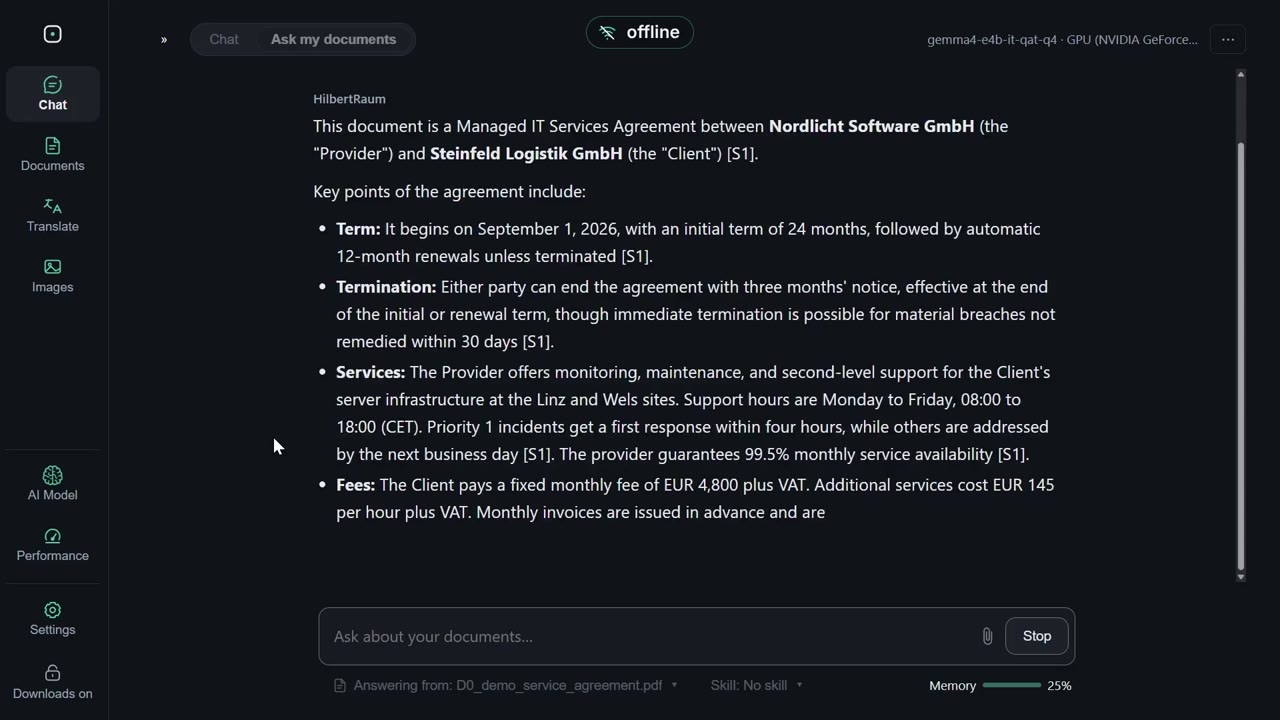
Document Q&A comes with citations: import PDFs, Word files or plain text, then get answers that point back to the exact passages in your files. No more trusting a chatbot's confident summary of a contract you did not read.
The offline Wikipedia is my favorite trick: register Wikipedia in about a hundred languages, Wiktionary or Wikivoyage as knowledge packs, and the AI searches and cites them alongside your documents. An encyclopedia that still works in a cabin in the woods.
Translation handles text and whole documents through a local model, with results filed back into your library. Whisper transcribes audio files, you can dictate prompts, OCR reads scanned pages, and a vision model answers questions about your pictures.
And for tinkerers, an optional local API, off by default, lets other programs on the same computer use your running model.
The catch section (there's always one)
Setup is honest, not instant. The app itself is only the shell: the AI engine and at least one model are separate downloads offered inside the app, and the offline Wikipedia packs are hefty files you fetch apart. Every download is verified before use, which is reassuring, but day one involves some waiting.
The project is also pre-release. The code is described as feature-complete, yet the first polished release still needs signed installers and final testing. On Windows, SmartScreen will warn you. On macOS, Gatekeeper will too. That is routine for unsigned open-source builds, but you deserve to know before the scary dialog appears.
One more nuance for the truly paranoid (said with affection): the documentation admits its "offline guard" detects network attempts rather than blocking them. The no-cloud promise rests on the code and a deny-by-default policy, and the team publishes that fine print itself. I appreciate a project that writes its own asterisks.
Who it's for
If you work with sensitive documents and want AI help without the privacy trade-off, this is one of the most convincing setups I have come across: local models, an encrypted portable workspace, answers with citations. Lawyers, journalists, accountants, diligent family archivists. If you only want quick answers and do not care where they come from, a cloud chatbot remains less work.
Verdict: a serious, carefully documented approach to private AI, free and GPL-3.0. Worth an evening of setup.
Where to get it
Official website: https://hilbertraum.ai/en/
Source code and downloads: https://github.com/HilbertraumAI/HilbertRaum
The team is also preparing a preconfigured "AI Kit" drive for people who want everything ready-made, with a waitlist on the site.