Firefox 161 Brings Classic Themes and a Copy-URL Shortcut
- Firefox
- Browsers
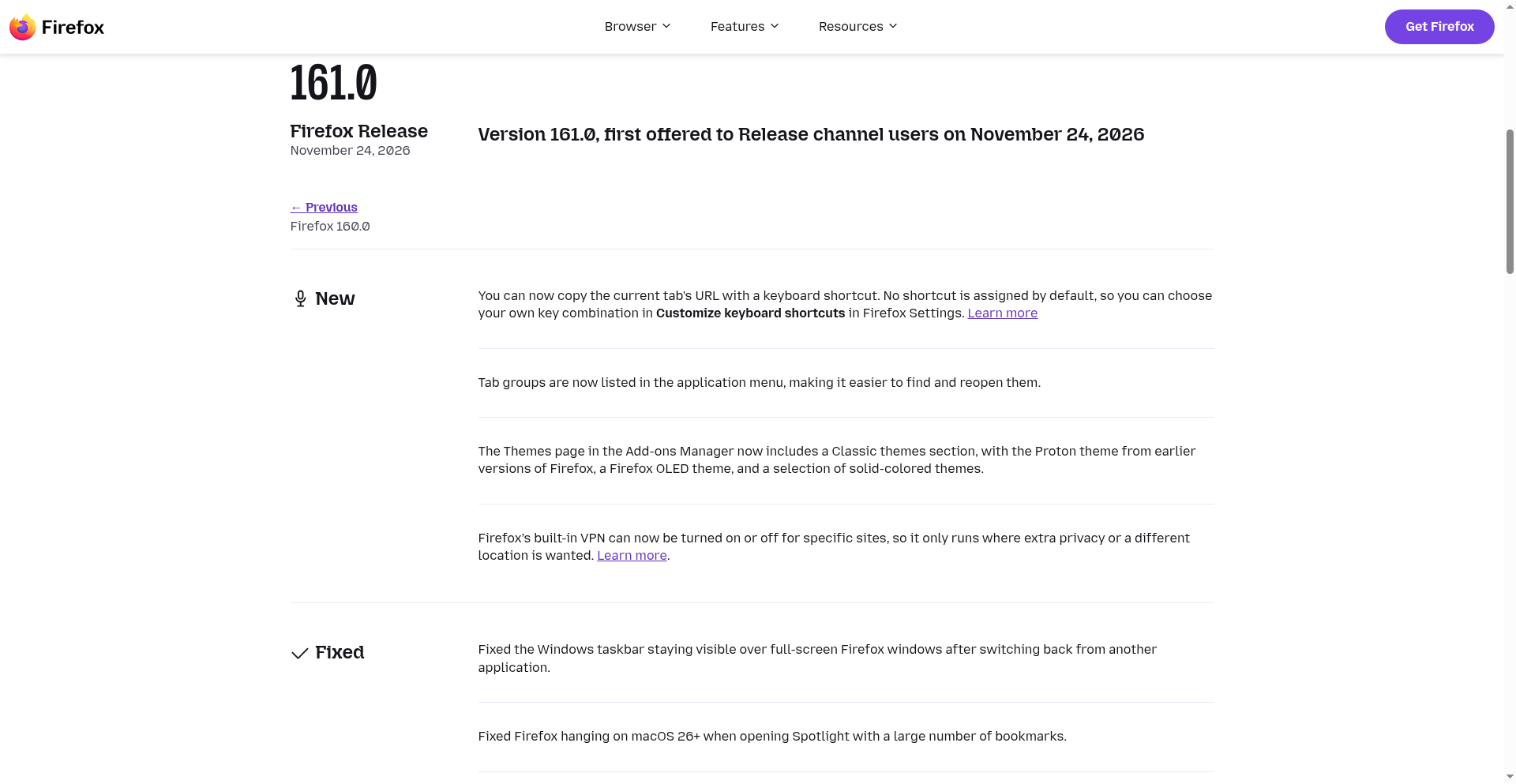
Firefox 161 is out with several small changes you may actually notice: classic theme choices, tab groups in the application menu and a keyboard command for copying the current page's address. There is a detail to catch before trying that last one. Mozilla has not assigned it a default shortcut.
The official release notes date version 161.0 to November 24. They also list fixes for fullscreen windows, video calls and restoring tabs, alongside the more visible additions.
Set the shortcut yourself
The copy-URL command lives in Firefox's customizable keyboard shortcuts. Mozilla says you can choose a key combination in Customize keyboard shortcuts in Settings. There is no universal new key sequence to memorize or try: it is yours to assign.
Tab groups now appear in the application menu, giving them another route for finding and reopening them. That arrives with a related repair: Firefox fixes some tabs failing to restore after a restart when a saved session referred to a tab group that no longer existed.
A few familiar looks return
The Themes page in the Add-ons Manager gains a Classic themes section. Mozilla lists the Proton theme from earlier Firefox versions, a Firefox OLED theme and a selection of solid colors. If a browser redesign left you wanting a more familiar appearance, that is the addition to look for.
The built-in VPN also gains per-site on/off controls. That is a control change for the feature, not a statement that the VPN is available to every reader in every region or account. The release notes alone do not establish your eligibility or any usage allowance.
Fixes for everyday annoyances
On Windows, Mozilla addresses the taskbar remaining visible over fullscreen Firefox after returning from another application. On macOS 26 and later, it fixes a hang when opening Spotlight with a large bookmark collection.
There is also a fix for some WebRTC services sending low-resolution H.264 video, a problem Mozilla traces back to Firefox 158. People typing Japanese or Korean in Canva Docs get a repair for input stopping after the first character.
History imported from Chrome now includes visit frequency, which Firefox uses for ranking address-bar suggestions and shortcuts. On macOS, shortcuts assigned to Firefox menu items in System Settings now replace the browser's built-in combinations for those items.
Changes for web apps, too
For developers, MDN's Firefox 161 notes document custom clipboard formats, CSS random values, the CSS Typed Object Model and Compression Dictionary Transport. Custom clipboard data remains limited to pages of the same origin; these APIs are capabilities for websites to adopt, not automatic improvements to every page.
Mozilla also lists various security fixes without making a specific active-attack claim in these notes. For an ordinary desktop user, the most tangible first steps are simpler: check the classic themes and, if copying page addresses is a repeated chore, assign the new command a shortcut you will remember.
Screenshot of the official Firefox 161 release notes, November 24, 2026. Credit: Mozilla.