
DBeaver Community
Free universal database tool and SQL client
Download Now
Free for Windows, macOS, Linux. No registration required.
One of over 130 tools we've selected. No paid listings.
How we review software →Screenshots
About DBeaver Community
DBeaver Community is a free, open source database tool that tries to be the only database client you need. Instead of installing a different manager for every engine you touch, you connect to MySQL, PostgreSQL, SQLite, SQL Server, Oracle, MariaDB, ClickHouse, DuckDB, and more than a hundred other databases from one window, using the same interface and the same habits everywhere. It is developed by DBeaver Corp, translated into many languages, and updated on a rapid release cycle.
One Client for Every Database
Out of the box, DBeaver ships with over 100 database drivers, and it can reach essentially any database that offers a JDBC or ODBC driver. Connections are organized in a navigator tree with saved credentials, SSH tunnels, and proxy support built in, so jumping between a local SQLite file, a staging PostgreSQL server, and a production warehouse takes seconds. A PPA repository, MSI-style installer, DMG, and plain archives cover every desktop platform.
A Serious SQL Editor
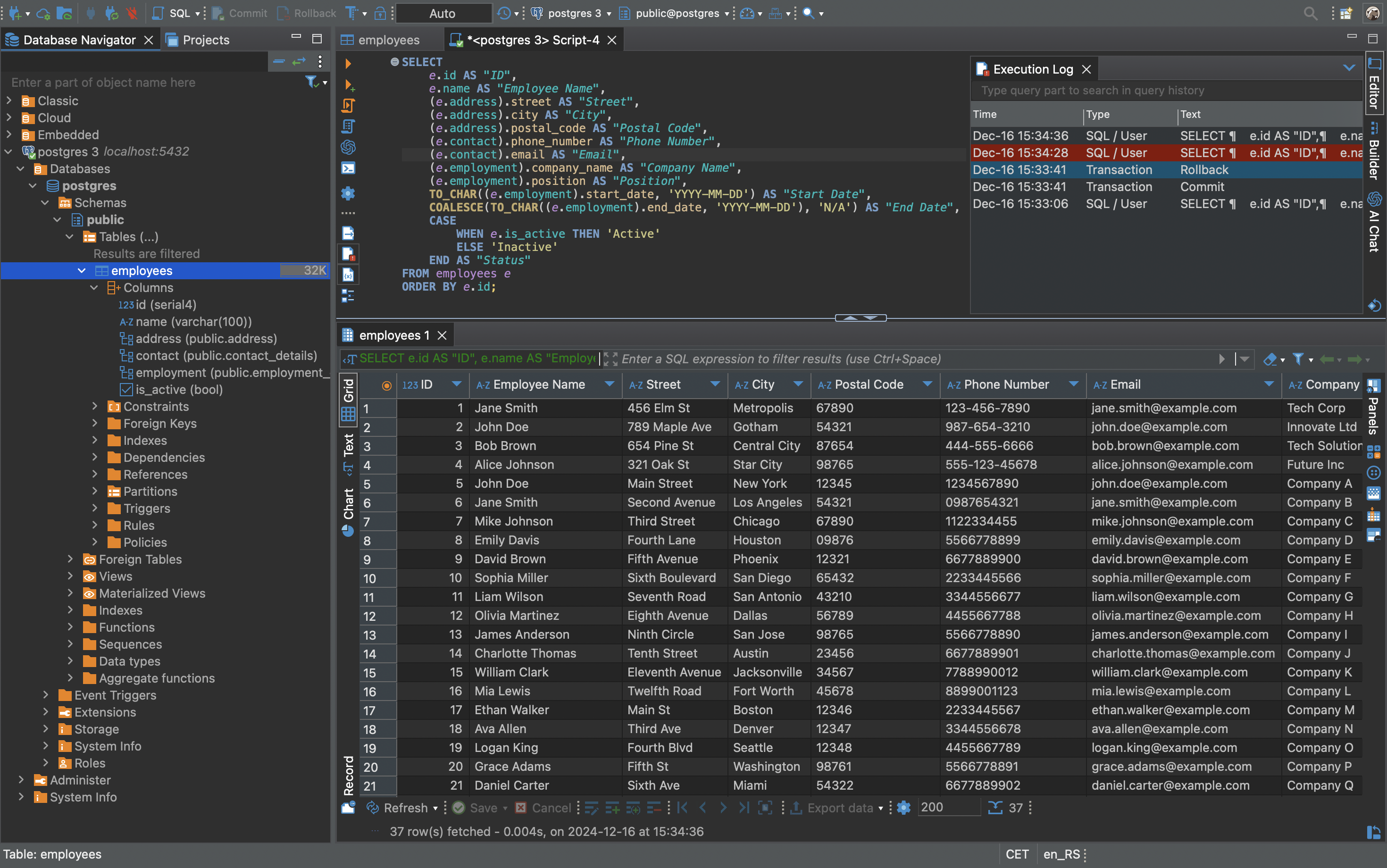
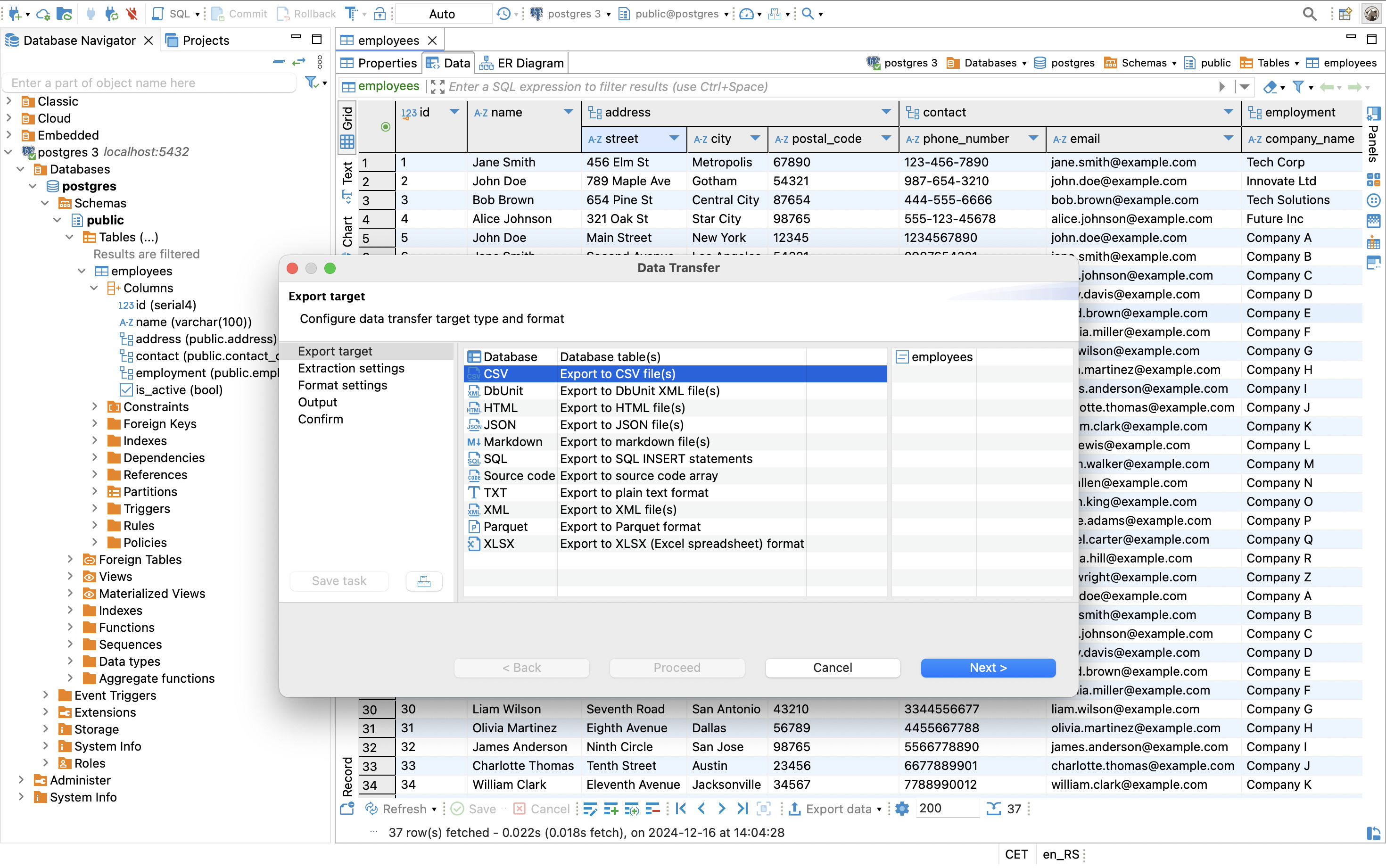
The SQL editor does the things working developers actually rely on: context-aware autocompletion, syntax highlighting, formatting, templates, and multiple result tabs. You can execute a single statement, a whole script, or explain a query with visual execution plans to see exactly why it is slow. Results can be exported to CSV, JSON, SQL, HTML, or Excel, and query history is kept per connection. You can also run SQL script files without even opening them in the editor, which is handy for routine maintenance jobs.
See and Edit Your Data
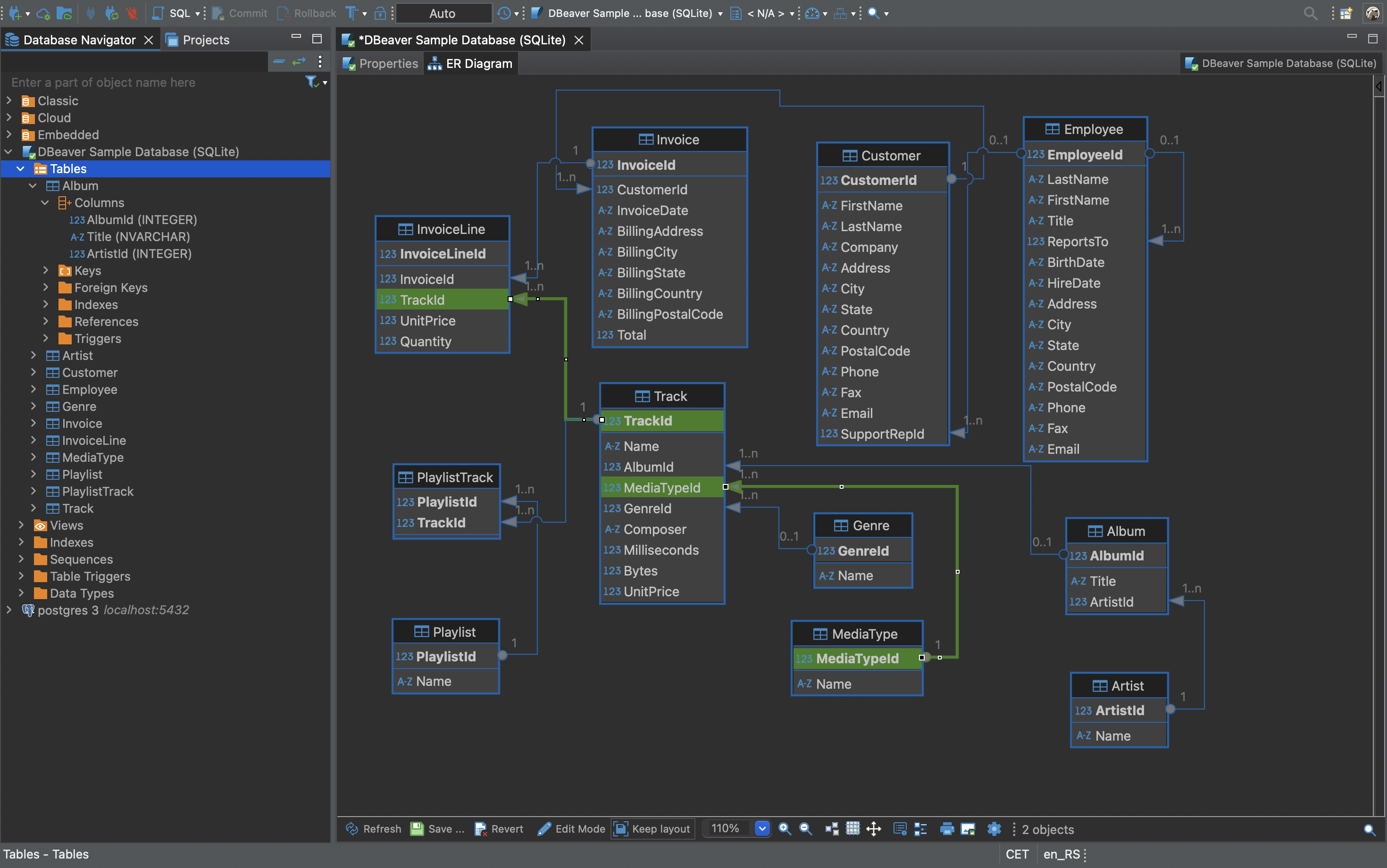
The data editor presents any table as a spreadsheet-style grid with filtering, sorting, and inline editing, including foreign-key navigation to jump between related rows. A spatial data viewer renders GIS geometry on a map. For structure work, DBeaver generates ER diagrams from a live schema, and the metadata editor lets you create or alter tables, columns, indexes, and constraints visually instead of writing DDL by hand.
Data Movement and Administration
Built-in data transfer moves tables between databases, imports files, and exports result sets, with mapping options for migrations. Administration tools cover sessions, locks, and database-specific maintenance, and dashboards show server health at a glance. For teams working with files, community drivers can even treat CSV and DBF files as queryable data sources. An optional AI chat can help write or explain SQL once you configure your own provider.
Where It Fits, and Where It Doesn't
DBeaver Community is aimed at developers, analysts, and DBAs who live in relational databases. Its limits are honest: NoSQL engines like MongoDB, Redis, and Cassandra are reserved for the paid PRO versions, and the Java-based Eclipse interface is dense and utilitarian rather than sleek. It is also a desktop application, not a web console; its sibling CloudBeaver covers that use case separately. In exchange, the Community edition has no trial clock and no crippled features: Apache 2.0, free for any use, with Java bundled in every installer.
Key Features
100+ database drivers out of the box
Connect to MySQL, PostgreSQL, SQLite, SQL Server, Oracle, ClickHouse, DuckDB, and nearly anything with a JDBC or ODBC driver, with SSH tunnels and proxy support built in.
Data transfer, dashboards, and administration
Export, import, and migrate data between databases, watch server health on dashboards, and manage sessions and locks.
ER diagrams and visual schema editing
Generate ER diagrams from a live schema and create or alter tables, columns, indexes, and constraints without writing DDL.
Visual data editor with GIS viewer
Browse, filter, and edit table data in a spreadsheet grid, follow foreign keys between rows, and render spatial data on a map.
Pros & Cons
Pros
- Free and open source (Apache 2.0) with no trial limits or crippled features
- Java bundled in every installer; active development and frequent releases
- Deep toolset: ER diagrams, data migration, execution plans, GIS viewer
- One client for virtually every SQL database (100+ drivers)
Cons
- NoSQL databases (MongoDB, Redis, Cassandra) require the paid PRO version
- Java/Eclipse-based interface feels heavy and dated next to native apps
Frequently Asked Questions
Is DBeaver Community really free?
Yes. The Community edition is free and open source under the Apache 2.0 license, with no time limits, for personal and commercial use. Paid PRO versions add NoSQL databases, cloud features, and technical support.
What are the system requirements?
Windows 10 or later, macOS 11 or later, or a 64-bit Linux distribution. Windows 8 and Windows Server 2012 and earlier are not supported, per the official download page.
Does DBeaver include AI features?
Yes, optionally. An AI chat can help generate, explain, and optimize SQL. In the Community version you configure your own provider, such as an OpenAI-compatible endpoint or Copilot; nothing is active until you set it up.
Screenshots