
diagrams.net
Security-first diagramming for teams
Download Now
Free for Windows, macOS, Linux, Web. No registration required.
One of over 130 tools we've selected. No paid listings.
How we review software →Screenshots
About diagrams.net
diagrams.net, still widely known by its former name draw.io, is a free and open-source diagramming tool that runs both in the browser and as an offline desktop app for Windows, macOS and Linux. It covers flowcharts, UML, BPMN, network and cloud architecture diagrams, wireframes, org charts, floor plans and more, with no account, no paywall and no feature tier held back.
Your Diagrams, Your Storage
There is no diagrams.net account and no diagram ever has to touch the vendor's servers. You open the editor, and you choose where files live: directly on your device, or inside storage you already trust, such as Google Drive, OneDrive, Dropbox, GitHub, GitLab or SharePoint. The company states it collects no analytics and cannot access your content, and the desktop app is deliberately isolated from the internet apart from an optional update check. For anyone diagramming internal infrastructure, that posture removes the usual awkward conversation with the security team.
A Full Diagramming Toolbox
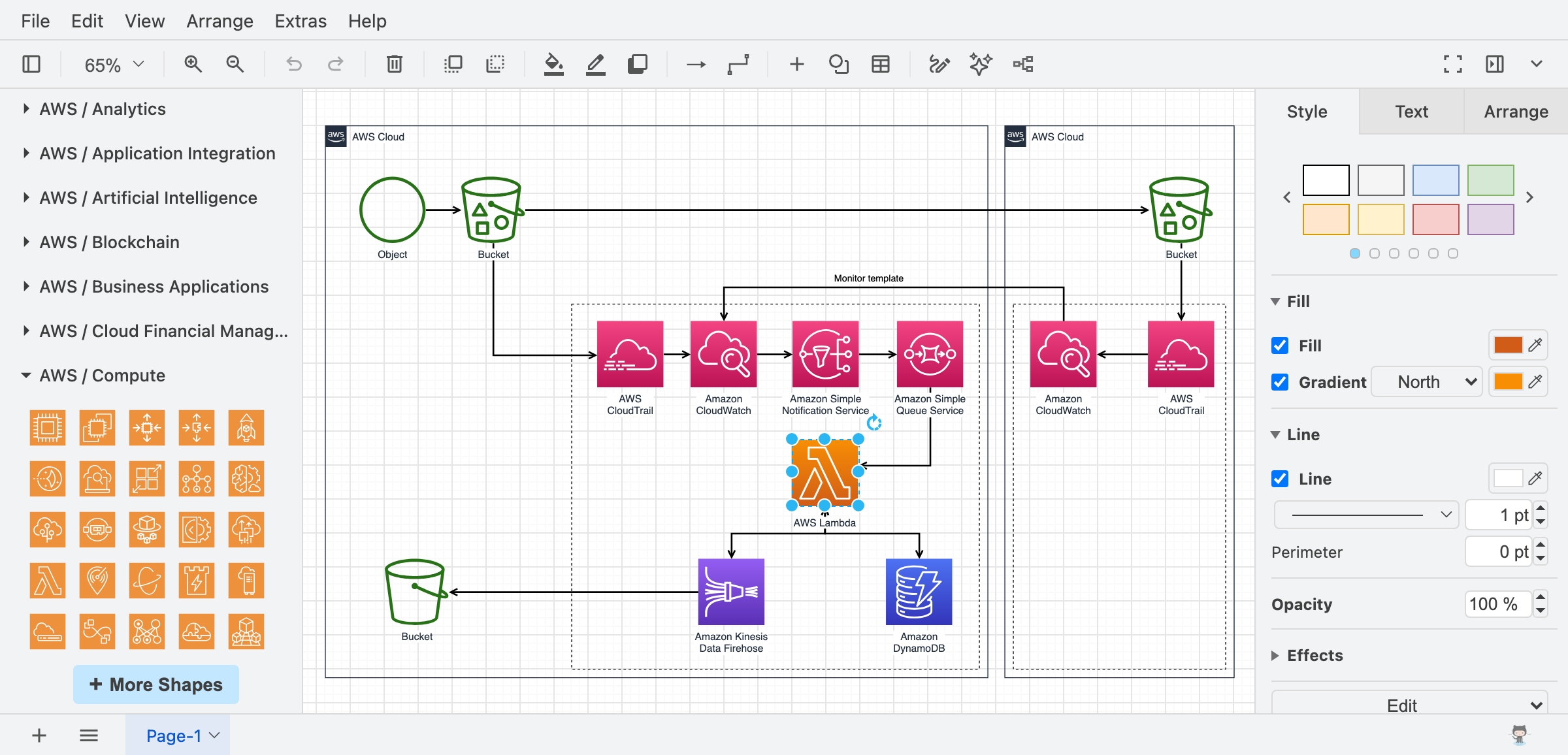
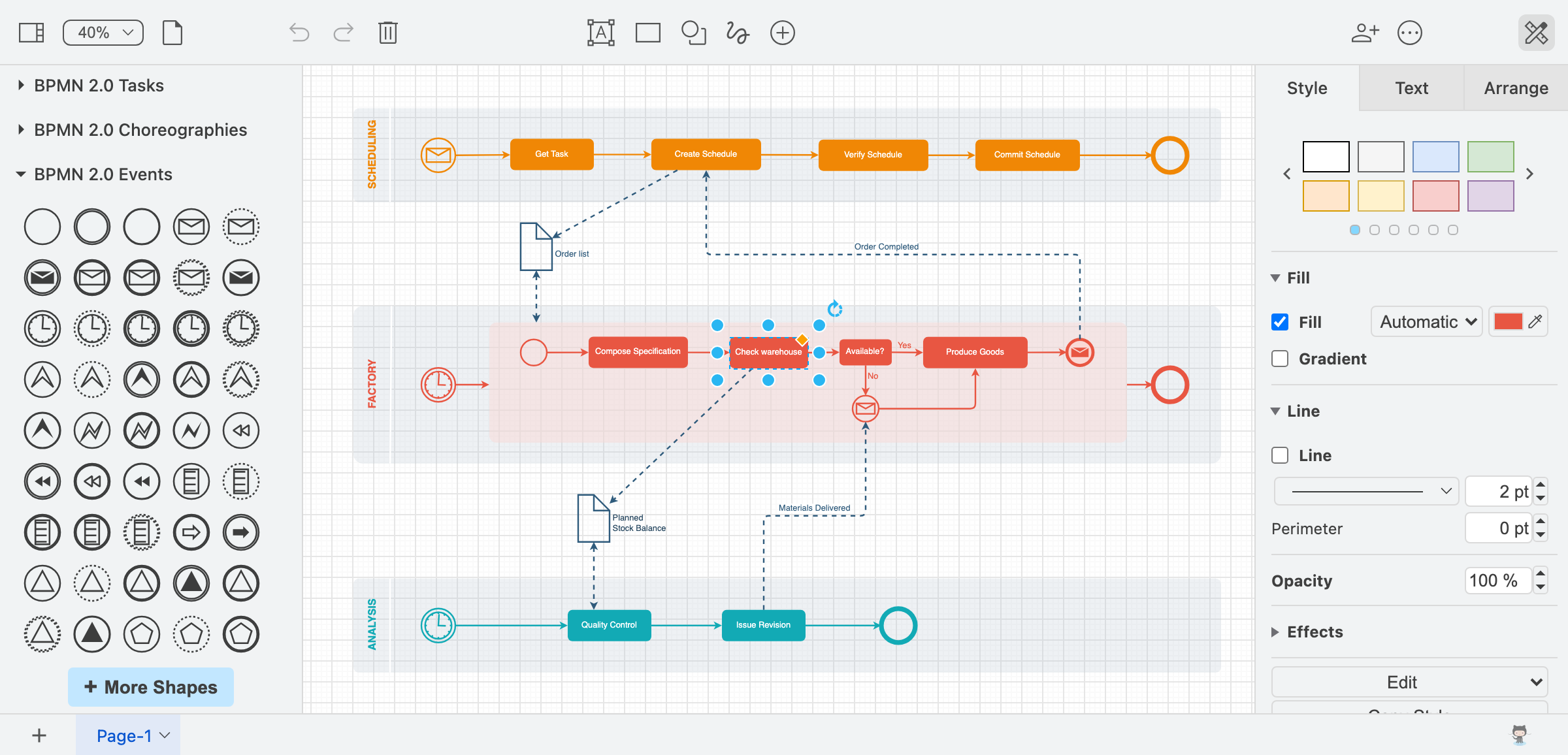
The shape libraries run deep: software and UML notation, BPMN for process mapping, electrical and rack elements, floor plan symbols, and the official icon sets for AWS, Azure and Google Cloud architecture diagrams. Templates give you a running start, you can build custom shape libraries for a house style, and layers keep complex drawings manageable. Finished work exports to PNG, SVG, PDF, HTML or an editable XML file that stays backwards compatible, so a diagram saved years ago still opens today.
Fits Into Your Workflow
Rather than pulling you into a new portal, diagrams.net meets you where the documentation lives. Official integrations embed editable diagrams in Google Docs and Slides, Confluence and Jira, Microsoft Teams and OneDrive, GitHub markdown, VS Code and Notion. When a file sits on shared cloud storage, colleagues can edit together with live cursors.
Things to Know Before You Rely on It
- Real-time collaboration needs shared storage: the live multi-cursor editing works when the diagram file lives on a shared cloud drive. A file saved locally in the desktop app is a single-user affair.
- It is not an SVG editor: the project states this explicitly. SVG export is meant for embedding in web pages, not for round-tripping artwork back into Illustrator or Inkscape.
- The toolbox can overwhelm: the same depth that makes it powerful means new users face dense menus and shape panels before the basics click.
- Web version needs a modern browser; there is no mobile app, and editing on a phone screen is impractical.
Editorial Note
diagrams.net has quietly become the default answer when someone needs a flowchart right now: no sign-up, no watermark, no export ransom. In a category where rivals gate essential features behind subscriptions, its combination of full-featured editing, genuine file ownership and a twenty-year track record makes it one of the easiest recommendations in free software. Start with the template closest to your task rather than a blank canvas, and the first diagram takes minutes instead of an evening.
Key Features
Runs anywhere, even offline
Full editor in any modern browser with no install, plus a desktop app for Windows, macOS and Linux that works entirely offline and never sends diagram data out.
Your diagrams, your storage
No account and no vendor lock-in: save files to your device or to Google Drive, OneDrive, Dropbox, GitHub, GitLab or SharePoint, and move them elsewhere any time.
Deep shape libraries and templates
Flowcharts, UML, BPMN, network racks, electrical symbols, floor plans and official AWS, Azure and Google Cloud icon sets, plus templates and custom shape libraries.
Export and embed anywhere
Export to PNG, SVG, PDF or HTML, keep the editable XML source, and embed interactive diagrams in Google Docs, Confluence, VS Code, GitHub and Notion.
Pros & Cons
Pros
- Completely free with no account, no paywalls and no feature tiers; Apache-2.0 licensed source
- Your files stay in storage you own; the vendor cannot access your diagrams
- Works fully offline as a desktop app, and in the browser with no install
- Deep integrations: Google Docs, Microsoft 365, Confluence, Jira, VS Code, GitHub
Cons
- Real-time collaboration only works when the diagram file lives on shared cloud storage; local desktop files are single-user
- Not an SVG editor; SVG export is for embedding, not round-trip editing in other tools
Frequently Asked Questions
Is diagrams.net really free?
Yes. The online editor and the desktop app are free forever, with no sign-up, no paywalls and no locked features, and the source code is Apache-2.0 licensed.
Do I need to create an account?
No. There is no diagrams.net account at all. You save files directly to your device or to your own cloud storage such as Google Drive, OneDrive, Dropbox, GitHub, GitLab or SharePoint.
Can I use diagrams.net offline?
Yes. The desktop app for Windows, macOS and Linux works fully offline. It is isolated from the internet except for an optional update check, which can be disabled.
Quick Info
Screenshots