
File Pilot
Next-generation file explorer built for lightning-fast performance with modern interface
Download Now
Free for Windows. No registration required.
One of over 130 tools we've selected. No paid listings.
How we review software →Screenshots

About File Pilot
File Pilot is a revolutionary file explorer engineered from the ground up to deliver blazing-fast performance and an intuitive user experience. Built with modern Windows users in mind, this next-generation file manager transforms how you interact with your files and folders, making traditional File Explorer feel sluggish and outdated by comparison.
Lightning-Fast Performance
File Pilot's custom-built engine delivers results in milliseconds, not seconds. Whether you're browsing through thousands of files or searching across entire drives, the application responds instantly. The flattened folder view can display entire drive hierarchies in the blink of an eye, allowing you to see all your files at once without navigating through countless subfolders.
Modern, Intuitive Interface
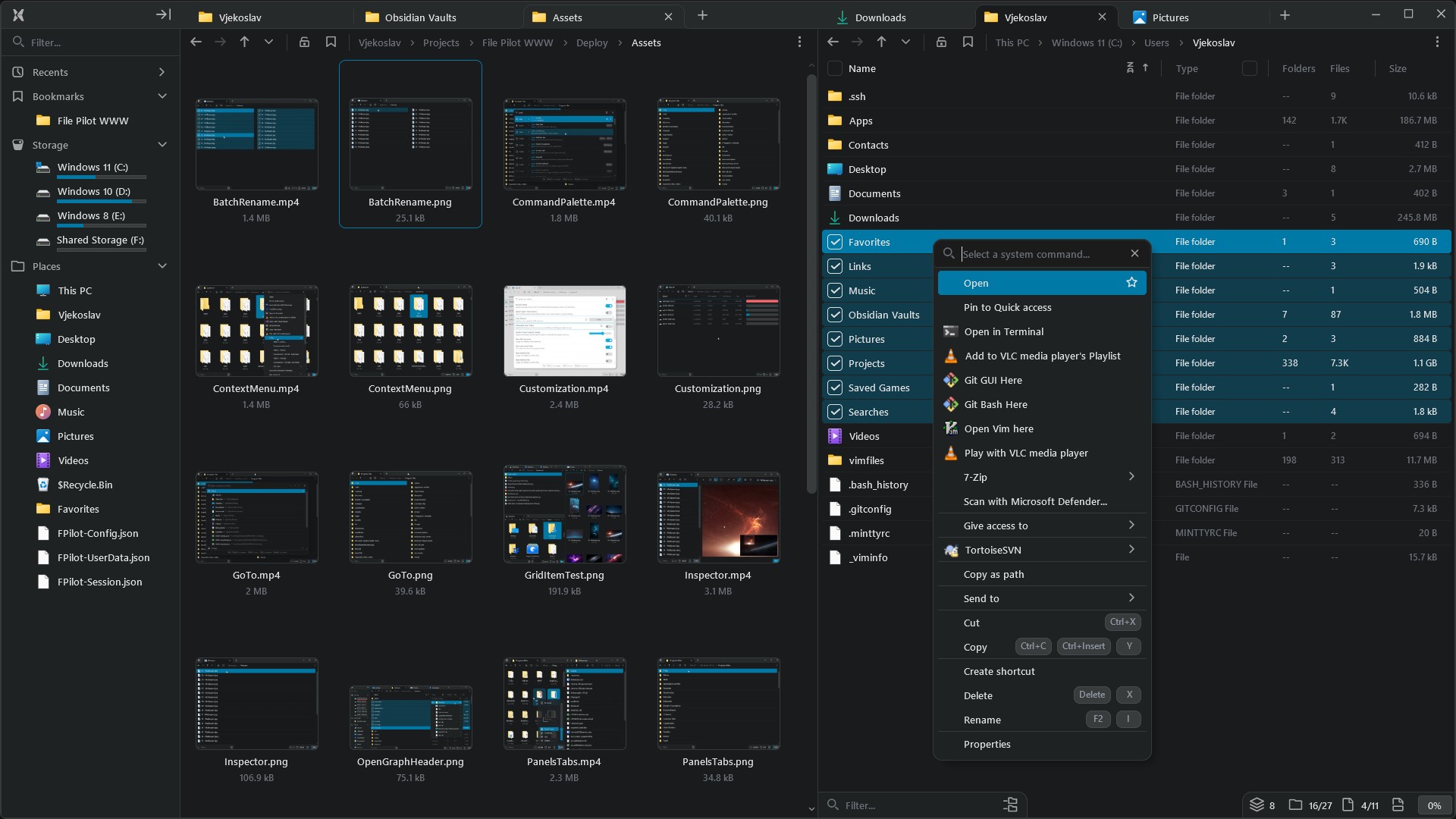
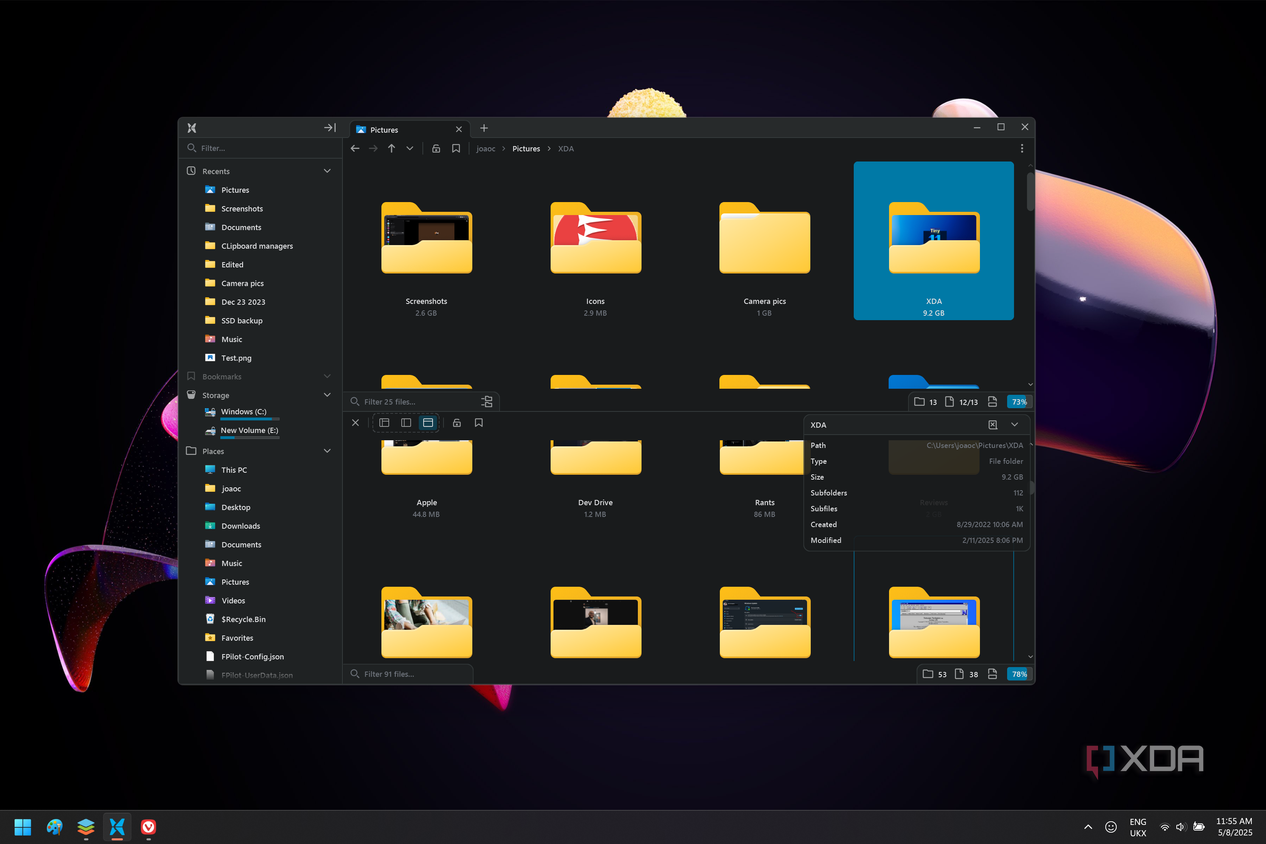
The clean, tabbed interface puts your files in the spotlight. Open multiple folders in separate tabs, create split views with drag-and-drop simplicity, and arrange your workspace exactly how you need it. The built-in file inspector lets you preview text files, images, and even other folders without leaving the application, dramatically speeding up your workflow.
Power User Features
File Pilot includes a comprehensive command palette accessible via keyboard shortcuts, making every action searchable and customizable. Batch rename multiple files interactively with options to insert dates or generate unique IDs. The advanced search functionality supports fuzzy matching and filtering by file extensions, with both local and global search capabilities.
Fully Customizable
Personalize every aspect of File Pilot to match your workflow. Choose from multiple color themes, customize hotkeys and aliases, save and switch between different layouts, and configure default actions. The interface supports both mouse and keyboard navigation, with rich numpad support and key sequence options.
Lightweight and Portable
Despite its powerful features, File Pilot remains incredibly lightweight, using only 17 MB of memory even when displaying thousands of files with large icons. Available as both an installer and portable version, you can run it directly from a USB drive without installation.
Currently in free beta, File Pilot represents the future of file management on Windows, combining speed, power, and elegance in one compact package.
Key Features
Lightning-Fast Performance
Custom-built engine that delivers instant results when browsing, searching, and managing files. Displays entire drive hierarchies in milliseconds.
Tabbed Interface & Split Views
Open multiple folders in tabs, create vertical or horizontal split views, and arrange them with drag-and-drop simplicity for efficient multitasking.
Built-in File Inspector
Preview text files, images, and folders directly without leaving the application. Quick Look feature lets you instantly view file contents with the spacebar.
Pros & Cons
Pros
- Blazing-fast performance with instant file operations
- Highly customizable with themes, layouts, and hotkeys
- Lightweight and portable with minimal memory footprint
- Modern tabbed interface with split view capabilities
Cons
- Still in beta with occasional rough edges
- Windows-only (no macOS or Linux support yet)
- Some features still in development
Frequently Asked Questions
Is File Pilot free to use?
Yes, File Pilot is currently free during its beta phase. The developers plan to charge $40 for the final version, so it's a great time to download and use it while it's free.
What operating systems does File Pilot support?
File Pilot currently supports Windows 7 64-bit and above. Support for macOS and Linux is planned for future releases.
Screenshots