
Flameshot
Powerful yet simple screenshot software with built-in annotation tools
Download Now
Free for Windows, macOS, Linux. No registration required.
One of over 130 tools we've selected. No paid listings.
How we review software →Screenshots
About Flameshot
Flameshot is a free, open source screenshot tool that treats annotation as part of the capture, not a separate chore. Press your hotkey, drag a box around what matters, mark it up right on the screen, and save, copy, pin, or upload the result without ever opening an editor. It runs on Windows, macOS, and Linux, it is translated into many languages, and it is maintained by an active community under the GNU General Public License.
Capture Exactly What You Mean
The capture overlay covers your screens and lets you drag out any region, nudge it pixel by pixel with the keyboard, or grab a full screen in one click. On multi-monitor setups you can capture everything at once or just the display you are working on. Once you have a shot, you can pin it to the screen as a floating, always-on-top reference, which is perfect for comparing values, following instructions from a tutorial, or keeping an error message visible while you fix the problem it describes.
Annotate Before You Save
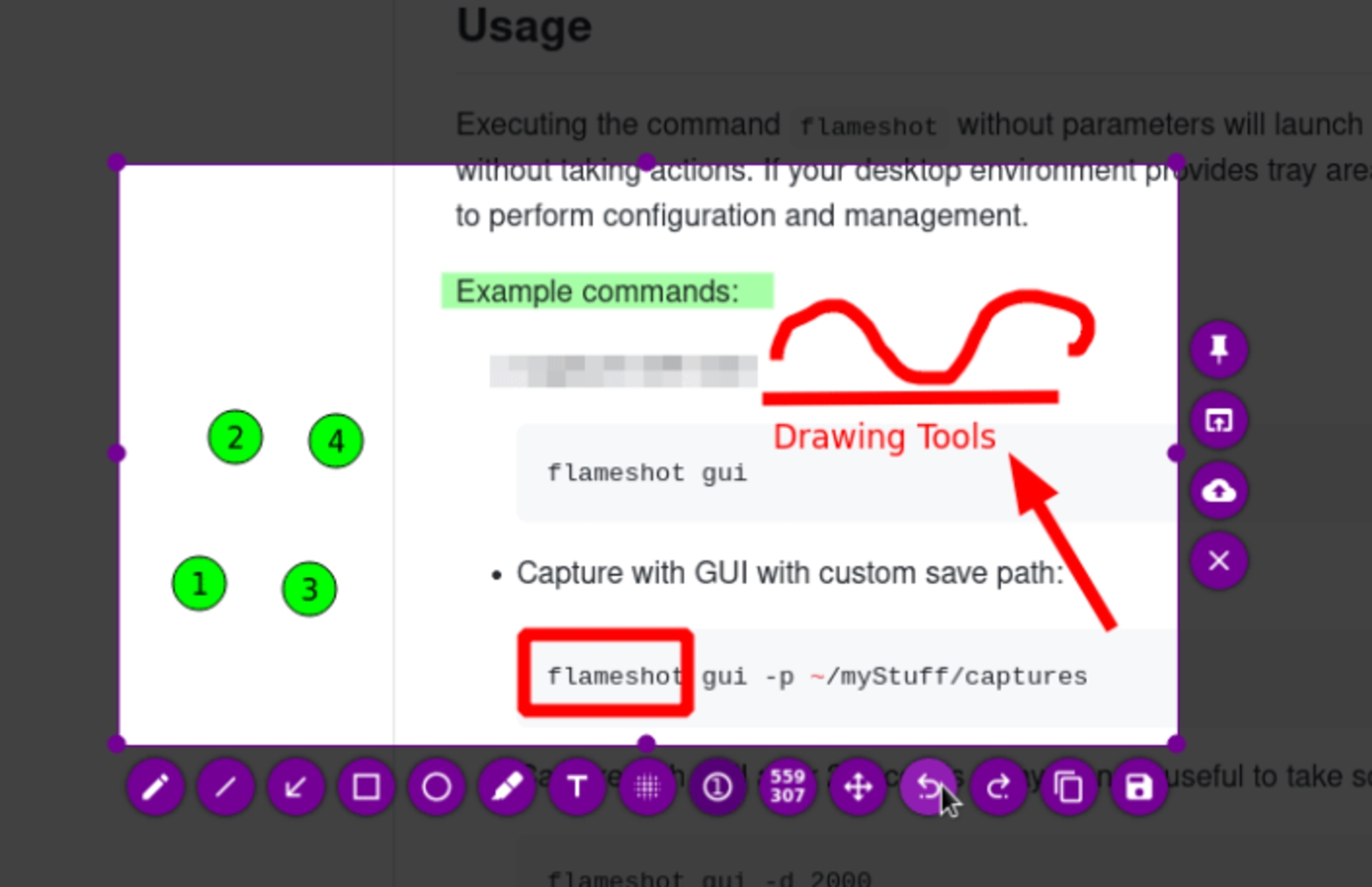
The editing palette sits around your selection, so marking up a shot takes seconds. Draw arrows and freehand lines, add text, highlight or underline phrases, blur or pixelate sensitive information, frame areas with rectangles and circles, stamp incrementing counter numbers for step-by-step guides, and drop solid color boxes where you need them. Every tool has adjustable size and color, and everything is undoable before you commit, so experimenting costs nothing.
Save, Copy, or Upload in One Step
Finished shots go where you need them: saved to a configurable folder and filename pattern, copied straight to the clipboard for pasting into chat or documents, pinned to the screen, or uploaded to Imgur with the link copied automatically. The defaults are all configurable, including image format and compression quality, so a repetitive workflow becomes a single keystroke you can run all day.
Built for Shortcuts and Scripts
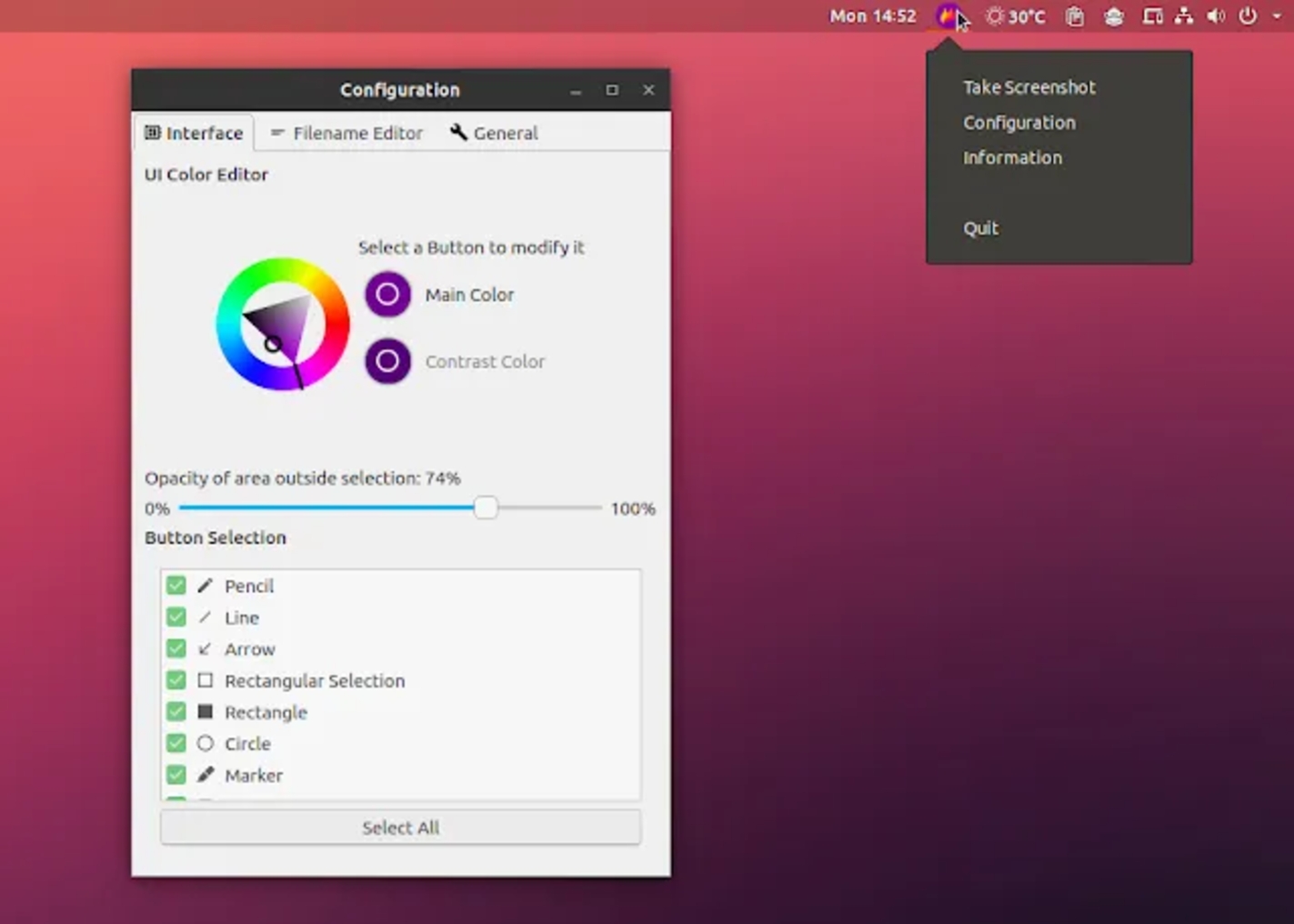
Flameshot is designed to be triggered, not browsed. Bind global hotkeys for region, full-screen, or pinned captures, tune which tools appear in the palette, and adjust the interface color to your taste. A full command-line interface lets scripts and window managers launch captures, set delays, and choose outputs, which makes it a natural fit for tiling setups and automation.
Where It Fits, and Where It Doesn't
It is ideal for bug reports, documentation, tutorials, code reviews, and quick visual answers in chat. The limits are clear: Flameshot takes screenshots only, so there is no video or GIF recording, and there is no scrolling capture for long pages. On Linux running Wayland, behavior depends on the compositor and some setups need extra permissions before global shortcuts and captures work. The built-in editor is for annotation, not retouching, so heavy image work still belongs in a full editor. For everything it does do, it is one of the fastest paths from "I see it" to "here it is."
Key Features
Annotate right on the capture
Draw arrows, text, highlights, shapes, counters, and freehand lines; blur or pixelate sensitive areas before you save, all undoable.
Customizable interface and tools
Choose which tools appear in the palette, set interface color and shortcuts, and tune save format and quality.
Global hotkeys and a full CLI
Bind captures to global shortcuts and script region, full-screen, delayed, and pinned captures from the terminal.
Save, copy, or upload in one step
Send shots to a configurable folder and filename pattern, the clipboard, the screen as a pin, or Imgur with the link copied automatically.
Pros & Cons
Pros
- Free and open source (GPL-3.0): no watermarks, no accounts, no trials
- Scriptable CLI and hotkeys fit power workflows
- Runs on Windows, macOS, and Linux with packages for most distros
- Annotation, pinning, and upload built into one small tool
Cons
- Screenshots only - no video or GIF recording
- On Linux with Wayland, behavior depends on the compositor and some setups need extra permissions
Frequently Asked Questions
Is Flameshot free?
Yes. It is free and open source under the GNU General Public License v3.0, with no watermarks, no accounts, and no feature limits.
Can I automate or script Flameshot?
Yes. It has a full command-line interface and configurable global hotkeys, so scripts and window managers can trigger captures directly.
Does Flameshot work on Wayland?
Yes, but capture and global shortcuts depend on the compositor, and some setups need extra permissions or configuration.
Quick Info
Screenshots