
LosslessCut
The Swiss Army Knife of Lossless Video/Audio Editing
Download Now
Free for Windows, macOS, Linux. No registration required.
One of over 130 tools we've selected. No paid listings.
How we review software →Screenshots
About LosslessCut
LosslessCut is a free, open-source video and audio editor built for one job above all: cutting media files without re-encoding them. A traditional editor processes every frame again, which can take hours and slowly degrades quality; LosslessCut copies the original data stream directly, so the same operation finishes in seconds and the output keeps bit-for-bit identical quality. It runs on Windows, macOS and Linux.
Cut First, Re-Encode Never
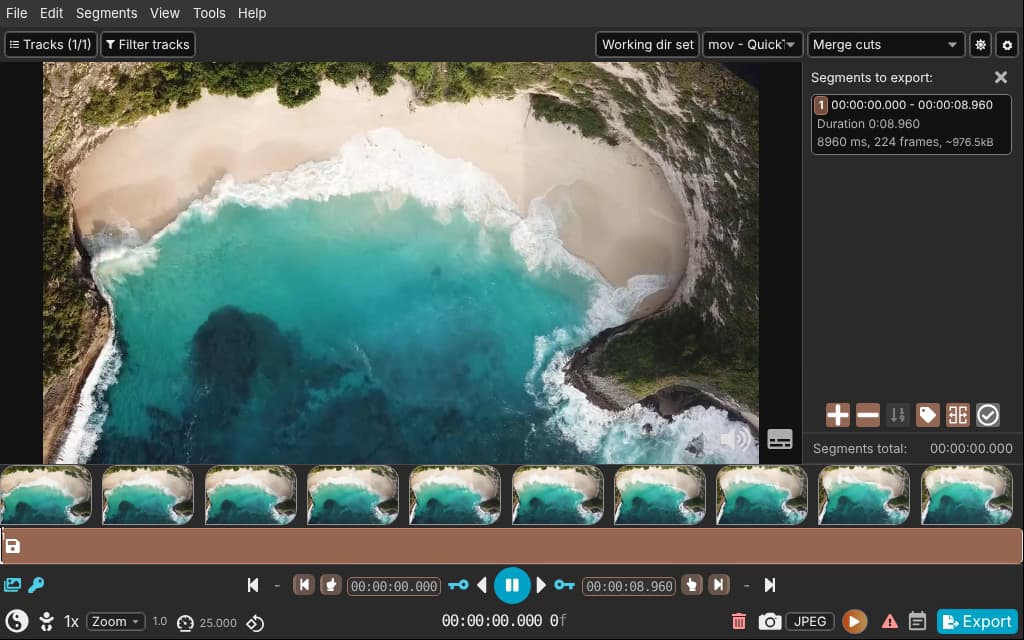
The core workflow is trimming: mark the parts you want to keep or drop, then export instantly. That makes it ideal for rough-cutting long recordings from a camera, drone or GoPro before archiving, shaving gigabytes off footage you will never watch. It is just as good at cutting commercials out of a recorded TV show, trimming a screen recording down to its useful minute, keeping only the best thirty seconds of a flight or dive, or extracting the music track from a video and saving it on its own.
More Than a Trimmer
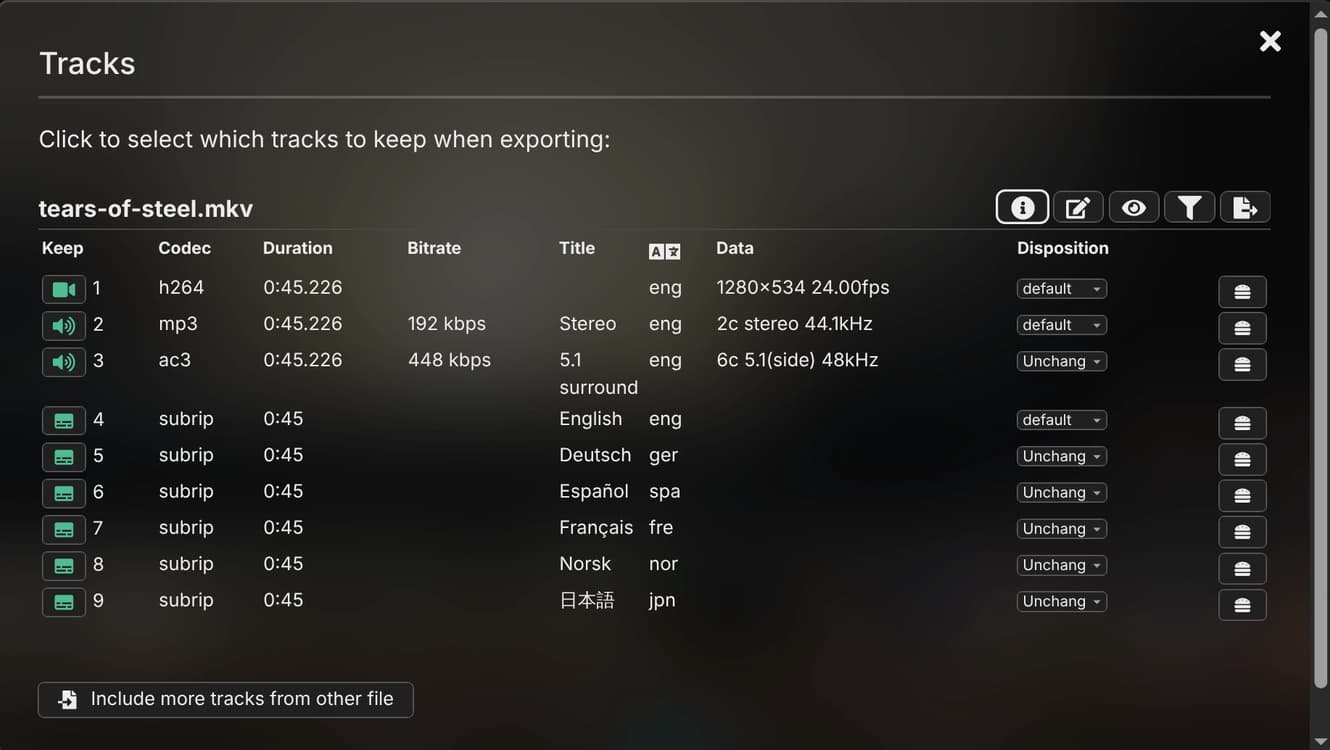
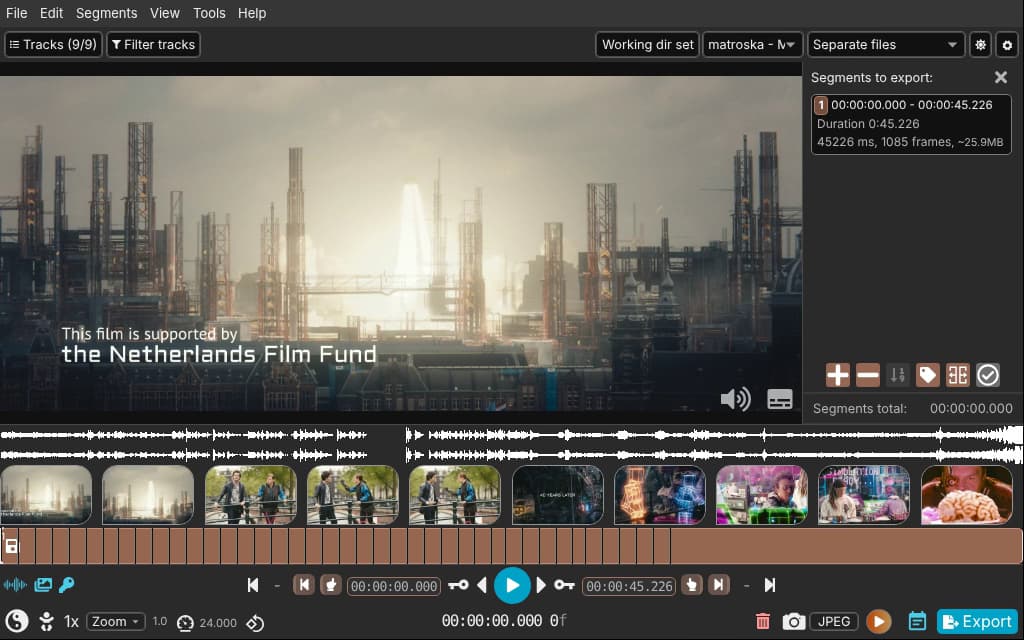
Beyond cutting, LosslessCut merges clips losslessly as long as they share the same codec, which is perfect for joining files from the same camera or phone. It adds, removes, replaces or extracts tracks: pull out a subtitle stream, swap the audio, or strip languages you do not need. Remuxing changes the container, for example from MKV to MP4, without touching the video itself. It also detects scenes, black frames and silence to split files automatically, edits metadata and rotation, creates chapters, and works with markers, CSV, EDL and other segment formats. A snapshot tool saves still frames, and keyboard shortcuts, a command-line interface and an HTTP API cover batch and scripted workflows.
Formats and Playback
Out of the box it plays what Chromium supports natively: MP4, MOV, WebM, Matroska, OGG and WAV, with common codecs such as H.264, H.265, AV1, VP9, AAC, MP3, Opus, FLAC and Vorbis. Anything else opens through FFmpeg-assisted playback, and the export still runs against the original file, so it stays lossless. In practice, it opens almost any file FFmpeg can decode, even ones your regular player cannot.
Things to Know Before You Rely on It
Lossless cuts can only begin on a keyframe. Depending on how the file was encoded, a cut may start a fraction of a second to a few seconds before your chosen point, so frame-exact edits are not guaranteed. H.265 playback also depends on having a hardware decoder. This is not a full editor either: there are no transitions, effects, color tools or multitrack timeline. And as a one-developer project, support lives on GitHub rather than in a helpdesk.
Editorial Note
LosslessCut earns its place for the single most common video chore: removing the boring parts fast, without losing quality. For trimming, merging, track swapping and remuxing it replaces far heavier tools; for anything beyond that, pair it with a traditional editor.
For anyone sitting on hours of raw footage, few tools make the first pass this painless.
Key Features
Lossless Cutting in Seconds
Trim video and audio without re-encoding: the original stream is copied directly, so exports finish in seconds with zero quality loss.
Merge and Join Clips
Combine cut segments or whole files with identical codecs into a single file, still without re-encoding.
Track and Container Tools
Add, remove, replace or extract audio and subtitle tracks, and remux between containers like MKV and MP4 without touching the streams.
Smart Detection and Chapters
Detect scenes, black frames and silence to split files automatically; edit metadata and rotation, create chapters, and import or export CSV, EDL and more.
Pros & Cons
Pros
- Extremely fast: exports take seconds because nothing is re-encoded
- No quality loss: output is a bit-perfect copy of the source streams
- Free and open source, with no ads or tracking
- Runs on Windows, macOS and Linux
Cons
- Cuts snap to the nearest keyframe, so cut points are not frame-exact
- Not a full editor: no transitions, effects or multitrack timeline
Frequently Asked Questions
Is LosslessCut free?
Yes. From the official website and GitHub it is completely free and open source. The Microsoft Store and Mac App Store editions are paid: they fund code signing, automatic updates and continued development of the same application.
Does cutting reduce video quality?
No. LosslessCut copies the original data stream instead of re-encoding it, so the exported file keeps exactly the quality of the source.
Why did my cut start slightly before the point I chose?
Lossless cuts can only begin on a keyframe. Depending on the encoding, the cut may start a fraction of a second to a few seconds earlier than your marker.
Screenshots