
Malwarebytes AdwCleaner
Free adware and malware removal tool that cleans unwanted software from your PC
Download Now
Free for Windows. No registration required.
One of over 130 tools we've selected. No paid listings.
How we review software →Screenshots
About Malwarebytes AdwCleaner
Malwarebytes AdwCleaner is a specialized utility designed to detect and remove adware, potentially unwanted programs, and other malicious software from Windows systems. Unlike traditional antivirus solutions, AdwCleaner focuses specifically on adware detection with a streamlined scanning engine that identifies unwanted browser extensions, toolbars, and intrusive advertising software.
Core Functionality
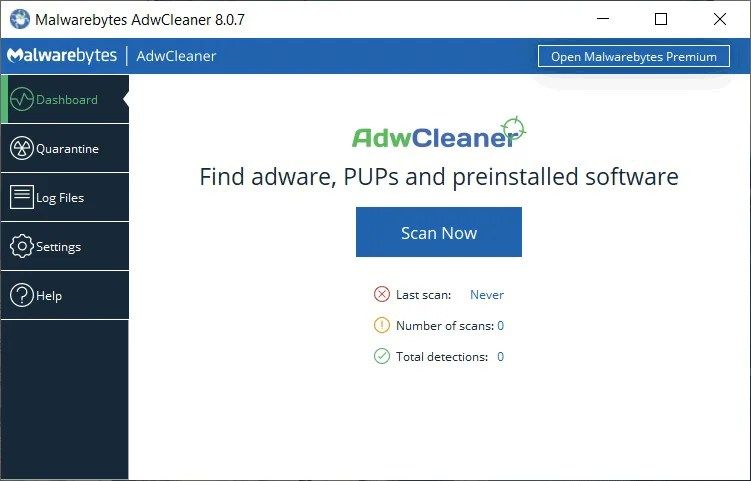
AdwCleaner operates through a scan-and-clean workflow. The application performs a comprehensive system scan to identify suspicious files, registry entries, and browser plugins associated with adware. Users can preview detected threats before removal, ensuring accidental deletion of legitimate software doesn't occur. The quarantine feature allows recovery of files if needed.
Key Characteristics
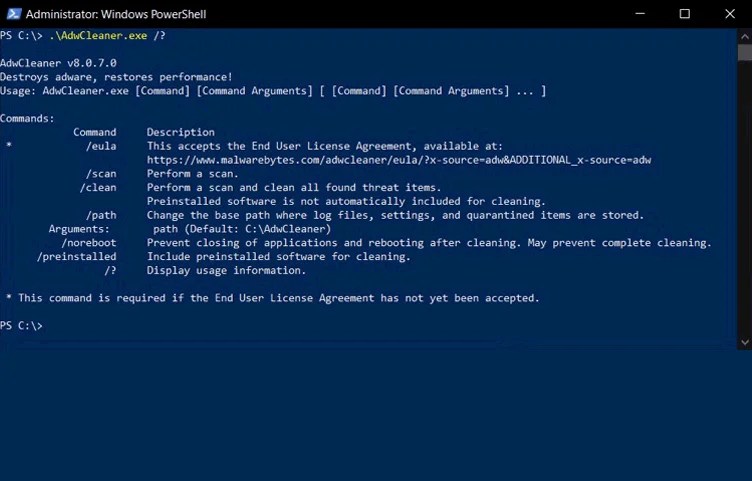
The software requires no installation, functioning as a portable application that runs directly from any location. This approach provides flexibility for users who prefer temporary scans without permanent system modifications. The interface maintains simplicity with clear categorization of detected threats by type: browser hijackers, unwanted toolbars, PUPs, and advertising software.
Performance Considerations
Scanning times vary depending on system configuration and drive size, typically ranging from five to twenty minutes for comprehensive scans. The application operates efficiently without significant system resource consumption during scans. Results display detailed information about each threat, including file paths and registry locations for technical users requiring deeper analysis.
Technical Aspects
AdwCleaner maintains a regularly updated database of known adware signatures. The software integrates with security ecosystems through optional integration with Malwarebytes antivirus protection. Regular updates ensure recognition of emerging adware variants and PUPs appearing in the wild.
Practical Use Cases
This tool proves particularly valuable for users experiencing browser redirect issues, unwanted search engine modifications, or unusual advertising content. System administrators find AdwCleaner useful for cleaning multiple workstations in corporate environments. Complementary to traditional antivirus software, it addresses adware specifically that conventional security tools sometimes overlook.
Considerations
While effective at adware removal, AdwCleaner functions as a supplementary security tool rather than comprehensive antivirus protection. Some users report occasional false positives in browser extensions categorization. The portable nature means no system integration for scheduled scanning, requiring manual execution for each cleanup session.
Key Features
Comprehensive Adware Detection
Scans for and removes adware, browser hijackers, potentially unwanted programs, and malicious toolbars
Pros & Cons
Pros
- Portable application requires no installation
Cons
- No scheduled scanning, requires manual execution for each cleanup session
Frequently Asked Questions
Is AdwCleaner free to use?
Yes, Malwarebytes AdwCleaner is completely free to download and use. There are no hidden costs or premium features locked behind a paywall.
Screenshots