
mpv
A free, open source, and cross-platform media player
Download Now
Free for Windows, macOS, Linux. No registration required.
One of over 130 tools we've selected. No paid listings.
How we review software →Screenshots
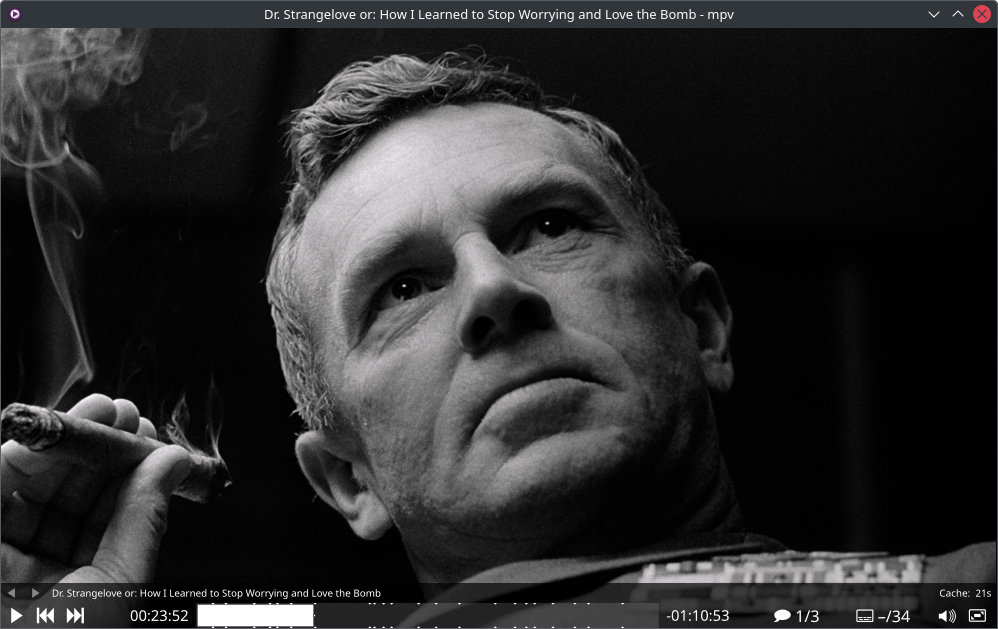
About mpv
mpv is a free, open-source media player that does one thing - play your media - and does it exceptionally well. There is no library to manage, no account to create, no store, and no clutter. Drag a file onto the window, or launch it from a terminal, and it plays. Under that minimal surface sits one of the most capable playback engines available, trusted by videophiles and quietly embedded inside several other media applications.
Plays Almost Anything
mpv is built on FFmpeg, so it handles a huge range of video and audio codecs, container formats, and subtitle types out of the box. Local files, network streams, and less common formats all open the same way: you point mpv at them and they play. Hardware decoding can be enabled on demand to take the load off your CPU on supported GPUs, across platforms.
Picture Quality Comes First
This is where mpv earns its reputation. Its OpenGL, Vulkan, and D3D11 based video output supports the features videophiles care about: high-quality scaling algorithms, proper color management, precise frame timing, motion interpolation, and HDR. The modern gpu-next renderer is now the standard path, and the defaults are tuned for accuracy rather than flashy processing.
Minimal on Purpose
mpv ships with no real graphical interface, only a small on-screen controller for basic playback. Everything else is keyboard-driven, fast, and stays out of the way. Startup is instant, memory use is modest, and the player never nags you. If you want it to behave differently, a plain-text config file and a huge options manual let you tune almost anything.
Scriptable, Embeddable, and Stream-Friendly
Powerful scripting in Lua and JavaScript can make the player do almost anything, and the community wiki hosts a large collection of ready-made user scripts. A clean C API, libmpv, lets other applications embed mpv as their playback core. And with yt-dlp installed, mpv can stream video straight from hundreds of websites: pass it a URL and watch, skipping the browser entirely.
Things to Know Before You Rely on It
The minimalism is a choice, and it cuts both ways. There are no settings windows, menus, or media library views; learning a handful of keys is part of the deal, and configuration means editing text files. On Windows and macOS there is no polished official installer: the site links first-party CI builds intended mainly for testing, alongside popular third-party builds most people actually use. Linux users should note the project's own warning that distribution packages are often outdated. If you want the same engine with a full interface, several third-party front-ends build on mpv.
Editorial Note
mpv is our pick for anyone who values playback quality, speed, and control over hand-holding. Casual viewers who just want to double-click a file will be fine after two minutes; enthusiasts can spend years tuning it. Pair it with yt-dlp for streaming, and it replaces a surprising amount of software.
Key Features
Plays virtually any format
Built on FFmpeg, mpv handles a huge range of video and audio codecs, containers, and subtitle types. Local files, discs, and network streams all open the same simple way.
Reference-quality video output
OpenGL, Vulkan, and D3D11 output with high-quality scaling algorithms, color management, precise frame timing, motion interpolation, and HDR support.
Hardware decoding on demand
GPU decoding can be enabled at runtime across platforms, taking the load off the CPU for high-resolution or high-bitrate playback.
Scriptable and embeddable
Lua and JavaScript scripting can change almost any behavior, the wiki hosts hundreds of user scripts, and the libmpv C API lets other apps embed mpv as their playback core.
Pros & Cons
Pros
- Completely free and open source (GPLv2 or later)
- Exceptional format support and playback quality
- Fast and minimal: no ads, accounts, or clutter
- Endlessly scriptable, with a huge user-script community
Cons
- No traditional graphical interface: configuration lives in text files
- No polished official installer: Windows and macOS builds are third-party or CI testing builds
Frequently Asked Questions
Is mpv really free?
Yes. mpv is free and open source, released under the GPLv2 or later (an LGPLv2.1+ build option exists). There are no ads, accounts, or paid tiers, for personal or commercial use.
Does mpv have a graphical interface?
Only a small on-screen controller for basic playback. Everything else is keyboard- and config-file driven by design. If you want menus and library views, several third-party front-ends build on the mpv engine.
Where is the official Windows installer?
There is no polished official installer. The official site links first-party CI builds, which it describes as intended mainly for testing, alongside popular third-party builds such as shinchiro's that most Windows users pick.
Screenshots