Scribus
Professional desktop publishing without the subscription.
Download Now
Free for Windows, macOS, Linux. No registration required.
One of over 130 tools we've selected. No paid listings.
How we review software →Screenshots
About Scribus
Scribus is a free, open-source desktop publishing application built for people who need serious page layout tools without being locked into a monthly subscription. It is designed for creating brochures, magazines, flyers, books, posters, newsletters, press-ready PDFs, and other publication work where layout precision matters. If you need more control than a basic document editor can offer, Scribus gives you a workspace focused on professional composition, print output, and structured design.
What makes Scribus stand out is that it was built with publishing in mind from the start. Instead of treating layout as an afterthought, it gives you the tools to work with text frames, image frames, guides, master pages, styles, color controls, and export settings that are actually useful for print production. That makes it a strong option for designers, small publishers, nonprofits, schools, print shops, and independent creators who want professional results on a budget.
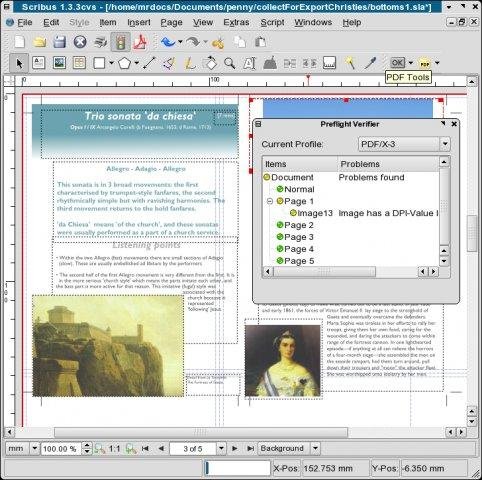
Scribus is especially strong when your final output needs to be dependable. The software is well known for its PDF workflow, including support for print-oriented standards and detailed export options. It also supports CMYK, spot colors, ICC color management, and other publishing features that matter when a document is going to a professional printer. If your goal is to make something that looks right on paper, not just on screen, Scribus is built for that job.
Another practical advantage is that Scribus gives users a lot of control over their files and workflow. The project emphasizes openness, and its file format is based on XML, which makes documents more transparent and less locked away than proprietary binary formats. For technical users, that can be a real benefit for archiving, troubleshooting, and long-term access to project files.
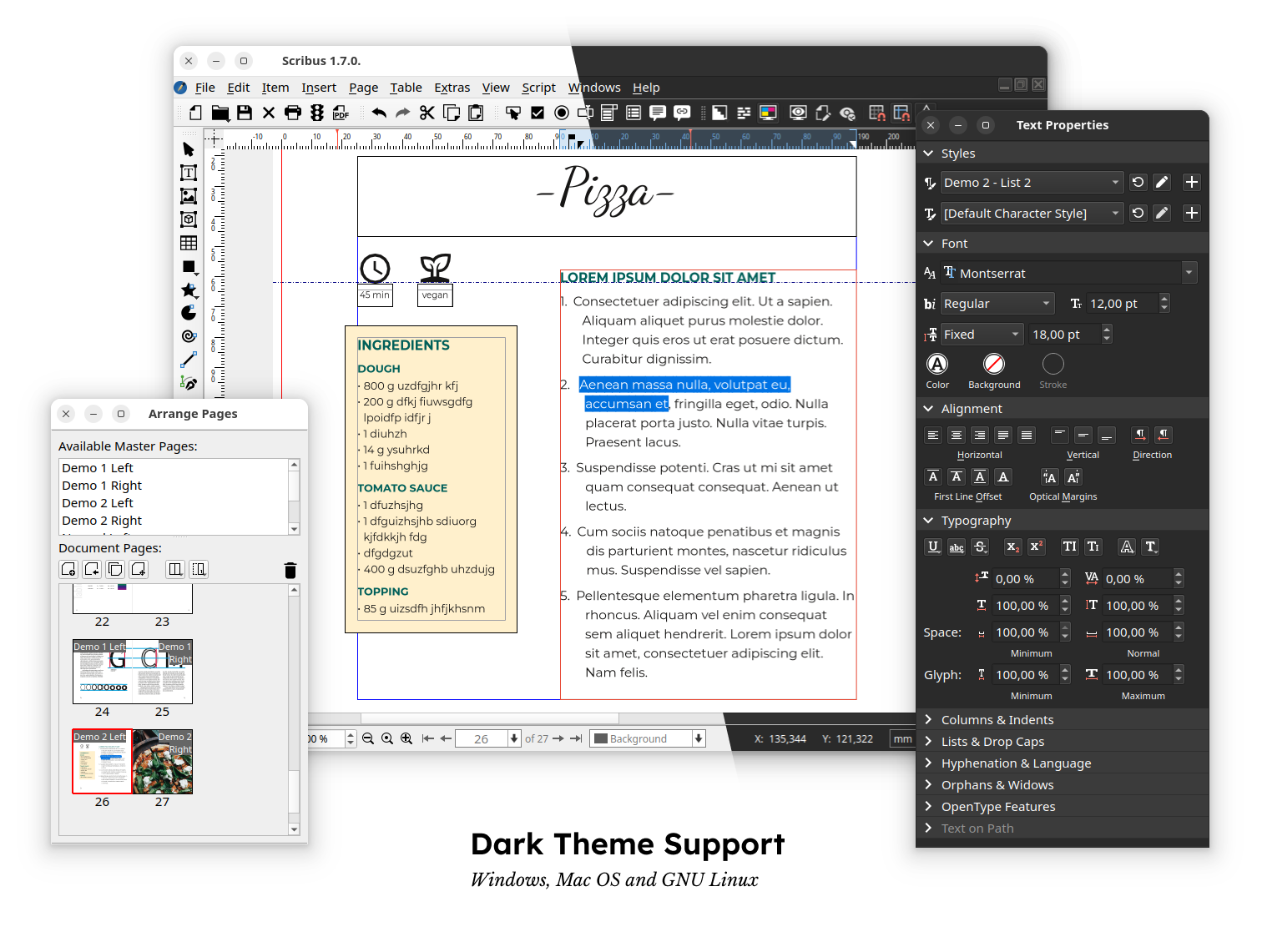
In day-to-day use, Scribus feels more like a production tool than a beginner toy. You can build layouts with grids and guides, manage repeating elements with master pages, prepare linked graphics, and fine-tune typography with paragraph and character styles. It also offers features for interactive PDFs and forms, which can be useful for organizations creating fillable documents or digital publications.
That said, Scribus is not the easiest publishing app to learn on day one. New users may find the interface less polished than modern commercial design software, and some tasks can take longer until the workflow clicks. It rewards patience. Once you understand frames, page structure, styles, and export settings, the software becomes much more comfortable and efficient.
Scribus is a smart choice for anyone who values capability over hype. It may not have the gloss of a subscription-based design suite, but it covers the essentials that matter most for real publishing work: reliable layout tools, accurate print preparation, strong PDF export, and the freedom of open-source software. For community newsletters, book interiors, posters, brochures, menus, church bulletins, zines, school projects, and print-ready client documents, it can do far more than many people expect.
If you are moving from word processors and need more control, Scribus is a meaningful upgrade. If you are trying to leave expensive proprietary software behind, it is one of the most credible free alternatives available. And if your work depends on page layout that must hold together from screen to printer, Scribus remains one of the best open-source tools in its category.
Key Features
Print-ready PDF export
Export reliable PDFs for commercial printing, including support for PDF/X workflows and detailed output settings.
Advanced color control
Work with CMYK, spot colors, ICC color management, and other color tools that matter in real print production.
Open file format
Scribus uses an XML-based file format, giving users more transparency and long-term control over their publishing files.
Interactive PDF support
Create presentations, forms, annotations, and other interactive PDF documents in addition to traditional print layouts.
Pros & Cons
Pros
- Free and open source, with no subscription required
- Excellent PDF export options for print workflows
- Supports CMYK, spot colors, and ICC color management
- Runs on Windows, macOS, and Linux
- Strong choice for brochures, newsletters, books, and posters
Cons
- Noticeable learning curve for beginners
- Interface can feel dated compared with commercial design tools
- Some workflows are less polished than paid competitors
- Development snapshots should not be used for production work
Frequently Asked Questions
Is Scribus good for professional print design?
Yes. Scribus is built for desktop publishing and includes CMYK, spot colors, ICC color management, and strong PDF export options aimed at print production.
Can Scribus replace Adobe InDesign?
For many users, yes—especially for brochures, magazines, flyers, books, and press-ready PDFs. It may not match every commercial workflow, but it is one of the strongest free alternatives in desktop publishing.
Is Scribus beginner-friendly?
It is usable for beginners, but most people should expect a learning curve before they feel fast and comfortable with frames, styles, and publishing workflows.
Screenshots