
ShareX
Free and open-source screenshot, screen recording and file sharing tool for Windows
Download Now
Free for Windows. No registration required.
One of over 130 tools we've selected. No paid listings.
How we review software →Screenshots
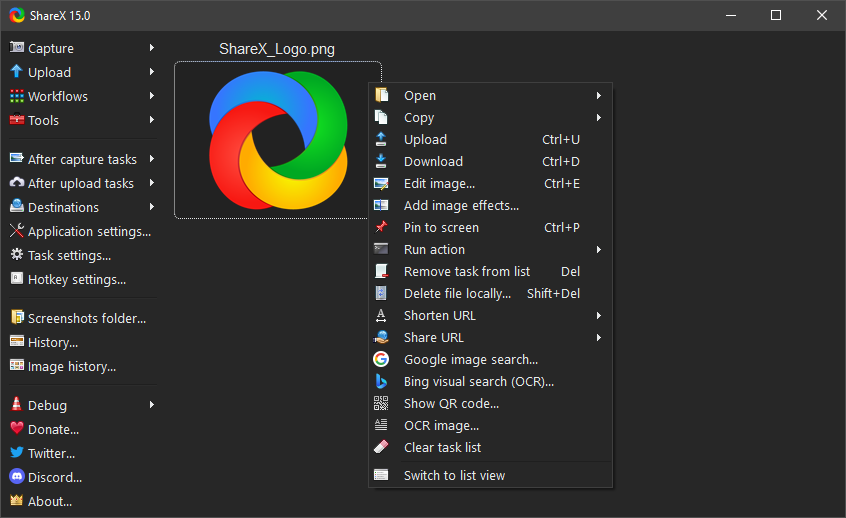

About ShareX
ShareX is a free and open-source screen capture, screen recording and file sharing tool for Windows that has earned a reputation as the power user's screenshot app. In active development for over 18 years and downloaded more than 34 million times, it packs an entire capture-to-share pipeline into one lightweight, ad-free application.
Capture Anything, Any Way
ShareX goes far beyond the Print Screen key. Capture the full screen, a single window, a freehand or rectangular region, a scrolling page, text on screen with OCR, or a fixed region on a timer with auto-capture. Every mode is one customizable hotkey away, so the right capture is always instant.
Screen Recording and GIF Creation
Record any part of your screen as a video or an animated GIF using the built-in FFmpeg-powered recorder. It is ideal for quick bug reports, short tutorials and UI demonstrations, with no separate recording software required.
A Full Image Editor Built In
The moment you take a screenshot, ShareX's image editor lets you annotate it with arrows, text, highlights, freehand drawing, blur, pixelate, crop and more. You can mark up a capture and have it ready to share in seconds, without opening a separate editor.
Automate Repetitive Work with Workflows
Workflows are ShareX's signature feature. Chain after-capture tasks such as open in editor, resize, add a watermark, copy to clipboard, save to a folder and upload, so every screenshot processes itself exactly the way you want. Different hotkeys can trigger completely different pipelines.
Share Files Instantly
ShareX uploads captures to dozens of built-in destinations for images, text and other files, and its custom uploader system lets you connect your own server, CDN or API. After upload, the link is copied to your clipboard automatically.
Free, Open Source and Community Driven
ShareX is released under the GPL-3.0 license with its full source code available on GitHub. There are no ads, no subscriptions and no locked features, and an active community keeps translations, destinations and improvements coming.
Key Features
Versatile capture modes
Fullscreen, window, region, scrolling capture, OCR text capture and timed auto-capture, each with its own hotkey.
Screen recording and GIFs
Record any part of your screen as video or animated GIF with the built-in FFmpeg-powered recorder.
Built-in image editor
Annotate captures instantly with arrows, text, highlights, blur, pixelate and crop before saving or sharing.
Automated workflows
Chain after-capture tasks like edit, resize, watermark, copy and upload so every capture processes itself.
Pros & Cons
Pros
- Completely free and open-source with no ads, trials or paid tiers
- Extremely deep capture, editing and automation toolset
- Dozens of upload destinations plus custom uploader support
- Actively developed for over 18 years with a large community
Cons
- Windows only, with no macOS or Linux version
- Dense interface and settings that can overwhelm new users
Frequently Asked Questions
Is ShareX completely free?
Yes. ShareX is free and open-source software released under the GPL-3.0 license. There are no ads, no subscriptions and no locked features.
Does ShareX work on macOS or Linux?
No. ShareX is built exclusively for Windows. There is no official macOS or Linux version.
Can ShareX record my screen?
Yes. ShareX records screen video and animated GIFs of any region using its built-in FFmpeg-powered recorder.
Screenshots