
Stellarium
A free open source planetarium for your computer
Download Now
Free for Windows, macOS, Linux. No registration required.
One of over 130 tools we've selected. No paid listings.
How we review software →Screenshots
About Stellarium
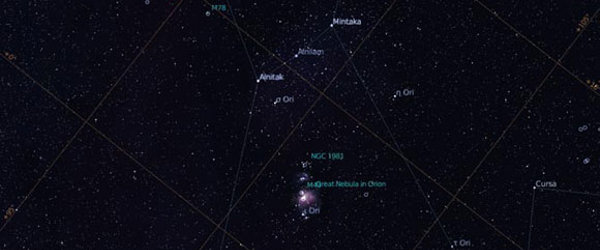
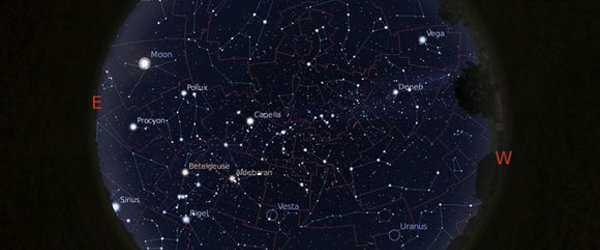
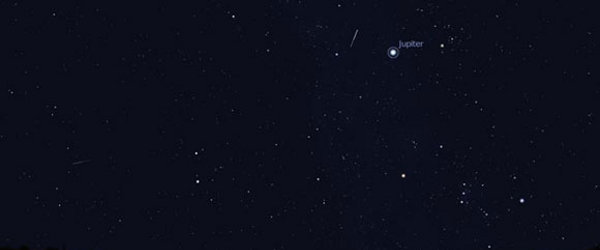
Stellarium turns your computer into a planetarium. Give it a date, a time and a place, and it renders the sky you would actually see from there: stars, planets, constellations, nebulae, satellites and the Milky Way, complete with realistic atmosphere, light pollution and landscape horizons. It is free, open source, and runs on Windows, macOS and Linux.
A Sky That Matches Yours
Pick your city on the map and Stellarium shows the sky above that spot, right now or at any moment you choose. Scroll time forward to watch the Moon rise, jump back to the sky of a memorable date, or preview next month's planetary conjunction before you step outside. The search box finds any named star, planet, nebula or comet and centers on it instantly. Constellation lines, labels and artwork toggle with single keys, and the display moves like a live sky, not a static chart.
A Serious Observing Companion
Amateur astronomers use Stellarium to plan their nights: check what is above the horizon, preview how the sky will look from a dark-site trip next weekend, simulate the exact field of view of a telescope and eyepiece combination, and build observing lists for the session. Its default catalogue holds over 600,000 stars, extendable into the hundreds of millions, plus more than 94,000 deep-sky objects, exoplanets, comets, artificial satellites and meteor showers. Through its telescope-control plugin it can point a real mount using ASCOM or INDI, and sky cultures from around the world (Western, Chinese, Inuit, Polynesian and many more) show how different civilizations read the same sky.
For Classrooms, Domes and Curious Eyes
A fisheye projection mode drives real planetarium domes, and a night-vision mode turns the display red so your eyes stay adapted to the dark outdoors. Teachers use it to explain seasons, eclipses and precession; kids use it to find where the ISS is passing tonight.
Things to Know Before You Rely on It
- Desktop is where it is free. The mobile apps are separate products from a partner company: a basic Stellarium Mobile app is free on iOS and Android, but the full Stellarium Mobile Plus edition is paid. The desktop program described here costs nothing.
- It is a simulator, not a camera: it renders a calculated sky, not live telescope imagery, and driving a real mount requires the telescope plugin and proper drivers.
- It needs real 3D graphics. Stellarium relies on OpenGL, so very old GPUs and many virtual machines will struggle or refuse to start.
- Set your location first. Until Stellarium knows where and when you are, the view is generic; accuracy starts with a correct observing site.
Editorial Note
In continuous development since 2000, Stellarium is one of the most polished free desktop applications in any category. If you have ever looked up and wondered what that bright dot is, this is the definitive free answer. The basics take minutes to learn; the depth underneath can fill years of evenings.
Key Features
Real-time realistic sky
Renders stars, planets, the Milky Way, atmosphere, light pollution and ground landscapes in 3D, matching what the naked eye, binoculars or a small telescope see from your exact location and time.
Massive catalogues
Over 600,000 stars by default, extendable into the hundreds of millions, plus 94,000+ deep-sky objects, exoplanets, comets, artificial satellites and meteor showers.
Time and place travel
Jump to any date, past or future, from any location on Earth or beyond, to preview conjunctions, eclipses, or the sky of a historical night.
Telescope control
Point a real telescope mount through ASCOM or INDI, and simulate the field of view of your actual eyepieces and camera sensors before a session.
Pros & Cons
Pros
- Completely free and open source (GPLv2), with no ads and no account required
- Realism trusted by real planetariums, museums and astronomy educators
- Easy for beginners, deep enough for serious observing-session planning
- Runs on Windows, macOS and Linux
Cons
- The full mobile edition costs extra: only the basic Stellarium Mobile app is free; Stellarium Mobile Plus is a separate paid product
- Requires OpenGL-capable 3D graphics; very old GPUs and many virtual machines struggle or refuse to start
Frequently Asked Questions
Is Stellarium really free?
Yes. The desktop application is free and open source under the GPLv2 license, with no ads and no account required. On phones, a basic Stellarium Mobile app is free, while the full Stellarium Mobile Plus edition is a separate paid product from a partner company.
Can Stellarium control my telescope?
Yes. Its telescope-control plugin can slew a real mount using ASCOM on Windows or INDI on Linux and macOS, and it can simulate the field of view of your eyepieces and camera sensor before an observing session.
Does Stellarium work offline?
Yes for the core sky simulation: once installed, it renders the sky without a connection. A few extras, such as online sky surveys, satellite orbit updates and additional star catalogues, need internet access.
Quick Info
Screenshots