
Syncthing
Free open source continuous file synchronization between your devices
Download Now
Free for Windows, macOS, Linux. No registration required.
One of over 130 tools we've selected. No paid listings.
How we review software →Screenshots
About Syncthing
Syncthing is a free, open source program that keeps folders identical across two or more computers in real time. There is no account to create and no central server in the middle: your files travel directly between your own devices, and you decide which devices are allowed to connect.
Keep Your Own Devices in Step
The simplest use is a folder you want on every machine you own. Drop a document into it on your desktop and it appears on your laptop. Edit a spreadsheet at home and the work copy updates. You can sync as many folders as you like, and each one can be shared with a different set of devices, so family photos can go to one person while project files go to a colleague.
Private by Design
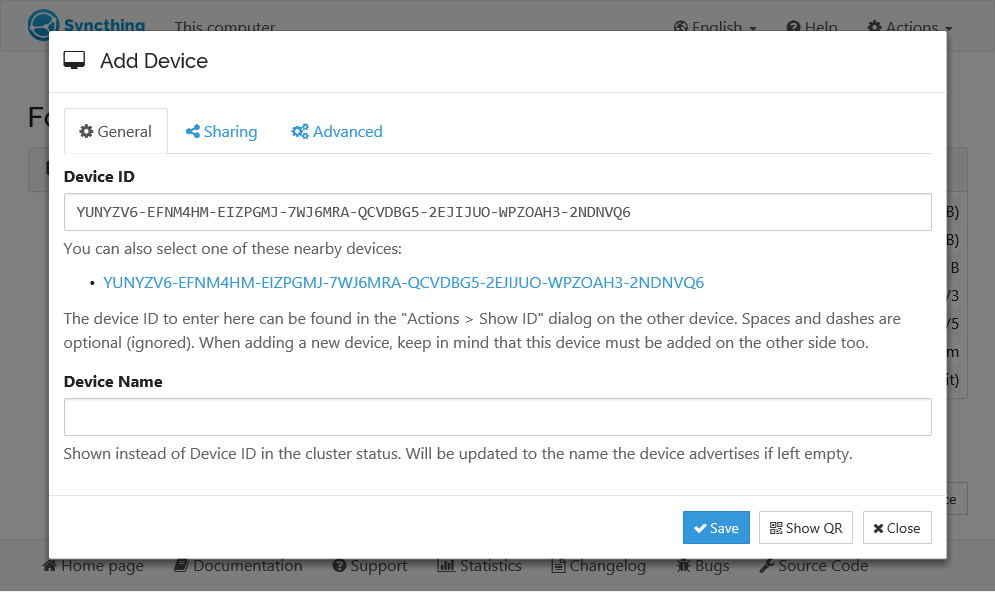
The official site says none of your data is stored anywhere other than on your own computers. Every device is identified by a cryptographic certificate, and only devices you have explicitly allowed can connect. Two devices talk to each other only when each has the other's device ID. These IDs are not secret, since they work like a public key. All communication is secured with TLS, with perfect forward secrecy.
Easy to Set Up
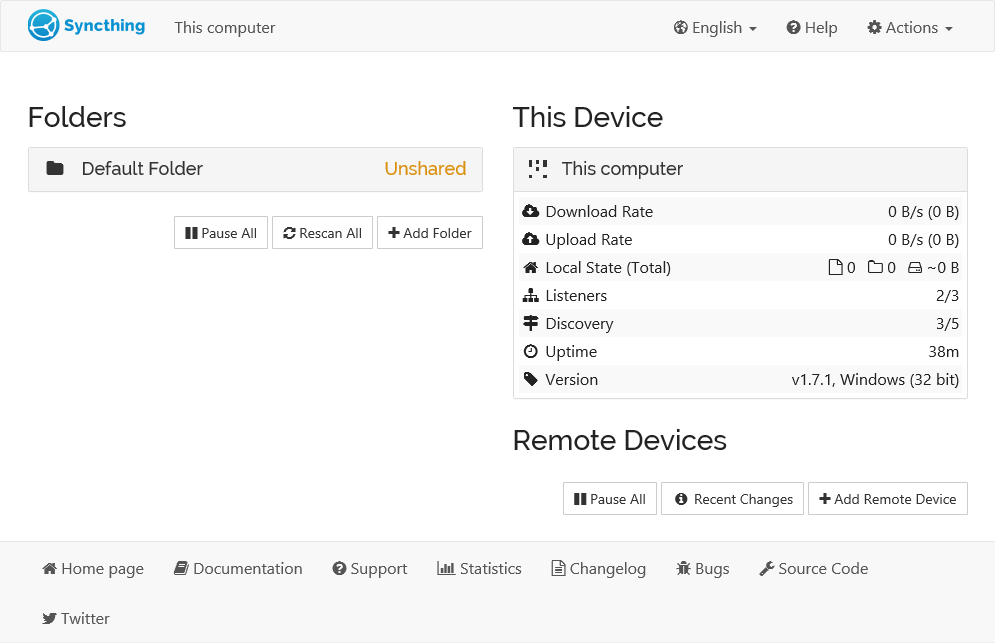
You configure and monitor Syncthing from a web interface in your browser. To connect two machines, install it on both, exchange device IDs, and choose the folders to share. The site says it does not need IP addresses or advanced configuration, and it works over a local network and over the Internet. UPnP can handle the connection if you do not want to open ports yourself. When a direct link is not possible, a connection can go through community-run relay servers, which cannot see the data being transferred, though a direct link is usually faster.
Works on Many Systems
Syncthing runs on Windows, macOS, Linux, FreeBSD, Solaris, OpenBSD and more. A common setup is to run it on desktops and let them sync with an always-on server. Community-made flavors add things like native desktop interfaces and an Android app. There is no official iOS client, so iPhone users depend on a third-party app that works within Apple's background limits.
Open and Free
The protocol is a documented specification, the source code is on GitHub, and bugs are tracked in public. Syncthing is released under the MPL-2.0 licence and costs nothing to use.
Things to Know Before You Rely on It
Syncthing is not a backup tool. Every change, including a deletion, is passed on to all connected devices, so a mistake on one machine spreads to the others. File versioning can help, but the project itself recommends using other tools to protect against your own errors. Very large folders and low-powered devices such as a phone, a NAS or a Raspberry Pi can use noticeable CPU time while files are scanned and hashed. What can be synced also depends on the operating system and file system, for example symbolic links on Android.
Editorial Note
This page was written from the official website and the official documentation. It is not a hands-on test and carries no security review. The screenshots come from the official documentation and show an older interface than the current one.
Key Features
Peer-to-peer sync
Files sync directly between your devices, with no central server.
Encrypted transfers
Communication is secured with TLS.
Device authentication
Each device has an ID and only allowed devices can connect.
Browser interface
Configure and monitor Syncthing from a web page.
Pros & Cons
Pros
- Free and open source (MPL-2.0)
- No central server holds your files
- Runs on Windows, macOS and Linux
- Browser-based management
Cons
- Needs at least one other device to be online to sync
- Setup involves device IDs and folder sharing, which may be unfamiliar
Frequently Asked Questions
Is Syncthing free?
Yes. It is free and open source under the MPL-2.0 licence.
Does Syncthing store my files in the cloud?
According to the official site, your data is not stored anywhere other than on your own computers.
Which systems does it run on?
Windows, macOS and Linux among others, per the official site.
Quick Info
Screenshots