WinMerge
Visual file and folder comparison tool for Windows
Download Now
Free for Windows. No registration required.
One of over 130 tools we've selected. No paid listings.
How we review software →Screenshots
About WinMerge
WinMerge has been serving the Windows community as a dependable file comparison tool since its inception. This open-source utility tackles a problem that many developers and technical users face regularly: identifying what has changed between two versions of a file or folder structure.
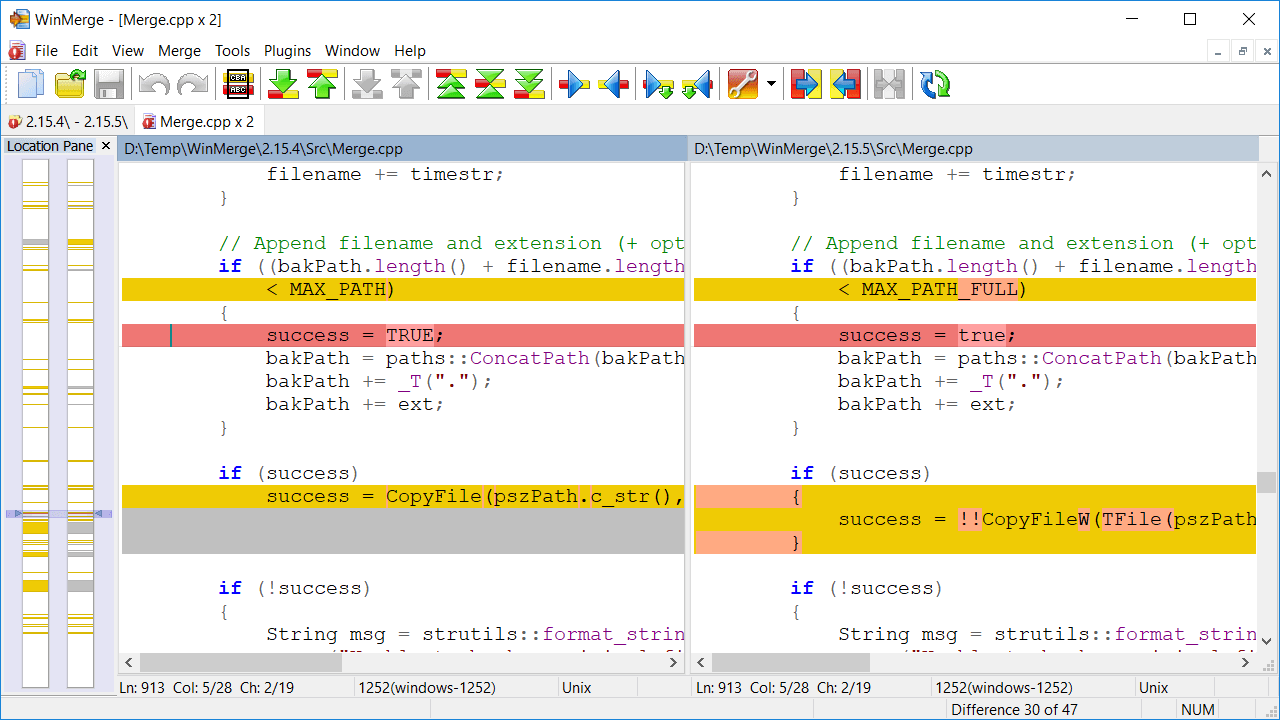
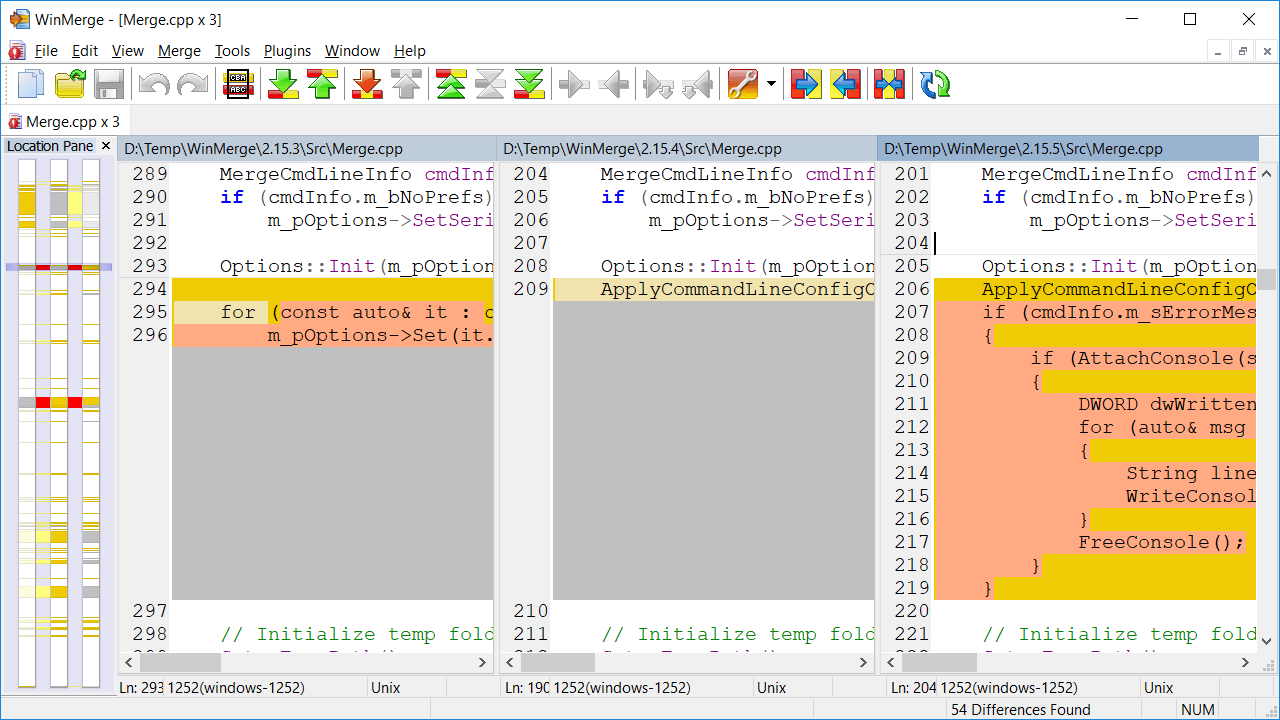
The software presents file differences in a side-by-side view that highlights changes at both the line and character level. Unlike simple text editors, WinMerge uses color coding to show additions, deletions, and modifications, making it straightforward to spot even minor changes in lengthy documents or code files. The location pane provides a bird's-eye view of where differences occur throughout the entire file, which proves valuable when reviewing large documents.
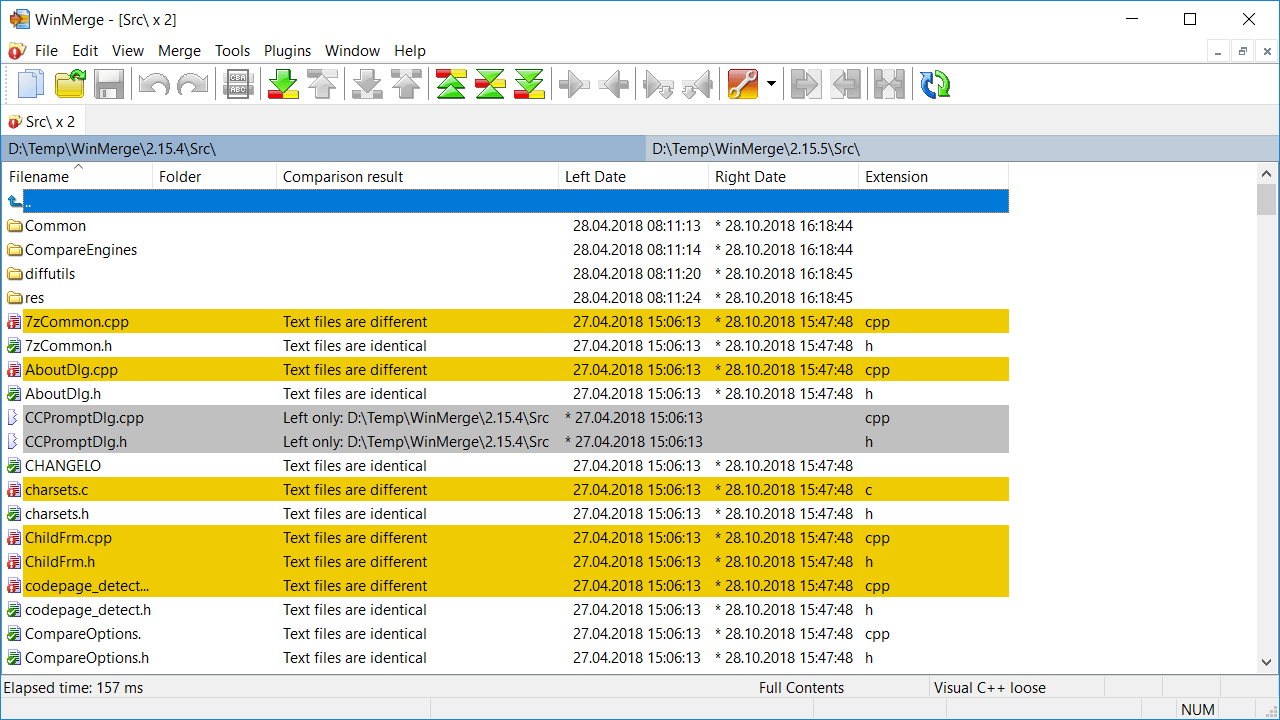
Folder comparison is where WinMerge demonstrates its practical value for system administrators and developers managing project directories. The tool can recursively scan entire directory trees, comparing not just file content but also metadata like modification dates and sizes. Users can choose between a flat list view or a tree structure, depending on their workflow preferences.
What sets WinMerge apart from basic comparison tools is its merge functionality. When reviewing differences, users can selectively copy changes from one file to another with simple keyboard shortcuts or mouse clicks. This feature becomes essential when reconciling conflicting versions of configuration files or merging code branches.
The application handles various file formats and encodings, including UTF-8 and different line ending styles used across Windows, Unix, and Mac systems. Syntax highlighting for programming languages helps developers quickly parse code differences. The built-in editor allows making quick corrections without switching to another application.
WinMerge also includes features that might not be immediately obvious but prove useful over time. File filters using regular expressions let users exclude certain files from comparisons, such as temporary files or build artifacts. The plugin system extends functionality to handle specific file types. Archive support means users can compare files inside ZIP archives without manual extraction.
The interface follows Windows conventions, making it familiar to most users. While it may not win design awards, the layout is functional and gets out of the way. Performance remains solid even when comparing large files or extensive directory structures.
For anyone who needs to track changes across file versions, synchronize folders, or merge conflicting edits, WinMerge provides the necessary tools without unnecessary complexity.
Key Features
Side-by-Side File Comparison
Compare files side by side with color-coded highlighting of differences, making it easy to identify changes between versions at both line and character level.
Folder Comparison
Recursively scan and compare entire directory trees, identifying new, deleted, and modified files. Display results in flat or tree view for easy navigation.
Merge Functionality
Selectively copy changes from one file to another with keyboard shortcuts or mouse clicks. Essential for reconciling conflicting versions and merging code branches.
Pros & Cons
Pros
- Free and open source software
- Intuitive side-by-side comparison interface
- Supports various file formats and encodings
Cons
- Windows-only (no official macOS support)
- Interface could feel dated compared to modern alternatives
Frequently Asked Questions
Is WinMerge free to use?
Yes, WinMerge is completely free to download and use. It's an open-source project released under the GNU GPL v2 license, which means you can use it for personal and commercial purposes without any cost.
Can WinMerge compare folders as well as files?
Yes, WinMerge supports both file and folder comparison. It can recursively scan entire directory trees, identify new, deleted, and modified files, and display the results in either a flat list or tree view for easy navigation.
Quick Info
Screenshots