CheapGPT: A Free ChatGPT-Style Chat That Runs Entirely in Your Browser
- AI
- Local AI
- Chrome
- Free Tools
- Open Source
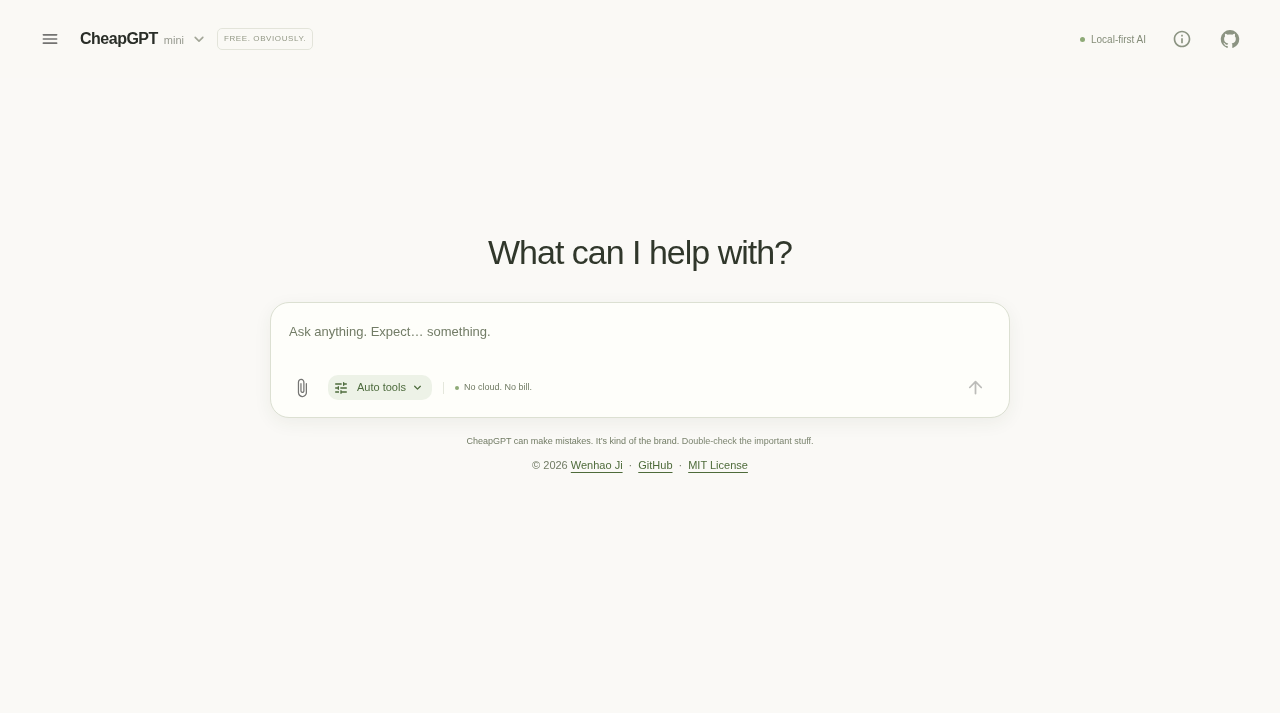
"Free of charge. Occasionally correct." You have to love an AI assistant whose own tagline warns you not to trust it. CheapGPT, launched on Product Hunt today, is a ChatGPT-style chat app with a twist: it costs nothing at all, because the model answering you is the one already built into your browser. No subscription, no API key, no account.
How that works
CheapGPT runs on Chrome's built-in on-device model (Gemini Nano, exposed to websites through the browser's LanguageModel API). Your prompts are processed by that local model rather than sent to a remote AI service: the author states there is no AI API, no backend and no account involved, which is also why there is no bill. The project is open source under the MIT license, so the claim is checkable in the code.
The interface mimics what you know: streaming answers, Markdown and code blocks, a Stop button, and a conversation history stored locally in your browser, with search, export and the option to turn persistence off on a shared machine.
A modest brain, with tools
The author is disarmingly honest about the limits: a small on-device model is not GPT-anything, and the app itself tells you to double-check the important stuff. To compensate, CheapGPT gives the model tools. Local code handles arithmetic and timezone questions (exactly the kind of thing small models fumble), and public services supply web search, encyclopedia, repository, weather, place, IP and exchange-rate lookups. In its "auto tools" mode, the model can select and chain up to six validated tool calls on its own; a "Just chat" mode turns that off.
It is a clever design: let the small model do the talking, let real code do the facts.
The catch: your browser has to cooperate
Chrome's built-in model requires an eligible browser and device, served over HTTPS or localhost, and the first download of the model is several gigabytes. It is not available on mobile Chrome, though the responsive interface still loads. So: desktop Chrome (or another browser shipping the Prompt API), a decent machine, and some patience on first run. If your setup does not qualify, the app cannot chat at all, since every prompt goes to the local model.
What we have not verified
We have not chatted with it: this is a first look based on the launch and the project's own documentation. The privacy story (everything stays on your device) is the author's claim, plausible given the architecture and inspectable in the MIT-licensed source, but we have not audited the traffic. Answer quality will be whatever Gemini Nano can manage, which the tagline already concedes.
Verdict
CheapGPT will not replace a real AI subscription, and it does not pretend to. As a free, private-ish scratchpad for quick drafts, summaries and simple questions, it is a fun and genuinely clever use of a model that is already sitting in your browser. The tool-calling approach is the right way to make a small model useful. If you have desktop Chrome and curiosity, it costs you nothing but a multi-gigabyte download to find out.
Cover image: the CheapGPT chat interface at predatorray.me/CheapGPT.
Getting it
CheapGPT is free and runs entirely in the browser at predatorray.me/CheapGPT. No download, no account; the source code is on GitHub under the MIT license. Requires a desktop browser with Chrome's built-in on-device model.