office-engine: view and edit Office files in the browser, no install
- office files
- open source
- browser tools
- docx
- free software
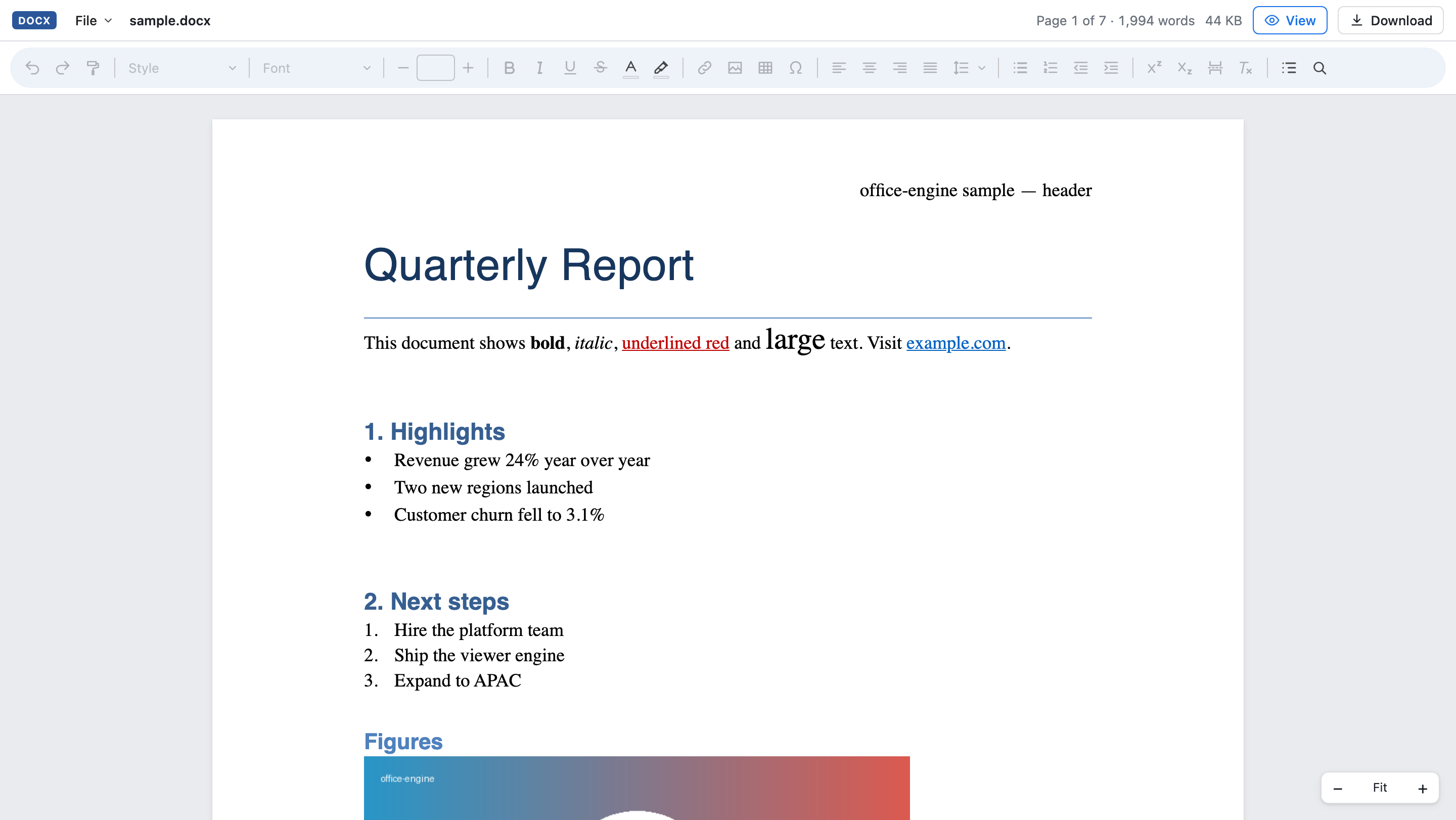
Someone sends you a 25 MB spreadsheet with 300,000 rows, and your machine has no Office suite installed. Setting one up just to peek inside feels like overkill. office-engine, a brand-new open-source project, wants to be the answer: a library that views and edits DOCX, XLSX and PPTX files directly in the browser, fast, and saves them back in their original format.
What it is
office-engine (on npm as @p10node/office-engine) is a TypeScript library, MIT-licensed, that developers embed in their own apps with one line of React (or a plain web component, no framework needed). Point it at a file, a blob or a URL, and your users get a document editor with a Google Docs-style toolbar, right in the page.
The live demo on the project site doubles as a quick tool for everyone else: drag and drop your own DOCX, XLSX or PPTX, edit it, and download the result. No upload to a server farm; the heavy lifting happens in your browser.
The engineering is the story
Opening huge Office files in a browser is hard, and the project's approach is the interesting part. Files load progressively: a lazy ZIP reader, HTTP range requests for remote files, and a streaming XML parser in a Web Worker, so the UI never blocks. Views are virtualized, rendering only the pages, cells and slides actually on screen.
The author's measurements (headless Chromium, Apple M-series): a 20,000-paragraph DOCX paints in about 180 ms, the 300,000-row XLSX in about 330 ms, a 305-slide PPTX in about 110 ms. Those are the developer's numbers, not ours, but the demo lets you throw your own files at it and see.
Editing, formulas, collaboration
This is not a read-only viewer. DOCX: text, styles, lists, images, tables. XLSX: cells, formats, borders, rows and columns, multiple sheets, and 134 formula functions. PPTX: text, shapes, images, slides and even slideshow mode. Saving regenerates only the edited parts and keeps everything else's original bytes, which is how round-tripping a complex file stays safe.
There is also real-time collaboration built in: live edits, avatars, collaborators' cursors, and offline edits that sync on reconnect. The demo shows three people editing one sheet side by side. That is a remarkable amount of Google Docs in an npm package.
A file menu rounds it out: new documents, opening CSV, text, Markdown and HTML files, CSV import, and downloads as PDF, HTML, text or CSV.
What we have not verified
We have not embedded it or stress-tested the demo with our own files: this is a first look from the launch. The project is days old with a tiny community, the performance figures are the author's, and format coverage has documented limits worth reading before you bet a product on it. Collaboration needs a sync server story you will want to understand for real deployments.
Verdict
For developers building anything that touches Office documents, office-engine is one of the most exciting new libraries we have seen this year: progressive loading, real editing, collaboration, MIT license, one-line embed. For everyone else, the live demo is already a handy free way to open and lightly edit an Office file when you have no Office at hand. Very young, so test it with your ugliest files first, but the ambition is real.
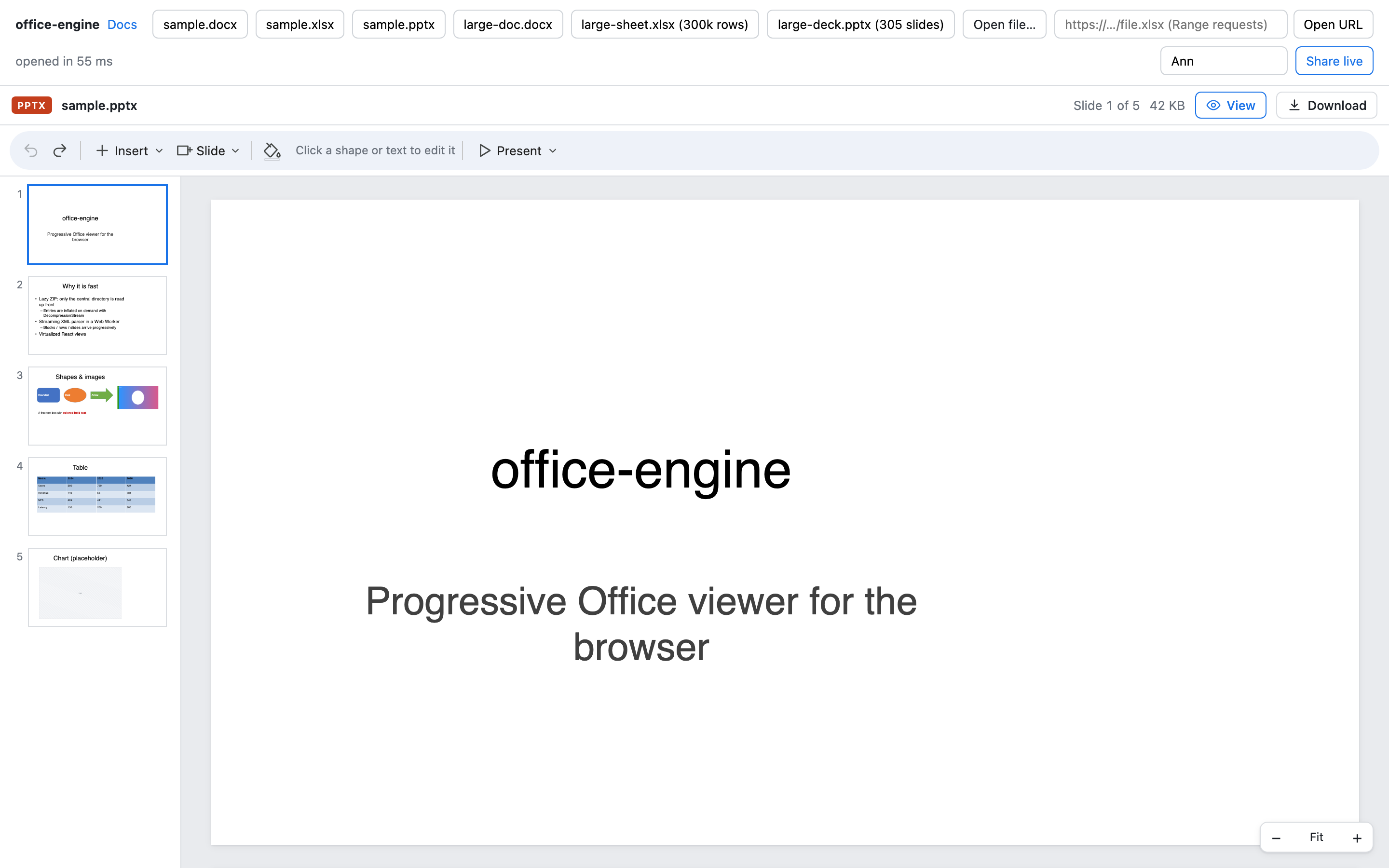
Image: office-engine, official screenshot from the project documentation.
Getting it
office-engine is free and open source (MIT), on npm as @p10node/office-engine with the source on GitHub. The live demo runs on the project site. See our office-engine software listing for the technical sheet.