JSONEditor.net: Edit, Check and Compare JSON in Your Browser
- json
- developer tools
- online tools
It started, as these things do, with a broken config file. A JSON blob, a few dozen lines, and an app that refused to start with an error message about as helpful as a shrug. The culprit was a trailing comma, the classic. So I did what I built the tool for: paste, look, fix.
I built JSONEditor.net, so this one's a little closer to home. Here's what it can do.
An editor that is the homepage
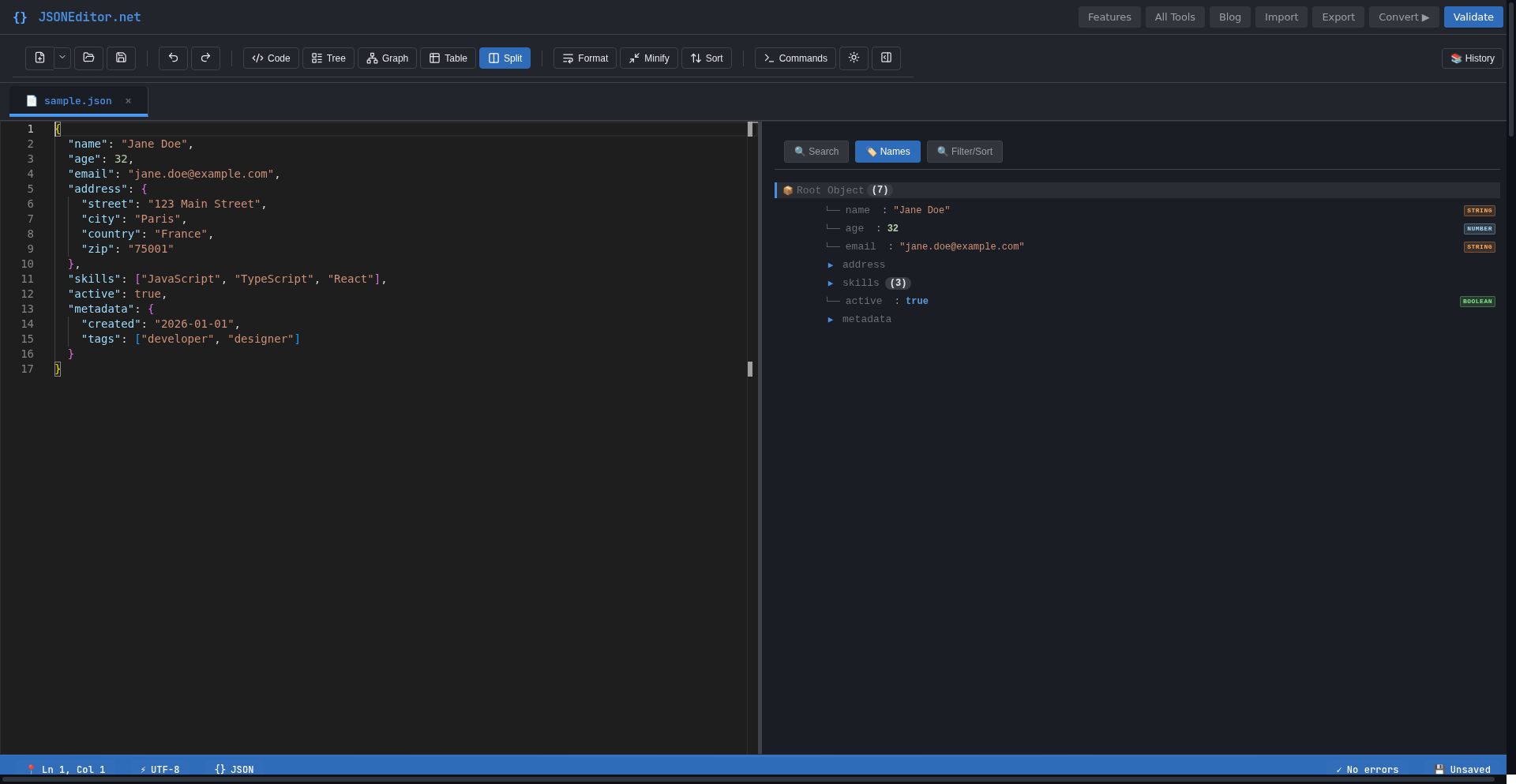
Open JSONEditor.net and there is no landing page maze. The editor is the homepage. A sample file is already loaded, and the toolbar gives you five ways to look at the same data: Code, Tree, Graph, Table and Split, which puts the Monaco code editor (the one inside VS Code) next to a visual tree of your JSON.
Split view is the one that won me over. You edit on the left, and the structure on the right follows. Click a node in the tree and a context panel lets you edit that value without hunting through brackets. There is also a dark theme by default, a light one if you hate yourself, a command palette, search, and a multi-tab workspace so you can juggle several files at once.
The Graph view deserves a special mention: it renders your JSON as a map of connected nodes, with a minimap to navigate. Genuinely useful the first time you inherit an API response nested six levels deep and want to understand its shape before touching anything.
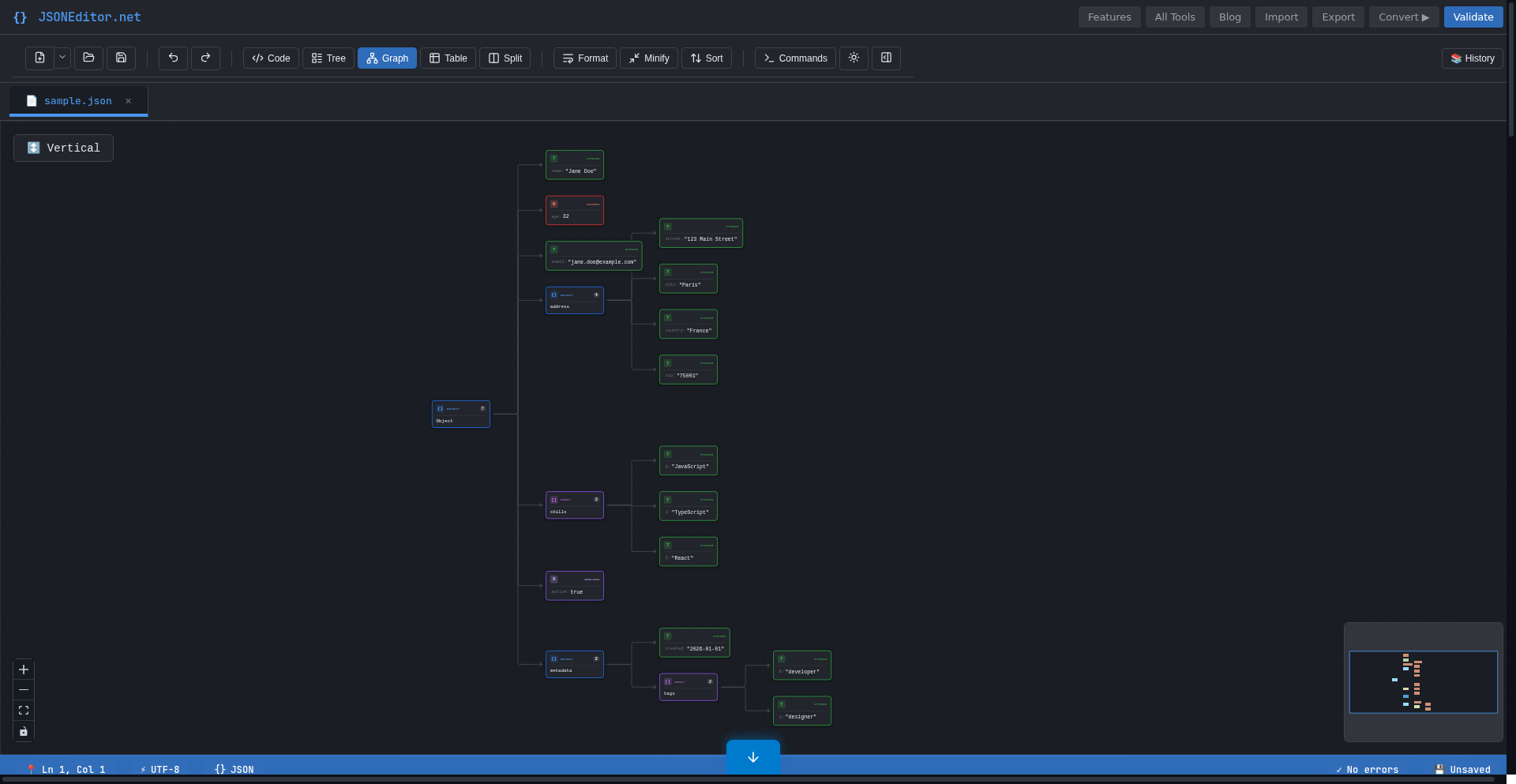
Graph view: nested JSON as a node map. Screenshot: JSONEditor.net.
Validation that tells you where it hurts
To test the validator I pasted a JSON object with a deliberate trailing comma. Two things happened. The status bar instantly flipped to "1 error" as I typed, no button needed. Then clicking Validate gave me the full diagnosis: "Expected double-quoted property name in JSON at position 80 (line 1 column 81)". Not "something is wrong somewhere". The exact spot.
If you have ever diffed a 400-line config against a working one to find a missing quote, you know why that matters.
A diff tool that shows its work
The JSON Diff page compares two documents side by side. I loaded the built-in sample: two versions of a user record. The tool highlighted the changed lines in red and green, counted +3/-5, and listed each changed field one by one in the panel below: name, age, email, city, and the rest. You can jump between differences, switch to an inline view, and even merge changes left or right.
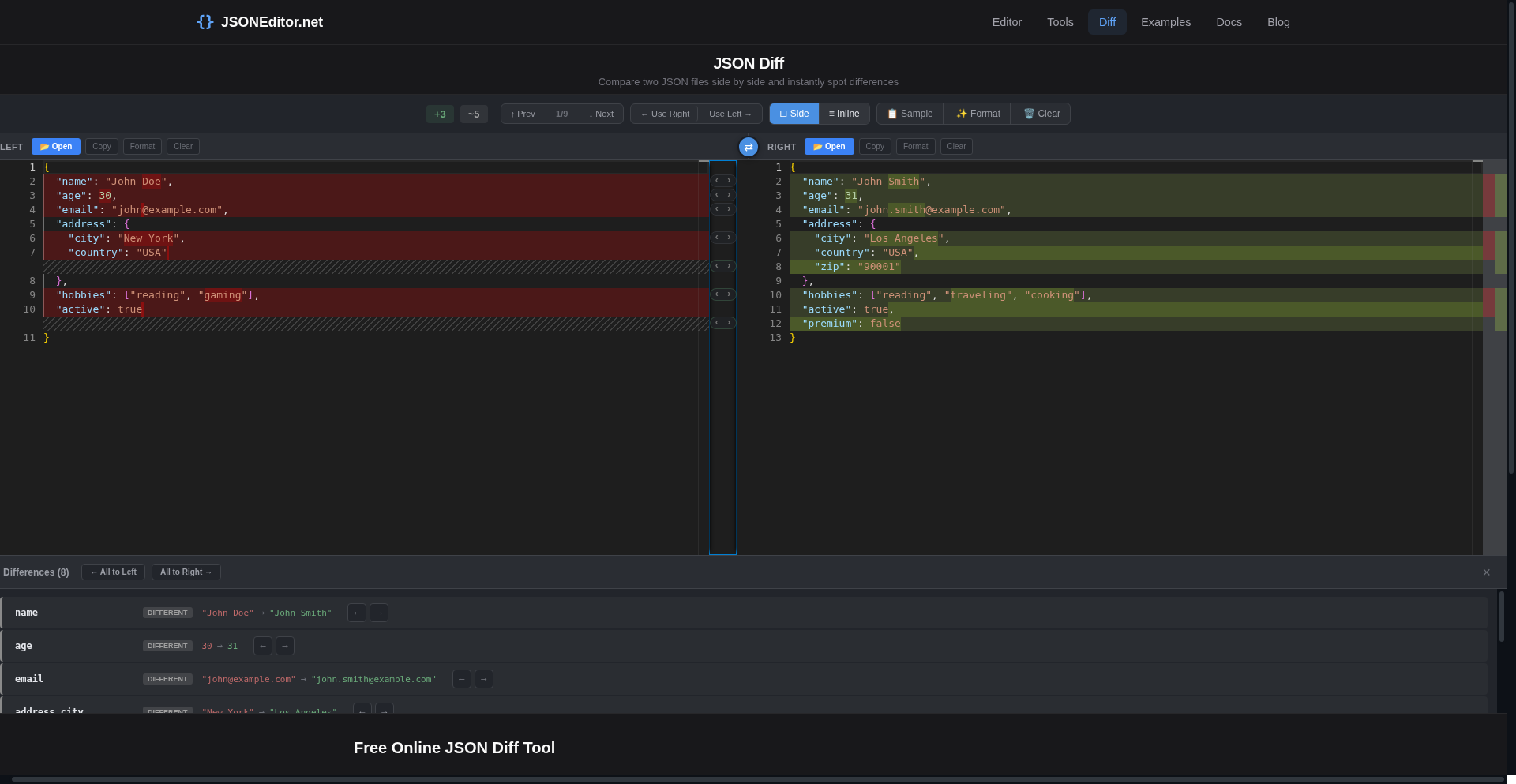
Two JSON files, every changed field listed in the panel below. Screenshot: JSONEditor.net.
Converters and the rest of the toolbox
Beyond editing, the Tools page lists 18+ converters: JSON to CSV, XML, YAML, TSV and back, plus a few odd ones like RSS to JSON. Import and export handle files by drag and drop, and it can be installed as a PWA, which the site says keeps it working offline once loaded. There is also a history panel that remembers your recent documents, for the day you close the wrong tab. It happens to the best of us.
The privacy angle
Here is the part I care about most, and the reason I built it this way: the site states that everything runs in your browser, parsing, validation and conversion included, with no upload, no account, no ads and no tracking of your data. That is its privacy policy talking; I have not audited the network traffic myself, so read it as the design commitment it is. For anyone pasting API responses or config files with secrets in them, that distinction is the whole point.
What could be better
Being my own harshest reviewer: the site itself warns that the tree view works best up to about 5 MB and recommends the code view for very large files, so this is not your tool for multi-hundred-megabyte dumps. Some of the flashier visual views announced in the docs were not all visible from the toolbar I tested. And because it is a young project, you will occasionally find a corner that is still being polished.
Verdict
JSONEditor.net does the everyday jobs well: paste, validate with exact error positions, reformat, compare, convert. It is free, it asks for nothing, and it is designed to keep your data on your machine. If your week involves JSON, and whose doesn't, it earns its bookmark. And yes, I am biased. I am also its most annoying tester.