Mole: One Terminal Command to Clean, Uninstall and Monitor Your System
- system cleaner
- open source
- terminal
Every few months a tool promises to replace CleanMyMac, AppCleaner, DaisyDisk and iStat Menus in one shot, for free. It usually ends in a paywall, or in a cleaner you should not trust. Mole gets closer than most: a free, open-source (GPL-3.0) terminal toolkit that runs on macOS, Windows and Linux.
What Mole is
Mole is a free, open-source (GPL-3.0) command-line tool that cleans caches and app leftovers, uninstalls programs completely, analyzes disk usage, runs system maintenance, and monitors your machine live. One command: mo.
One thing to get straight, because the naming is confusing: the free tool is the CLI. The graphical apps (Mole for Mac and the brand-new Mole for Windows) are separate paid products, $19 one-time. The CLI is what this article is about, and it's the one to list here. Install it with brew install mole on a Mac, scoop install mole on Windows, or the official script on Linux.
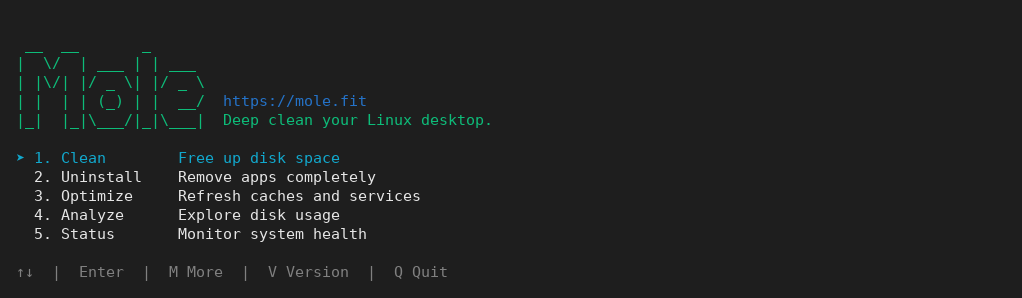
Mole's main menu, tested with Mole 0.5.0 for Linux.
What it actually does
Seven verbs cover the whole thing: mo clean (caches, logs, leftovers), mo uninstall (apps plus their LaunchAgents and preferences), mo optimize (maintenance), mo analyze (an interactive disk explorer), mo status (a live dashboard), mo purge (project build artifacts) and mo installer (forgotten DMG and ZIP files). Think CleanMyMac, AppCleaner, DaisyDisk and iStat Menus collapsed into one terminal command.
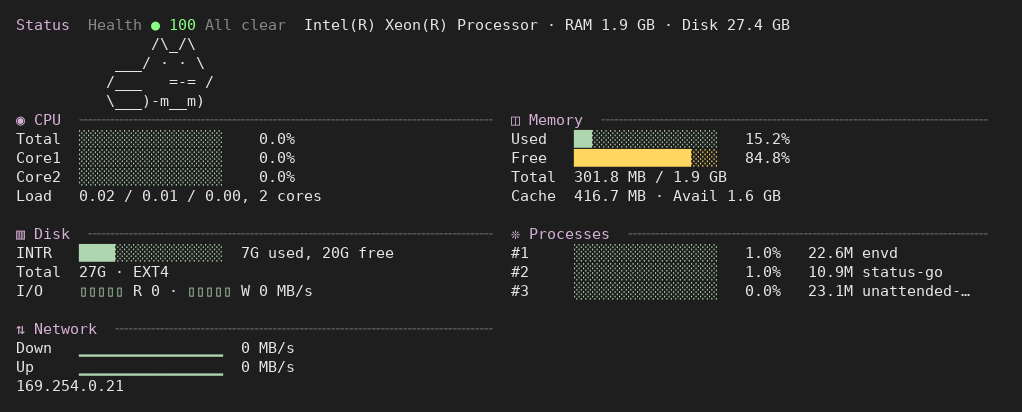
I installed the new Linux build (0.5.0) on a test machine and ran every safe command I could find. mo status opens a live dashboard with a health score, CPU, memory, disk, network and top processes. mo clean --dry-run walked through eight categories and correctly reported nothing to delete on a fresh system. That sounds boring, but it's exactly what you want from a cleaner: this category earned its bad reputation from tools that invent problems to look useful.
mo optimize --dry-run was more interesting. On a machine I thought was tidy, it flagged 8 orphaned dependency packages, 4 leftover package configs, and one config file in /etc still waiting to be merged. Real findings, each with the exact command to review or fix it by hand if you don't trust the tool to do it.
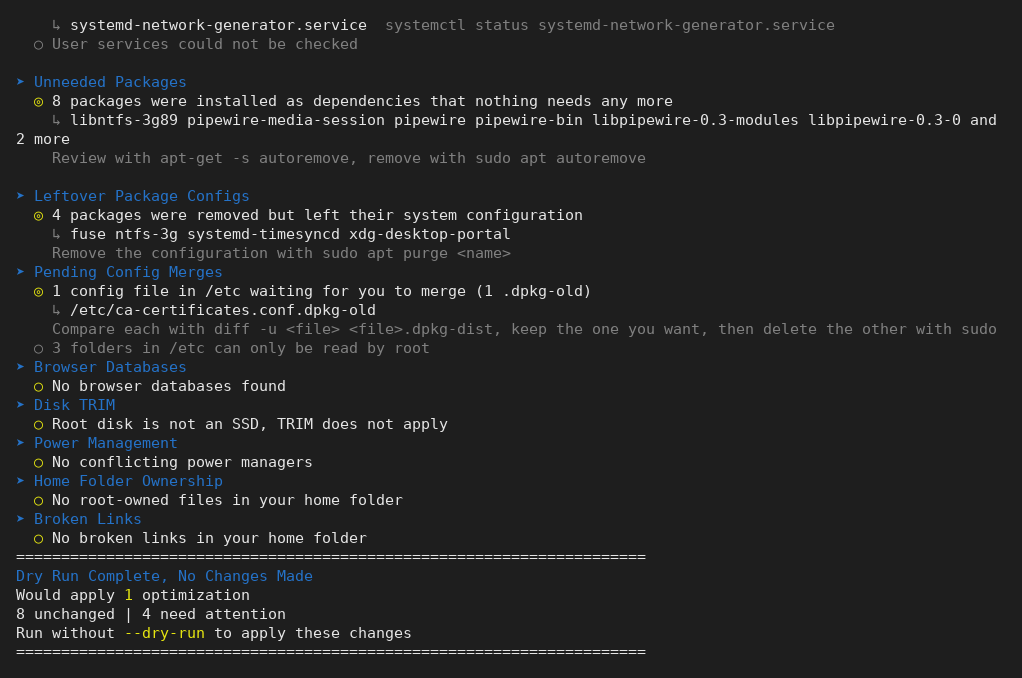
mo optimize --dry-run findings on a machine I thought was tidy.
The part to respect
Mole deletes things, so read this before running it. Every destructive command takes --dry-run, and you should use it the first time. The uninstaller and the disk analyzer send deletions to the Trash by default, but clean, purge and installer delete permanently. There's a whitelist system (mo clean --whitelist) for caches you want protected, and every operation is logged to a history you can review with mo history.
One warning worth relaying: Tw93 says lookalike apps named Scoppr and Nook copied Mole and have been linked to malware. The only official sources are mole.fit, the GitHub repo, Homebrew and Scoop. If you land on molemac.com or moleapp.net, you're in the wrong place.
What could be better
It's a terminal tool. If you want buttons, the GUI apps exist but they're paid, and friendlier free graphical tools like BleachBit or Czkawka cover part of the same ground. The Linux build is young (0.5.0 where the Mac CLI is at 1.70.0) and installs through a curl script, which some people won't love. And permanent deletion is permanent: the dry-run habit is on you.
Verdict
If you already live in a terminal, Mole covers jobs usually split across several paid utilities with one free, fast, honest command, and the dry-run-first design shows a developer who knows how this category usually abuses trust. Tested on Linux, it earns an easy recommendation for anyone comfortable with the command line; the macOS build is the most actively developed and the Windows port is catching up. The full details are in the Mole listing.