Linux Mint 27 Brings Back Hibernation to Save Your Session From a Dead Battery
- Linux Mint
- Linux
- Hibernation
- Open Source
- Ubuntu
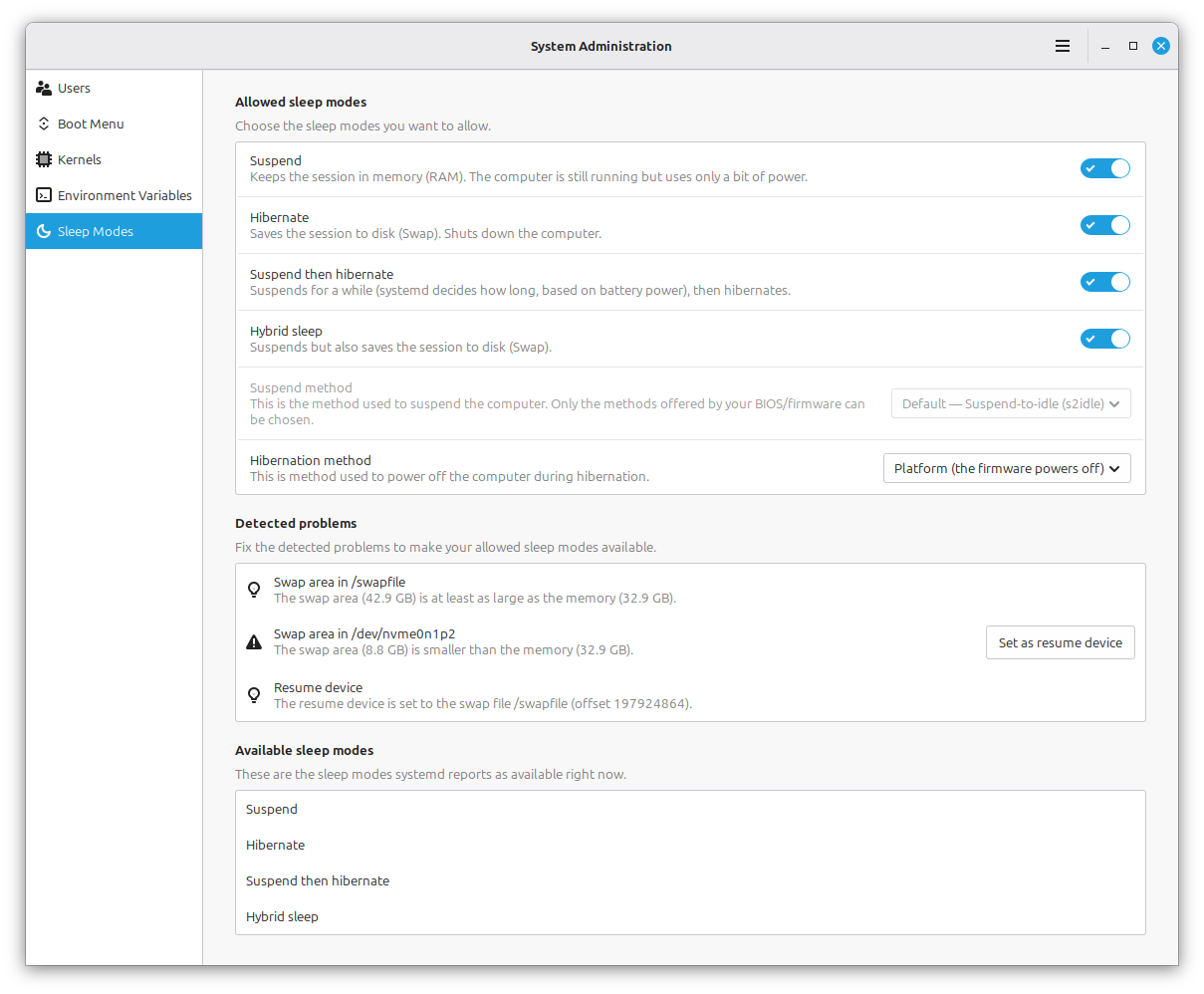
Linux Mint's next release will let you close your laptop mid-session without worrying about a dead battery wiping out your work. In its October monthly news, the Mint team announced that Linux Mint 27, due in December, is bringing back hibernation, along with a new settings page to manage it.
What was announced
Linux Mint 27 adds a new Sleep Modes page in the System Administration tool. It makes enabling hibernation a matter of a few clicks and helps you set it up correctly, instead of the manual fiddling it used to require. "We're bringing it back," the team says.
Hibernation saves your entire session to disk and shuts the computer down completely, using no power at all. When you turn the machine back on, your session is restored exactly as you left it, and so is your battery charge.
Why it matters
Current Linux Mint releases only suspend when you close the lid. A suspended laptop keeps drawing power, and if the battery runs out while it sleeps, the session is gone. Mint describes that outcome as "worse than a normal shutdown." For laptop users who move between places, hibernation removes that risk: no charger, no lost work.
Three modes to choose from
Beyond classic hibernation, Mint 27 offers two hybrid behaviors:
Hybrid Sleep suspends the computer and saves the session to disk at the same time. Resume is fast, and if the battery dies while you're away, the session can still be restored.
Suspend-then-Hibernate suspends first, then switches to hibernation automatically when the battery level goes critical.
Standard suspend remains available as before, so nobody loses the behavior they're used to.
Worth knowing
Hibernation has trade-offs: it's slower than suspend (resuming can take longer than a reboot) and it needs a large swap space on disk. The feature had disappeared from Mint because Ubuntu, its base, removed it from the available sleep modes; it is also commonly blocked when Secure Boot is enabled.
Keep in mind this is an announcement for the December release. The Sleep Modes page is not available in current stable versions of Linux Mint.
Sources
Cover image: the new Sleep Modes settings page in the upcoming Linux Mint 27, from the official Linux Mint blog (October 2026 monthly news).