Lemonade: Local AI Without the Plumbing
Suppose you want a local model for coding, another for transcription, and a chat window that does not turn setup into a second job. You can assemble the pieces yourself. Or you can let Lemonade handle the plumbing. That is the part I find interesting: less time negotiating with inference engines, more time finding out whether a model is actually useful.
A server, with a front door
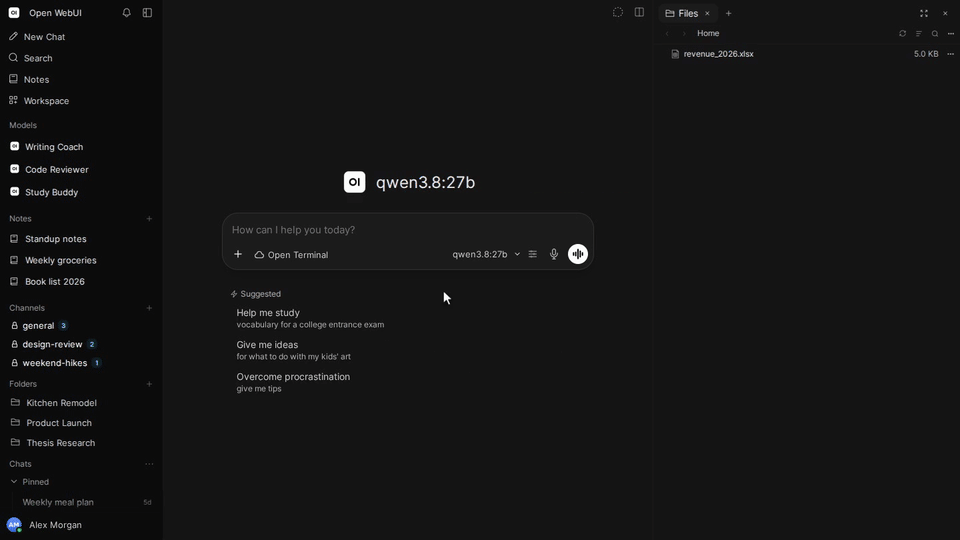
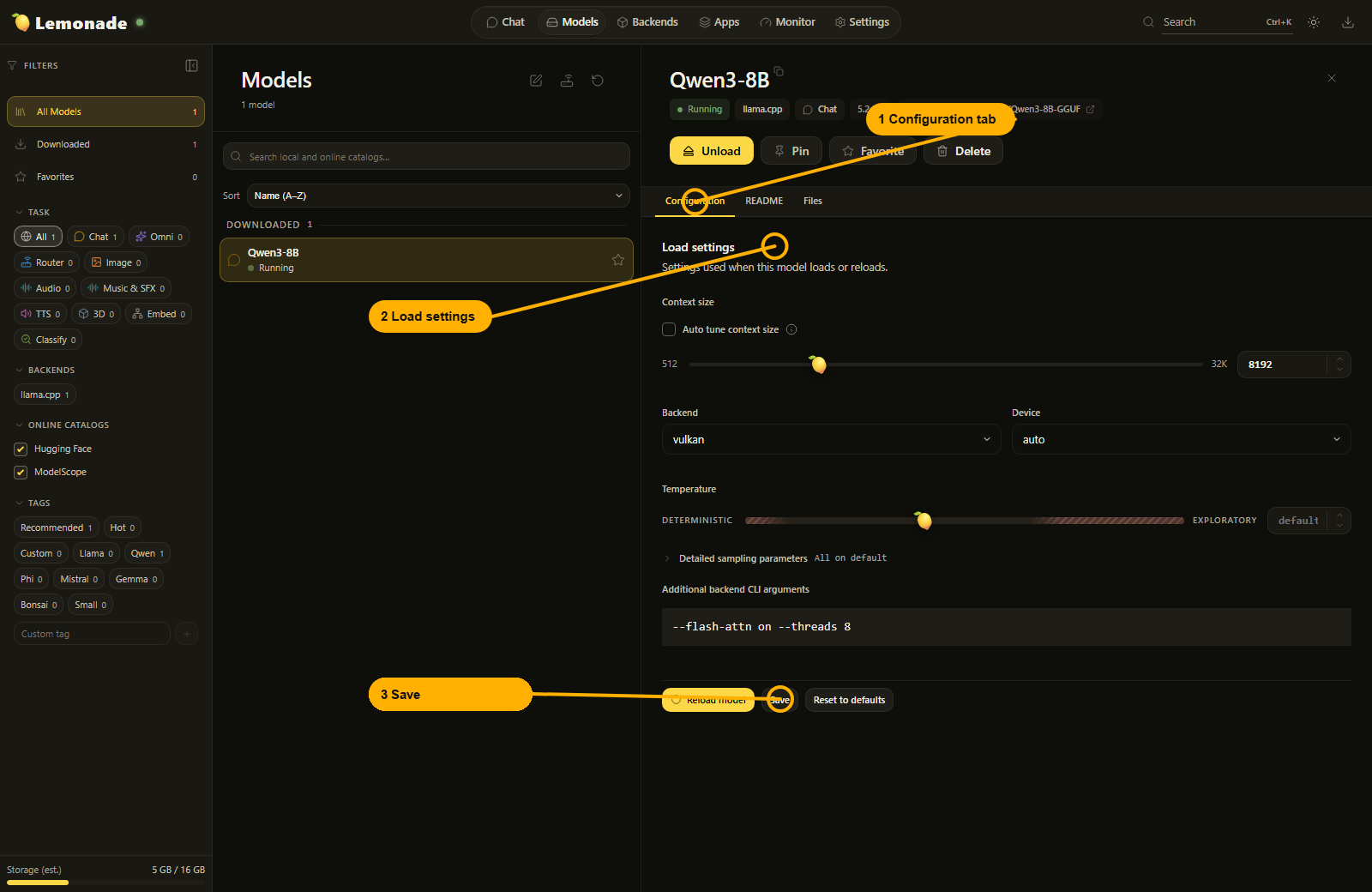
Lemonade is a free, open-source local AI server. Its graphical app lets you find and download models, load them, choose a backend and chat. Desktop and browser clients share the same interface; the server manages the model files and inference. There is also a command-line client and an embeddable version for developers.
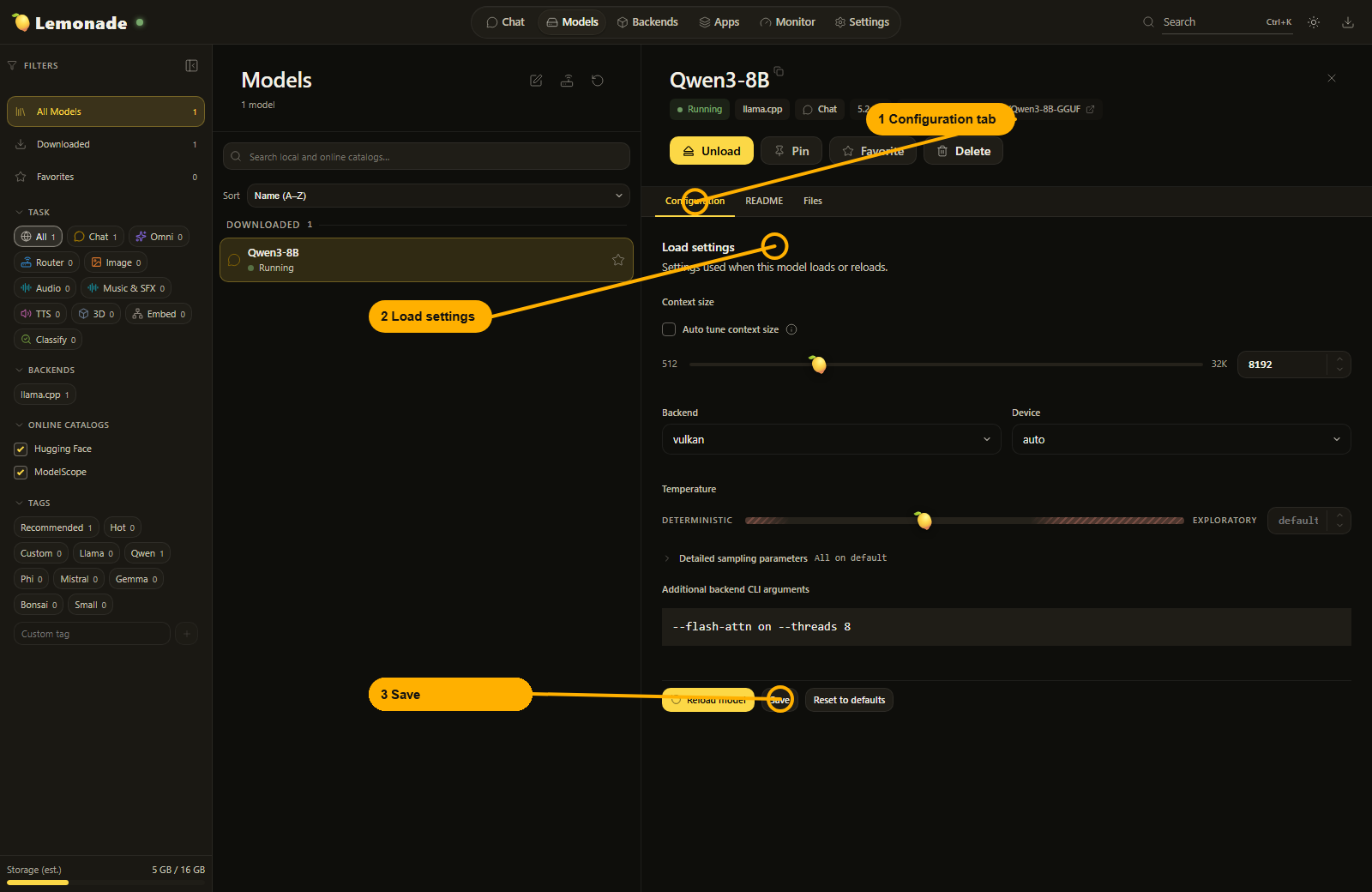
Real Lemonade App interface from the project's documentation. Yellow numbered callouts are part of the official guide. Source: Lemonade App guide.
The useful trick is the API. Apps that support an OpenAI-compatible server can connect to Lemonade instead of a cloud endpoint. You keep the familiar client while changing where inference happens. That does not make every cloud feature available locally, but it does remove a lot of glue code.
Not an AMD-only club
The community project is sponsored by AMD and includes optimizations from AMD engineers. Its hardware support is broader than that: the documented options include CPU inference, Vulkan, NVIDIA CUDA, AMD ROCm and Apple Silicon Metal, with different combinations depending on the operating system and model. Windows 11, Linux and macOS have installation paths.
Do check the compatibility table before downloading a heroic model. An NPU is not a magic permission slip for every workload, and a supported operating system does not mean every backend works on every machine. Start with a small model, check the available backends, then move up if memory and speed allow it. I would rather get a modest answer promptly than admire a progress bar with ambition.
Local does not mean disconnected by default
Local inference avoids sending that inference request to a hosted model provider, but downloads and catalog searches still contact model repositories. Lemonade also offers optional cloud routing and optional telemetry exports. The telemetry guide lists tracing as disabled by default; if you enable it, prompts and outputs can be included unless you turn on redaction. Check those settings rather than treating the word "local" as a complete privacy policy.
The server uses Apache-2.0, but downloaded models have their own licenses and requirements. There is no Lemonade subscription needed for local use; your hardware, electricity, disk space and any optional cloud provider remain separate costs.
Who I would point toward it
Lemonade looks useful for someone who wants both a visual model manager and an API for existing tools, especially on a PC where hardware acceleration deserves a little guidance. If you only need a hosted chatbot and never want to think about model files, this is extra machinery. If you enjoy local AI but are tired of rebuilding the same setup, the machinery is the point.
See our Lemonade software fiche for downloads and platform details. Primary sources: project repository, 2026.45.3 release and telemetry settings. This is a documentation-based discovery, not a performance benchmark or a hands-on hardware test.