PDF Arranger: Put Your Pages in Order
You have a cover letter in one PDF, a form in another, and page three facing the wrong way for reasons known only to the scanner. PDF Arranger is made for that sort of small, irritating job. No account, no upload queue, no invitation to buy a whole document suite because you wanted to move a page.
Think in pages, not paragraphs
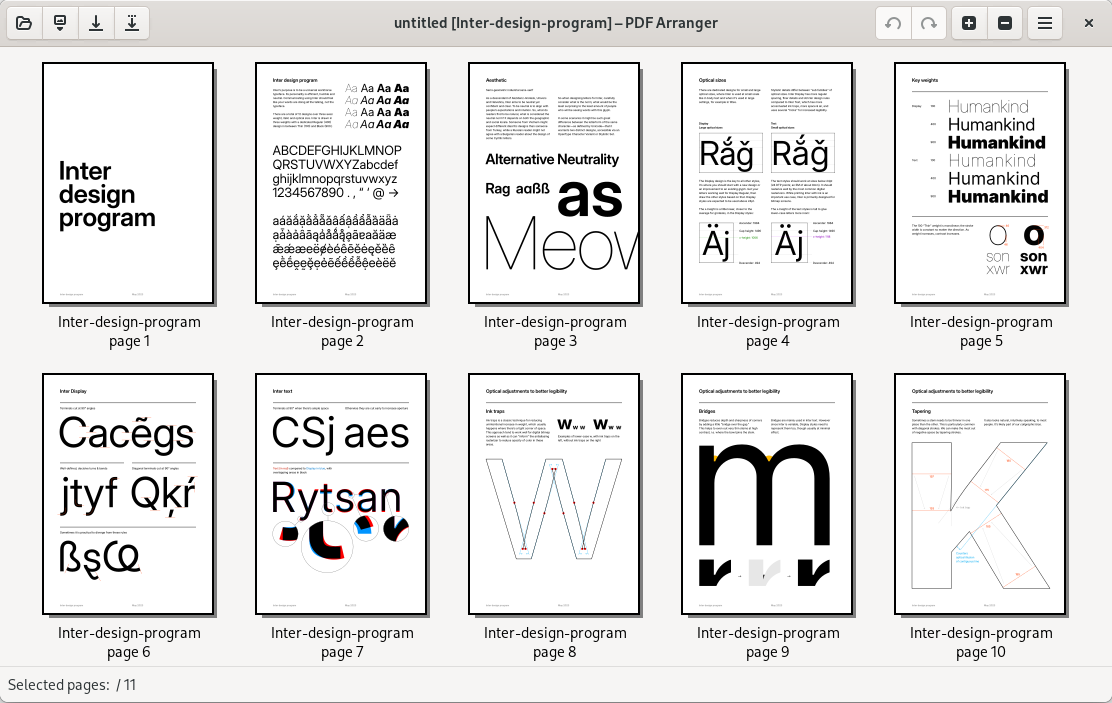
PDF Arranger is a free desktop application that shows document pages as thumbnails. You can merge documents, split them, change the order, rotate pages and crop margins. It is a Python/GTK front end for pikepdf, descended from PDF-Shuffler. The attraction is the narrow scope: arrange the pages, export a new document and get on with the thing the PDF interrupted.
I would use this kind of tool to assemble an application packet, remove an accidental blank scan or put a landscape page the right way up. It is not the tool I would choose to rewrite the paragraphs inside a contract or redesign a brochure. Page arrangement and full document editing are different jobs, even if both involve staring at the same file extension.
A small workflow that stays understandable
Start by opening copies of your source documents. Select the pages you need, move them into order and export the result under a new filename. Then reopen that exported PDF in a separate viewer and check the page count, order, orientation and any bookmarks you rely on. A ten-second inspection beats discovering that your cover letter ended up behind the appendix.
The user manual also describes blank pages, page-size adjustments and automatic cropping of white borders. Image import is available when img2pdf is installed. Version 1.14.0 adds, among other changes, a fit-to-page zoom, A0/A1/A2 sizes and an odd/even page swap function. These are practical additions rather than reasons to turn a five-page document into a software project.
Two limits worth remembering
First, do not treat cropping as secure redaction. If you need to permanently remove confidential information, use a dedicated redaction workflow and verify the exported result. Changing the visible edge of a page is not a sound reason to assume its hidden content is gone.
Second, keep the originals. Rebuilding a PDF can matter for signatures, forms or other document features, so check the output before sending anything important. I would be especially careful with a signed form: a correctly ordered page is not enough if the recipient needs an intact signature.
Windows and Linux, without the guesswork
The official release provides a Windows installer and a portable ZIP. Linux users have distribution packages and a documented Flatpak route. The project also documents BSD installation. I have not treated third-party macOS claims as an official Mac download, so this fiche lists Windows and Linux rather than promising an installer I could not verify.
PDF Arranger is GPL-3.0-or-later software. It is a local desktop tool, not an online conversion service; you do not need to upload documents to a website to rearrange them. See our PDF Arranger fiche for the official links. This is a documentation-based discovery, not a hands-on validation of forms, signatures or redaction.
Cover: real application screenshot from the official project README, cropped to the app window. Sources: user manual, 1.14.0 release and binary packages.