OpenShot 4.1: What's New in the Free Video Editor
- OpenShot
- Video Editing
- Open Source
- Free Software
- Linux
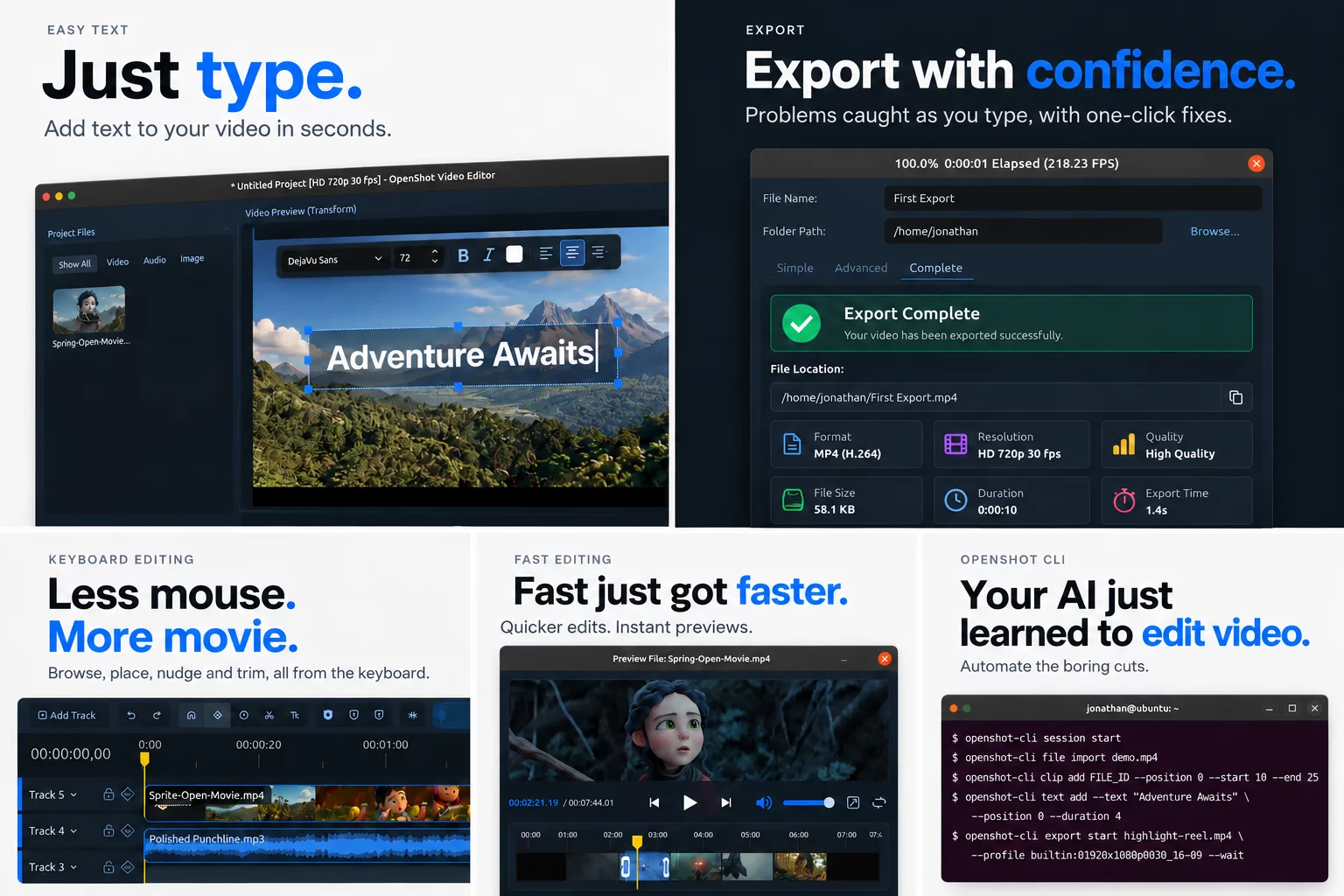
OpenShot 4.1 is out, the project announced on October 25 - the third release in three months for the free, open-source video editor, available for Windows, macOS, and Linux. This one is themed "Type, Create, Automate": text you can write directly on your video, automatic optimization of heavy footage, and an experimental command-line interface that lets scripts - or AI agents - build entire edits.
Type directly on your video
Labels, lower thirds, and quick captions no longer require the Title editor. Click Tt on the timeline toolbar (or press Shift+T) and a text clip appears at the playhead, ready for typing; a floating style bar covers font, size, bold, italic, color, and alignment. A redesigned Edit Style dialog groups outline, background, padding, rounded corners, and spacing with a live preview, new text reuses your last style, and colors, outlines, and borders can be animated with keyframes. Because the text is drawn by OpenShot's video engine, it stays sharp when scaled.
Auto-Optimize and a command line for edits
High-resolution footage makes previews lag and scrubbing stall. OpenShot 4.1 now spots slow files on its own - it already times each video's first thumbnail - and offers to create small optimized copies (720p by default) that make editing feel instant, while exports always use your original full-quality files. The second big addition is experimental: openshot-cli can import files, trim clips, apply effects and presets, set keyframes, add text, and export, returning results as JSON. Because every command is documented and structured, the project says AI coding agents such as Claude Code and Codex can drive an edit end to end; the CLI can also inspect its own work with thumbnail strips, waveform data, and timestamped contact sheets, and it can run headless or alongside the open editor.
Smarter exports, and the rest
Export settings are now validated with FFmpeg in the background as you edit: an incompatible combination - the classic example being MP3 audio in a WebM file - is outlined in red with a one-click fix, and Export stays disabled until errors are resolved. A new Complete tab summarizes each finished export. Also in 4.1: more keyboard-driven editing, Auto Keyframes, ARM64 Linux builds via the daily PPA and edge Snap channel, faster timeline edits, smaller project files, and full-level mono audio.