calibre: Give Your E-Books a Proper Home
- calibre
- E-Books
- Productivity
An e-book collection can become surprisingly physical. Not because the books weigh anything, but because finding one involves the digital equivalent of moving boxes: Downloads, another Downloads, an old reader backup and a folder named Books sorted. The last one is usually an optimistic work of fiction.
calibre gives those loose files a library. It is a free, open-source e-book manager for Windows, macOS and Linux, with a reader, metadata editing and format conversion included. What interests me most is the ordinary problem underneath all that: owning readable files is useful only if you can find them and get them onto the device where you want to read.
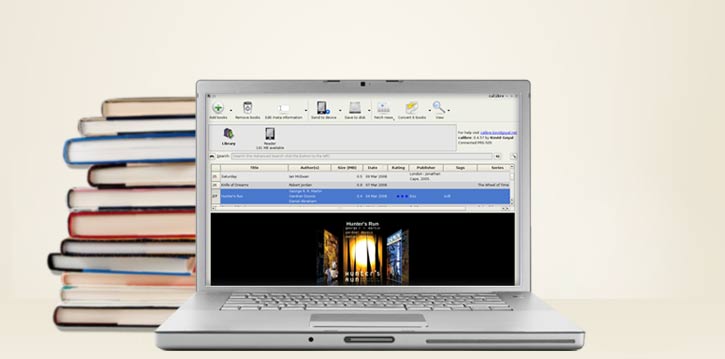
Official calibre illustration showing its e-book library interface. Source: calibre.
A library, not another mysterious folder
Imagine gathering a few DRM-free EPUBs, an old public-domain novel and a manual you keep reopening. Add that small selection through Add books. calibre reads available metadata and creates copies in its managed library, leaving the original files where they were. That last detail deserves attention before you wonder why the disk now contains two copies.
Once imported, browse by author, title, tags or other fields instead of relying on filenames. The cover view is pleasant, but a correct author and title will often do more for retrieval than a wall of beautiful rectangles. A file named book-final-v3.epub does not have to remain its own biography.
Let calibre manage its library structure. The manual warns against rearranging its internal files and folders yourself. Use the application to edit the collection and its export tools when you need files elsewhere. Tidying behind its back is a good way to make two organisers disagree about where everything went.
Metadata is worth a little attention
Select a book and open Edit metadata to correct its title, author, series, tags or cover. calibre can fetch metadata online, but a match still needs checking. Similar titles and different editions exist outside music libraries too. The first plausible cover is not automatically the right book.
I would start with the books I expect to read next, rather than demand perfection from an entire archive. Fixing a series order or adding a useful subject tag gives an immediate benefit. Renaming six hundred perfectly readable novels can wait until a very specific kind of rainy weekend.
Online metadata lookup also involves contacting outside services. Keep that in mind with private manuscripts or documents whose titles you would rather not query externally. Manual editing remains an option; a local collection does not oblige you to send every detail onto the web.
Conversion is useful, with boundaries
The Convert books button can turn supported input formats into formats suited to another reader. Choose a book, choose an output and inspect the result in the viewer. Keep the original. Conversion quality depends on the source, and a page designed for fixed dimensions will not always become a lovely reflowable book by pressing one hopeful button.
The other boundary is DRM. calibre does not convert DRM-protected e-books. Buying a book does not guarantee that the store gives you an unrestricted file, and connecting an account is not the same as importing its entire catalogue. Check what you actually have before planning a migration around it.
For a first attempt, use a lawful DRM-free book with straightforward text. Check chapter breaks, paragraphs and the table of contents after conversion, then try it on the intended device. A good-looking preview on a big monitor is only half the story if you read on a small screen.
Get the book to the place you read
calibre includes a desktop viewer, so an e-reader is not compulsory. For a supported device connected by USB, the interface offers Send to device once it has been detected. Exact compatibility and the best format depend on the reader; check the current manual for your model rather than assuming every device follows the same rules.
Save to disk is a different action: it exports book files from the library. That is useful when you want a copy outside calibre without disturbing its managed folders. The application also has a Content server, but I would keep the first setup simpler. A network service deserves access and security choices of its own, not an accidental launch halfway through sorting novels.
Keep the library, not just the reading list
Back up the library as well as the source files you want to retain. calibre documents export and import tools for moving its data to another computer. An organised catalogue is work worth preserving, especially once it contains corrected metadata and carefully ordered series.
The reward is pleasantly unglamorous: finding a book, opening it and actually reading. calibre has enough extra tools to occupy a whole evening, but you are allowed to ignore them. A library that gets you back to chapter three has already done something useful.
Software details and downloads: https://freewares.org/software/calibre
Official project and features: https://calibre-ebook.com/about
Library, metadata and conversion guide: https://manual.calibre-ebook.com/en/gui.html
Questions about libraries and moving data: https://manual.calibre-ebook.com/faq.html