CleanYourTV: A Free Toolkit for De-Advertising Your Android TV Home Screen
- Android TV
- Google TV
- open source
- debloat
- launcher
- privacy
A smart TV's home screen is prime real estate, and the manufacturer knows it: sponsored rows, promoted apps, "Discover" nags and telemetry baked into the launcher. CleanYourTV is a free, open-source toolkit that targets those home-screen and system components over Wi-Fi, no root and no cable, and can replace the launcher with a small, quiet home screen in the style of an Apple TV.
Full disclosure before anything else: we have not installed or run CleanYourTV on any device. Everything in this article comes from the project's official documentation, linked at the end.
This is a toolkit to assess for your exact TV model, not a universal one-click cleanup. The interesting question is what it changes and how you recover if a change goes wrong.
What changes on your TV
The process has two parts, and the exact list of changes depends on your model.
First, the cleanup. The toolkit targets selected manufacturer telemetry services, ad services, sponsored content rows and preloaded apps, using Android's own pm disable-user command. That is the same switch as Settings > Apps > Disable: nothing is uninstalled, nothing is flashed, no root.
Second, the launcher. It builds and installs a small native home screen, about 572 KB, written for TVs with as little as 1 GB of RAM. The documented result looks like an Apple TV: a dock of four favourite apps, a top shelf naming the focused app, a grid for everything else, and buttons for inputs, network and settings. It ships with 29 themes and 31 languages, requests no network permission and runs no background services.
How the process works
You enable USB/network debugging in the TV's developer options, then run the toolkit from a Windows, macOS or Linux computer. The documented path leans on a coding assistant (Claude Code, Codex, Gemini CLI and others) that follows the project's prompt, backs up the TV's state, discovers the bloat on your model, asks which apps you use, then debloats and installs the launcher. Every step can also be run by hand. The project estimates about fifteen minutes with that workflow; we have not timed it. The toolkit itself is free, but a chosen coding assistant may have its own subscription or usage charges. Running the documented steps manually avoids requiring a paid assistant.
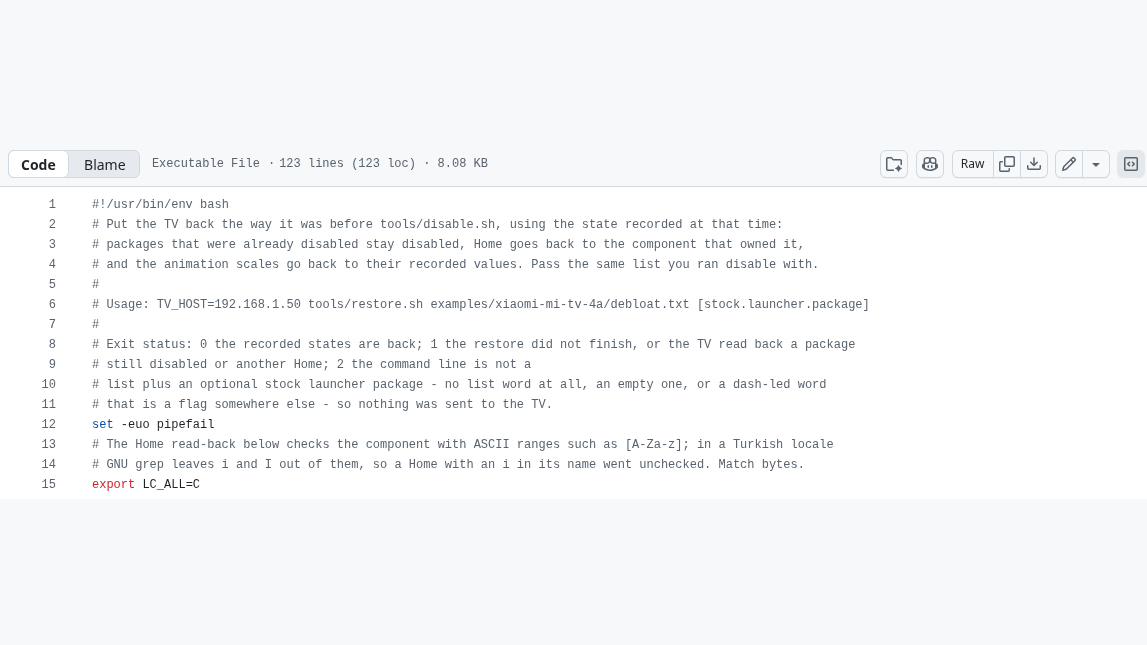
According to the documentation, the toolkit records the TV's state before changing anything (in ~/.cleanyourtv/ on your computer), and a one-line restore script replays that record: disabled packages come back, and Home returns to the stock launcher. We have not tested that restore ourselves.
Which TVs are supported
- Android TV and Google TV: the intended full workflow, cleanup plus launcher. Contributor-submitted lists cover many models, but are not a guarantee for every firmware. The README flags some China-market TCL sets that refuse third-party launcher installation.
- Fire TV: cleanup only. Fire OS will not hand the Home role to a third-party launcher, and on the 2015 Fire TV Box even the cleanup fails.
- Samsung (Tizen), LG (webOS), Roku, Vizio, Hisense VIDAA: not supported at all, since these platforms have no ADB. The project points their owners to a guide for turning off tracking with the remote instead.
The launcher itself needs a TV running Android 8.0 or newer.
What it is not
CleanYourTV is not an ad blocker for your apps. It targets the ads and sponsored content built into the home screen and system components; ads inside streaming apps, including YouTube, still show. The project's FAQ describes a separate, partial option (Android's Private DNS with an ad-blocking resolver) with its own trade-offs.
There are also no prebuilt binaries: the launcher is compiled on your computer, which requires a JDK and the Android SDK, or Docker.
The risk section the project itself insists on
The documentation is open about what can go wrong, and it deserves space here. The restore the project describes is not a time machine.
- The real risk is disabling a package the TV depends on. The documented failure mode on Google TV is the setup wizard taking over Home and crash-looping the system. The project says its scripts apply lists in small batches and refuse to leave a TV without a Home app, but if the TV no longer boots far enough to re-enable anything, the documented last resort is a factory reset from the recovery menu.
- A firmware update installs over the cleaned system: packages return, Home goes back to stock, and you re-run the check.
- The documented restore replays the recorded state; it does not promise perfection. A package you had disabled yourself before stays disabled, and the new launcher remains installed until you remove it from Settings.
- The port-5555 network ADB route is plaintext, and on some firmware any device on the network can get a shell while it is open. The project also documents a separate paired, encrypted Wireless debugging route on compatible devices. The project tells you to switch debugging off afterwards and verify the port is closed, and we second that.
- Changing a TV's software may affect its warranty or support. You do this on a TV you own, at your own risk.
Verdict
On paper, CleanYourTV documents the right safeguards: state recorded before changes, packages disabled rather than uninstalled, a restore script, and a troubleshooting page that names its own failure modes. What we cannot tell you is how any of this behaves on a real television, because we have not tried it on one. If your Android TV home screen has become a billboard, the documentation makes this toolkit worth a careful look, provided you read the troubleshooting page first.
Cover: cropped source-code view of the project's restore.sh, not a television screenshot or a hands-on test. Source: Gathin23/CleanYourTV, MIT license.