Filee: Three Conversions, No Upload Form
- Filee
- file conversion
- Linux
- open source
- privacy
The usual file-conversion adventure starts with a harmless request. Turn this image into another image. Save this note as a PDF. Then a website wants an upload, another tab wants a subscription, and somehow changing a file's format has become an afternoon.
Filee takes a more useful route: convert on your own computer. Its signature interface is a circular menu that appears around the cursor when you drag files with a shortcut key held down. There is also a normal drop zone, presets and a command line. The doughnut gets the attention; the escape from another upload form is the part I care about.
For this review, we tried version 2.4.0 on Linux with three small files created for the test. Nothing private, nothing borrowed from a real work folder. A PNG image, a JSON file and a short Markdown note walked into a converter. Thankfully, that is where the joke ends and the files come back.
What actually came out
We used Filee's command line for the conversions. The PNG became WebP, the JSON became YAML and the Markdown note became a one-page PDF. All three jobs reported one converted file and no failures.
That is a start, not the finish of a test. We opened the image and the PDF and read the YAML. The image retained its 1,200 by 800 dimensions. The PDF kept the heading, paragraph and two list items. The YAML preserved the small document's values, including its number and boolean. The source files were still there.
These are deliberately modest examples. They do not establish that a complicated spreadsheet, a font-heavy presentation or an unusual ebook will survive unchanged. Our Linux setup already had several optional tools available, so this was not a clean-machine dependency test either.
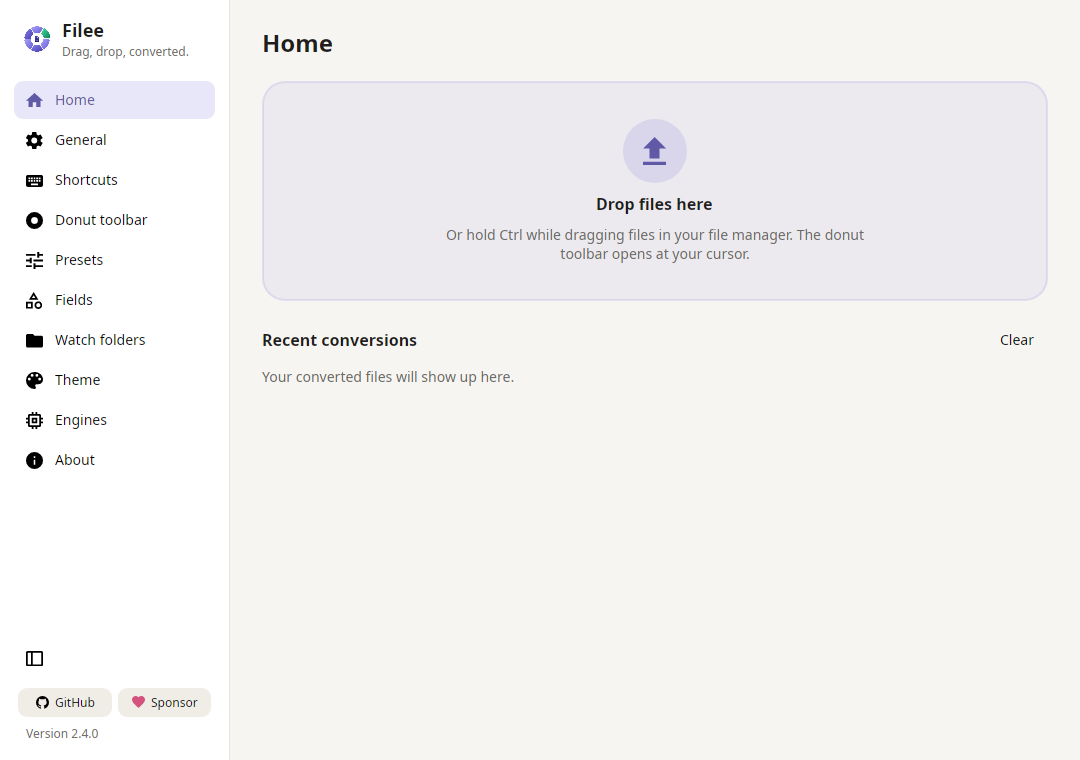
We also opened the graphical app and saw its Home drop zone and engine-selection screen. We did not validate the global drag gesture on a full desktop session. The distinction matters: a successful command-line conversion is not a review of every way the doughnut can appear.
Local files, optional engines
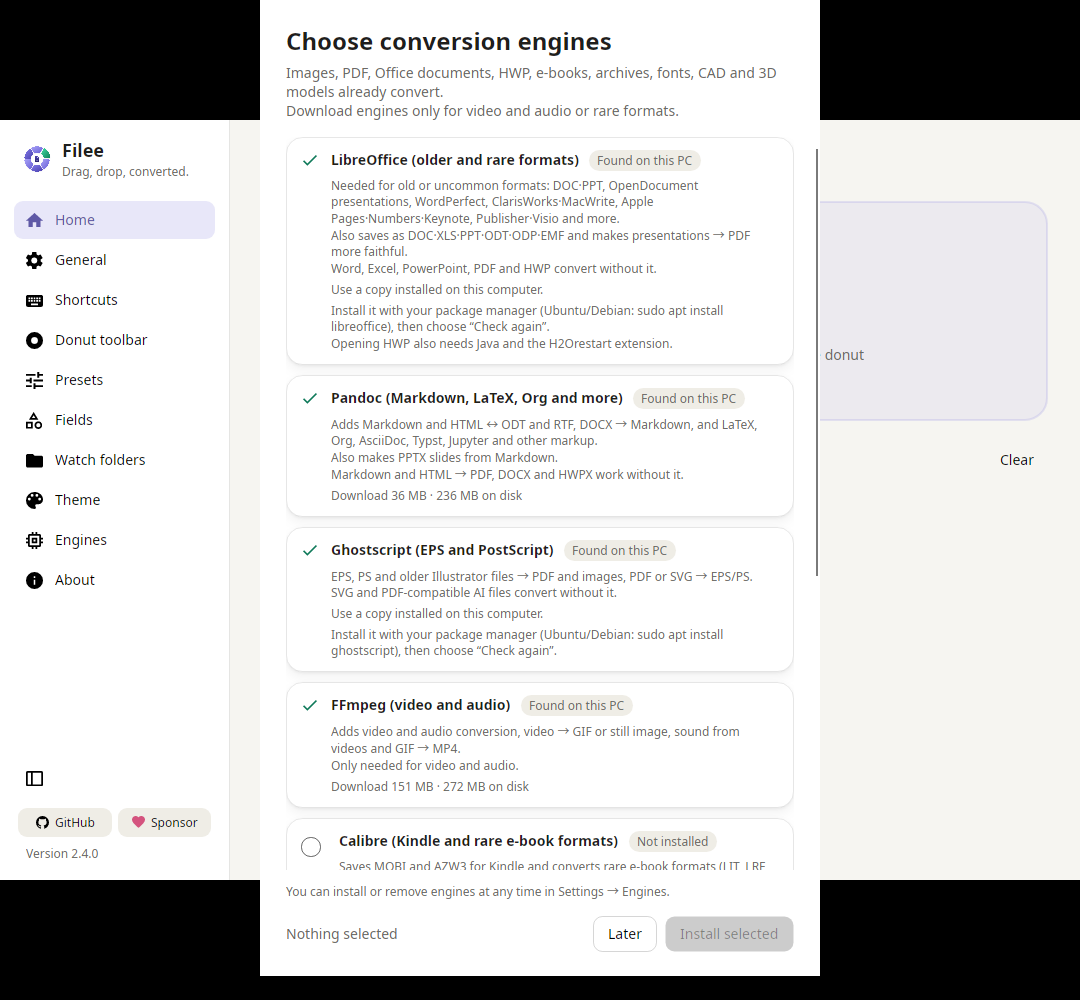
The engine chooser in our Linux trial. "Found on this PC" means already present on the test machine, not that all engines are included by default.
Filee covers images, documents, PDFs, archives and other categories through its own components and optional conversion engines. Its documentation lists LibreOffice, FFmpeg, Pandoc, calibre and Ghostscript for particular routes. You do not need to install everything just to begin.
That is also why I would avoid choosing it by a giant format count. The project's own pages currently show different totals. What matters is your input, your desired output and whether that route needs an extra engine. The filee formats command can help answer that before you build a workflow around it.
According to the project's privacy policy, conversions happen locally without uploading files or sending telemetry. That does not mean the app never connects to the internet: update checks, optional-engine downloads and other requested downloads are separate activities. Automatic update checks can be disabled in Settings.
We did not perform a network audit. "Local conversion" here is the documented design, supported by our local-file trial, not a claim that we inspected every packet.
Start with the corrected version
Version 2.4.0 is more than a feature update. Both published security advisories mark versions through 2.3.0 as affected and 2.4.0 as patched. The second advisory discusses update authenticity and safeguards around documents handled through LibreOffice.
The reports include code-review findings and defence-in-depth gaps. They are not evidence that somebody's files were stolen. Still, there is no reason to recommend an old download when a corrected release exists. Use the current official release, keep originals and treat unfamiliar documents with the same care you would in an office app.
Where it fits
Filee is free and open source under the MIT license. Windows 10 and 11 are supported; Linux packages target Ubuntu 22.04 or newer on x64 and ARM64. macOS 13 or newer is available as a preview for Intel and Apple silicon, with packages that are not yet notarized. On Linux, the README directs Wayland users to the drop zone and file-manager menu rather than promising the same global drag experience as X11.
My starting point would be one ordinary conversion, then a preset if it saves repeat work. Watch folders and batch processing can wait until you trust the results for your files.
The best outcome is pleasantly boring: the new file is there, the original is there, and no conversion website has acquired a copy of either. Our three-file trial got that first part right. I would happily take fewer upload forms in exchange for one more doughnut.
Screenshot credit: our Filee 2.4.0 Linux run, cropped. © 2026 Myeonggu Kim (KnifeLemon) and Filee contributors, MIT license. Third-party components retain their own licenses.
For version details, system requirements and official download links, see our Filee directory entry.