Hob: Local AI Without the Setup Ritual
- AI Tools
- Local AI
- Privacy
- Open Source
- Free Tools
Running AI locally has a reputation problem: before you ask your first question, you are expected to pick a model from a list of cryptic names, guess how many billions of parameters your RAM can survive, and learn a command line incantation or two. Hob showed up in a recent tool-hunting round, riding a wave of Reddit and Hacker News threads about local AI, and its whole pitch is killing that ritual.
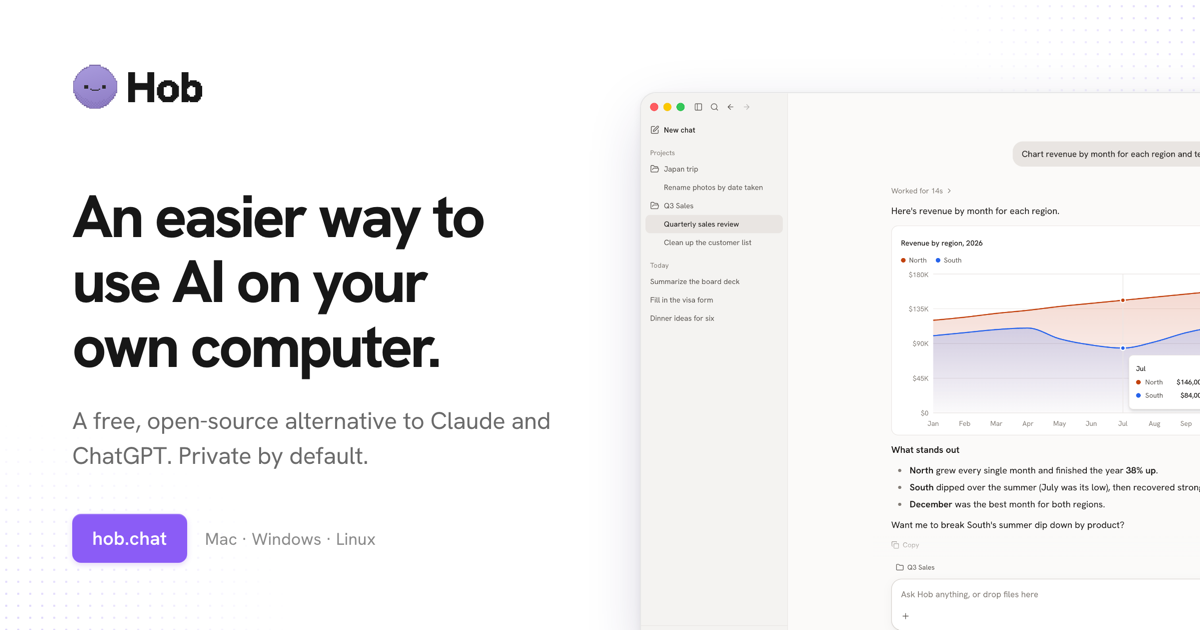
Hob running a local model: a chat that charts revenue from a spreadsheet, all on your own machine. Source: hob.chat.
What Hob actually is
Hob is a free, open-source desktop app for Mac, Windows and Linux that runs open-weight models - Gemma, GPT-OSS, Qwen and friends - entirely on your own machine. No account, no subscription, and no chats leaving your computer. It works offline, which the makers mean literally: the AI runs on your hardware, so a plane, a cabin or an internet outage changes nothing.
The team positions it as a free, open-source alternative to Claude and ChatGPT. That is their ambition talking, and I will come back to it in the caveats, but the privacy architecture is genuinely different from the big cloud apps: your conversations stay on your disk.
The setup is the product
Here is the part that got my attention. Hob does not show you a model zoo and wish you luck. It inspects your computer and picks what it calls the best frontier open-weight model that fits your hardware, then sets everything up itself. For anyone who has bounced off local AI because the first screen was a wall of filenames like model-Q4_K_M.gguf, this is the difference between a product and a homework assignment.
That one design choice tells you who this is for: people who want the privacy and the zero subscription of local AI without earning a hobby in the process.
The model picker itself is worth a second look. Instead of asking you to know the difference between Qwen and GPT-OSS, it treats the model like an implementation detail, the way a browser treats a rendering engine. The makers say the app picks per machine, so a MacBook Air and a workstation apparently do not get the same brain.
What you can throw at it
The demos lean on document work: drop in your files, get results you can open, edit and share. Filling out PDF forms, working through spreadsheets, summarizing notes - the bread and butter of chat assistants, minus the upload. The makers also show optional connections that pull your email, calendar and other apps into the conversation.
One honest nuance there: the moment you connect Gmail or a calendar, your data is flowing through those integrations again. The offline and private story applies to the model and your chats, not to the services you deliberately wire in. That is not a flaw, just a line worth seeing clearly.
The honest caveats
This project is a few weeks old at the time of writing. Two weeks. Expect rough edges, missing features and rapid change in both directions. The "alternative to Claude and ChatGPT" framing is the vendor's positioning, not a benchmark result: open-weight models have gotten scary good, but for the hardest reasoning tasks the frontier cloud models still tend to win, and your mileage will depend on the task. Hardware still matters too - a model that "fits your computer" will answer faster on a beefy machine than on an aging laptop.
And as with any brand-new app asking to read your documents, the MIT license means you can audit what it does, which is exactly what you should do before handing it your tax folder.
If local AI has been on your "one day, when I have a weekend" list, Hob is trying to remove the weekend. The download is at https://hob.chat - free, MIT, and if the model it picks disappoints you, deleting an app costs nothing either.
Full software listing: https://freewares.org/software/hob