LocalSend: Let Your Files Take the Short Way Home
Somewhere between taking a photo on a phone and putting it on a computer, a simple task can acquire a surprising number of middlemen. An email to yourself. A cloud upload. A cable that is apparently charging-only. Another cable, because optimism is free.
LocalSend cuts through that little ritual. It sends files and text between devices on the same local network, without an account or a cloud relay. Windows laptop, Android phone, Mac, iPad, Linux machine: the point is that they can talk without first agreeing to belong to the same brand.
The short route between two devices
This is a free, open-source application under the Apache 2.0 license. Install it on the devices involved, connect them to the same local network, and use the sending device to choose files or text and a recipient. The receiving side can accept the transfer. The official site also documents optional PIN verification.
The attraction is less about a spectacular feature than removing an unnecessary journey. If the photograph is already in your hand and its destination is on your desk, sending it to a distant server first feels a little like posting a letter to your own kitchen.
LocalSend does not need an internet connection for the transfer. It does need a working local network between the devices. Those are different things. A router can still connect your phone and laptop even when its internet connection is unavailable; a restrictive network can also prevent nearby devices from seeing one another despite both being online.
Private transport, ordinary precautions
According to the official documentation, transfers use HTTPS, with a certificate generated on each device. There is no third-party transfer server required by the design. The project's site says there are no ads or tracking, and no account is required to get started.
That does not make every network or every incoming file trustworthy. Check the recipient before sending anything sensitive, use the available verification options when appropriate, and do not accept a mysterious file just because its sender appears to be in the same room. Encryption protects transport; it does not make a bad decision charming.
It is also worth keeping the job description straight. LocalSend moves files and messages. It is not a cloud drive, an automatic backup service, or a folder-synchronisation system. Sending a document to a laptop does not arrange for every later edit to follow it there. For an occasional handoff, that simplicity is exactly the attraction.
When the other device is missing
The first troubleshooting step is not reinstalling everything. Check that both devices are on the same network and that the app can communicate through their firewalls. The repository documents TCP and UDP port 53317, and warns that access-point isolation can stop discovery. Guest Wi-Fi is a common place for that sort of separation.
On Windows, the project's troubleshooting notes also point to the network profile: a public network can be more restrictive than a private one. That is a reason to inspect the setting, not a recommendation to label every hotel or café network private. Only relax access where you understand and trust the network.
Keep the receiving app available while you establish the transfer, and begin with a harmless sample file. Confirm where it landed and open it. That small check is more useful than assuming that a progress indicator has organised your entire digital life.
A better habit than emailing yourself
The strongest use cases are delightfully unambitious: move a screenshot from a workbench PC to a phone, pass a PDF from a tablet to a laptop, or send a snippet of text without creating a temporary chat with yourself. There is no need to dress those jobs up as a productivity revolution.
This is a discovery based on the project's current documentation, not a hands-on speed test or a claim that every device combination has been tested here. Transfer speed depends on the network and devices; a universal number would tell you very little.
If your equipment comes from several ecosystems, LocalSend is worth a place on the shortlist. It asks for an app on both ends and a network that lets them communicate. In return, the file can take the short way home.
Official site: https://localsend.org
Documentation and source code: https://github.com/localsend/localsend
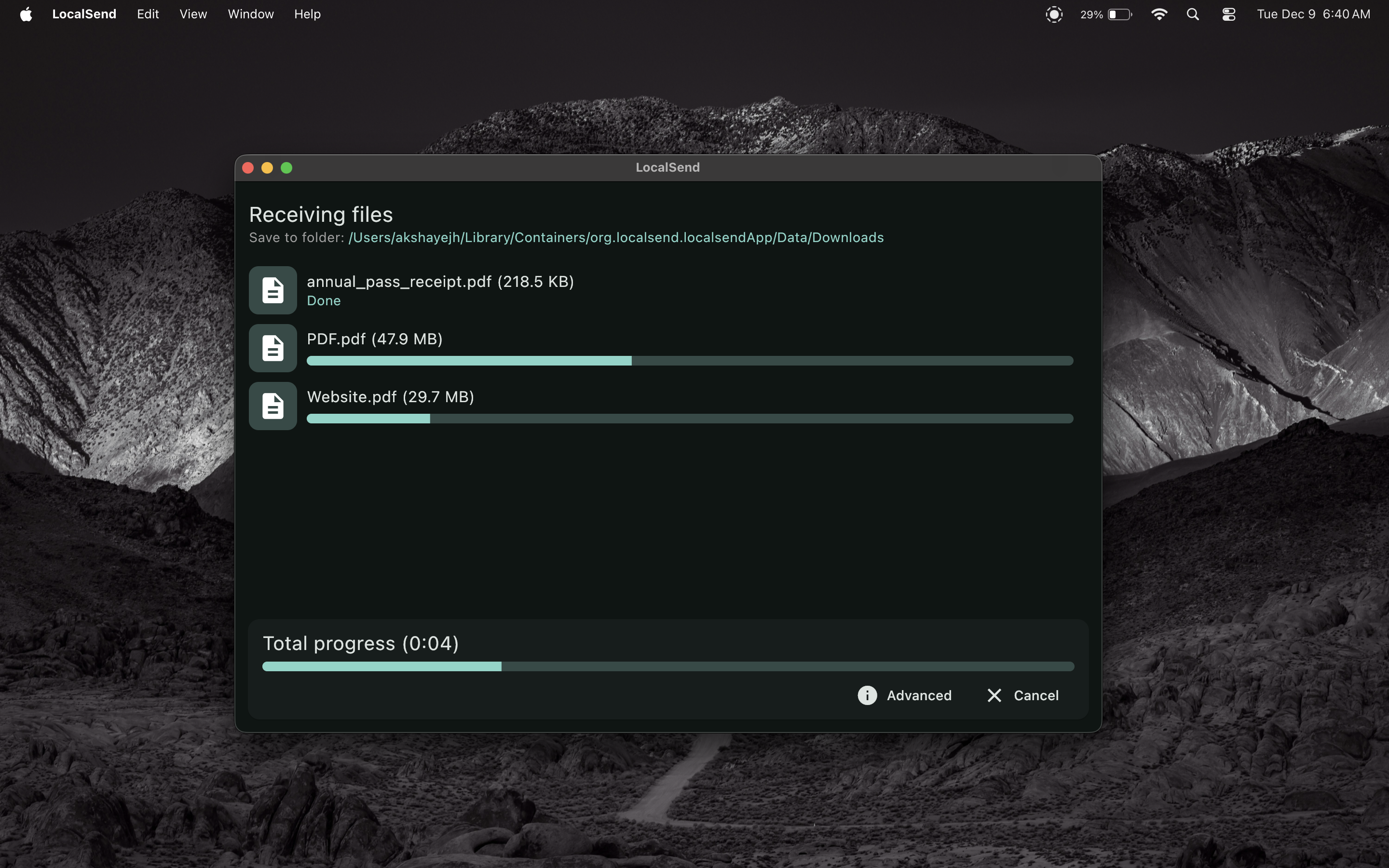
Cover image: official LocalSend screenshot showing an incoming transfer, not our own test.