SiteOne Crawler: Find Your Website's Hidden Problems
You are about to call the website finished. Then you click one link, land on a missing page, and remember that "looks fine on my screen" is not an audit. Time to let a crawler do the boring walk around the building.
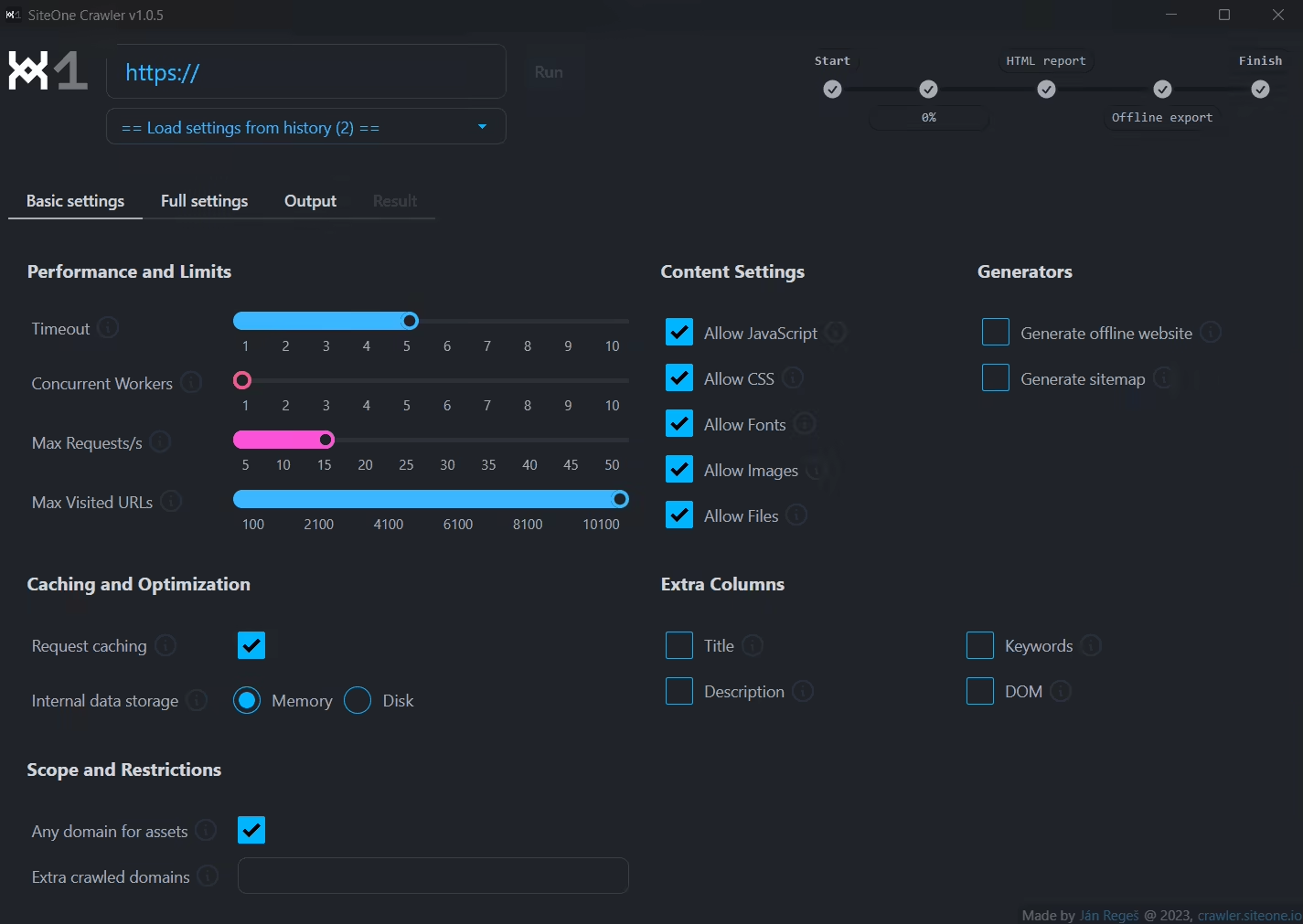
SiteOne Crawler's desktop app auditing a website and collecting its findings into a report. Source: crawler.siteone.io.
SiteOne Crawler is a free, open-source tool that follows a website's links and turns what it finds into a report. Broken pages, awkward metadata, oversized assets: the sort of problems that are easy to miss when you only visit the homepage and admire the new logo.
A website check with something useful at the end
The project combines website crawling with checks covering SEO, performance, accessibility, security and other technical details. The result is an HTML report you can open and work through, rather than a terminal window that scrolls away before you have finished your coffee.
There is a desktop application for people who prefer buttons, and a command-line tool for people who would rather automate the job. The current CLI is available as a native binary for Windows, macOS and Linux, without a separate runtime to install. The project's official site explains the available packages and the differences between the desktop and command-line routes.
Think of the report as a list of leads. A crawler can identify a missing title or an HTTP error. It cannot decide whether your introduction is interesting, whether a product claim is true, or whether your business deserves the top result on Google. A quality score is a diagnostic summary, not a ranking forecast.
Start with one site and a small question
A sensible first job is to check a website you own or have permission to audit. Begin with a limited crawl and a clear question: are important pages reachable, do links return errors, and are titles and descriptions present where you expect them?
Look at the report before switching on every optional feature. Fix a broken internal link, check the affected page, then use a later crawl to confirm the change. That gives you a short feedback loop instead of a beautifully colour-coded backlog you will never open again.
The documentation says the crawler respects robots.txt. That is useful, but it does not make every crawl harmless or authorised. Choose conservative request limits, avoid unnecessary private or account areas, and be considerate of the server. A tool offering stress testing is not an invitation to stress-test someone else's website.
More than a broken-link finder
SiteOne can also make an offline copy of a site and convert pages into Markdown. The first is useful for reading or archiving accessible pages; the second can help with documentation workflows. An offline copy is not a complete backup of a database-backed service. A page that relies on a server for search, sign-in or other functions will not gain that server simply because you downloaded its HTML.
For JavaScript-heavy websites, the optional browser-rendering mode uses Chromium to inspect rendered pages. This can matter when the initial HTML does not contain the content visitors actually see. It also adds work compared with a simple HTTP crawl, so use it when the site needs it rather than treating it as a universal turbo button.
The project also offers optional AI-assisted analysis with your own model or provider. It is an extra, not the reason the basic crawler works. Check the destination and cost of any model you connect. "Open source" does not make a commercial API free or keep data local by itself.
Keep private reports private
The FAQ describes an optional upload feature that places an HTML report on the project's infrastructure and returns a shareable link. That can be handy for a public-site audit with a colleague. It is a different choice from opening a local report, especially if the results contain sensitive URLs or internal details.
Choose the local route unless sharing is intentional. The same common sense applies to screenshots, exported pages and any AI provider you attach. An audit is supposed to help you understand where information goes, not create a new mystery about it.
SiteOne Crawler makes sense for a small-site owner, developer or technical editor who wants repeatable checks without starting with a paid audit subscription. Pick a limited first crawl, work through a few real issues, and keep the report in its proper place: a useful torch, not an oracle.
Download details: https://freewares.org/software/siteone-crawler
Sources
SiteOne Crawler (https://crawler.siteone.io/)
Official FAQ (https://crawler.siteone.io/introduction/faq/)
Installation and platform requirements (https://crawler.siteone.io/installation-and-requirements/ready-to-use-packages/)